Date/time A/B testing question | Community
Skip to main content
New Participant
February 21, 2023
Solved

Date/time A/B testing question

  • February 21, 2023
  • 1 reply
  • 2669 views

Hi folks,


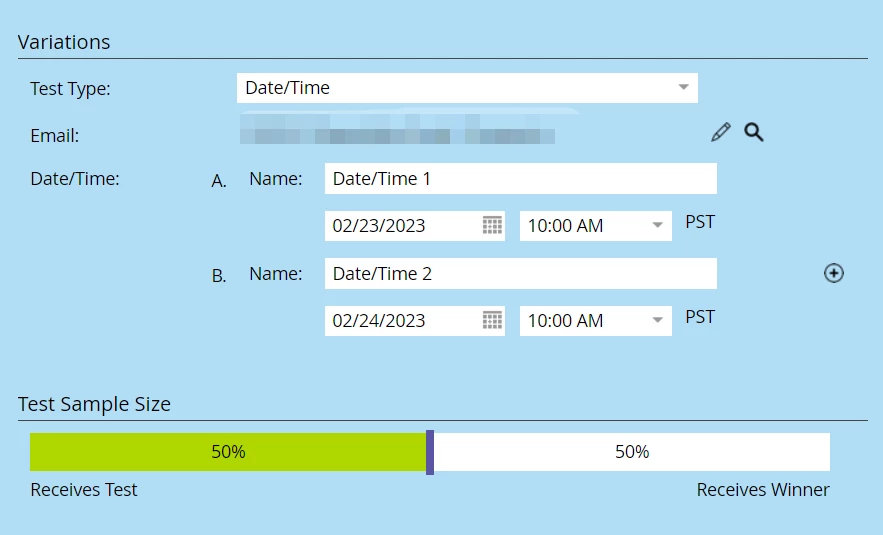
I'd like to send an email to 50% of the audience on Feb 23, and the rest 50% on Feb 24 to test out which date works better. 

So, there will be a "winner", but nobody will received it as it's a date rather than an email.


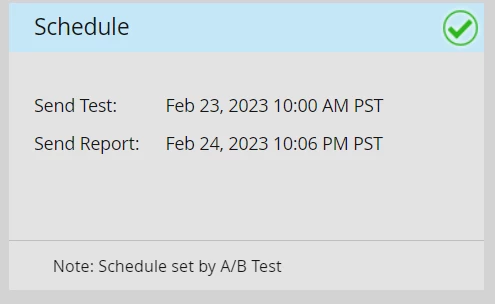
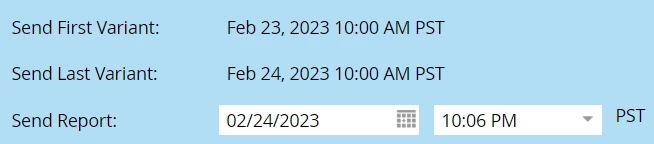
Will the following settings do that for me? Or, will it send the email out to 25% on Feb 23 and 25% on 24, and leave the rest 50% of audience receiving nothing but waiting for my mannual "winner"?
 

Thanks!


This post is no longer active and is closed to new replies. Need help? Start a new post to ask your question.
Best answer by Darshil_Shah1

This setting will send test emails out to 50% of the qualified people. The different variations will send to equal portions of the chosen Test Sample Size (i.e., each of two the test variants will be sent out to nearly 25% of the total qualified people). In the end, post the test, 50% of the total qualified people would be left to receive the winning email (which will be sent once you declare the winner and schedule the winning email send).


1 reply

Darshil_Shah1
Darshil_Shah1Accepted solution
Community Manager
February 21, 2023

This setting will send test emails out to 50% of the qualified people. The different variations will send to equal portions of the chosen Test Sample Size (i.e., each of two the test variants will be sent out to nearly 25% of the total qualified people). In the end, post the test, 50% of the total qualified people would be left to receive the winning email (which will be sent once you declare the winner and schedule the winning email send).


JC100Author
New Participant
February 27, 2023

Thanks Darshil,

We eventually used 2 campaigns - one on feb 23 and another on feb 24. We used the Random Sample filter to get 50% audience for 23 feb batch, then used "Not Was Sent Email" to screen the rest 50% audience. So this is an A/B test without using the built-in A/B test. 

Just curious: what if I set the test to 100% audience? 50% go on feb 23 and another 50% go on feb 24? This will match my test need but 100% of test seems not recommended


Darshil_Shah1
Community Manager
February 27, 2023

If you select the test sample size to 100%, Marketo would try to send both test versions (one on the 23rd and the other on the 24th) to equal portions of the chosen test sample size. Also, since you'd have run your test on 100% of the audience, you would not be left with anyone to send the winner email to, which is why Marketo recommends users to not select 100% in the test sample size.