Does an email template update require creating a new email asset vs. using a cloned asset?
Hello,
For our weekly email sends, our team clones the previous email asset. So each "new" email is a clone of a clone of a clone.
I noticed that when I created a new module and added it to the template we use for testing code changes, it worked perfectly. The email asset I use to view any changes to our "testing template" is a single original email--not a clone of a clone.
After testing the changes in our "testing template," we make the update to our "master email templates".
However, after updating our master email template and pulling the new module into a clone of a clone of a clone (times 40 emails or so) that uses that master template, the module did not work as intended. A previous fix I had applied to the hero image to ensure it expanded the full width of a mobile device in the Outlook app did not work, and there was another weird issue where the number and headline text were aligning center instead of staying left-aligned as shown below:
Correct header text alignment: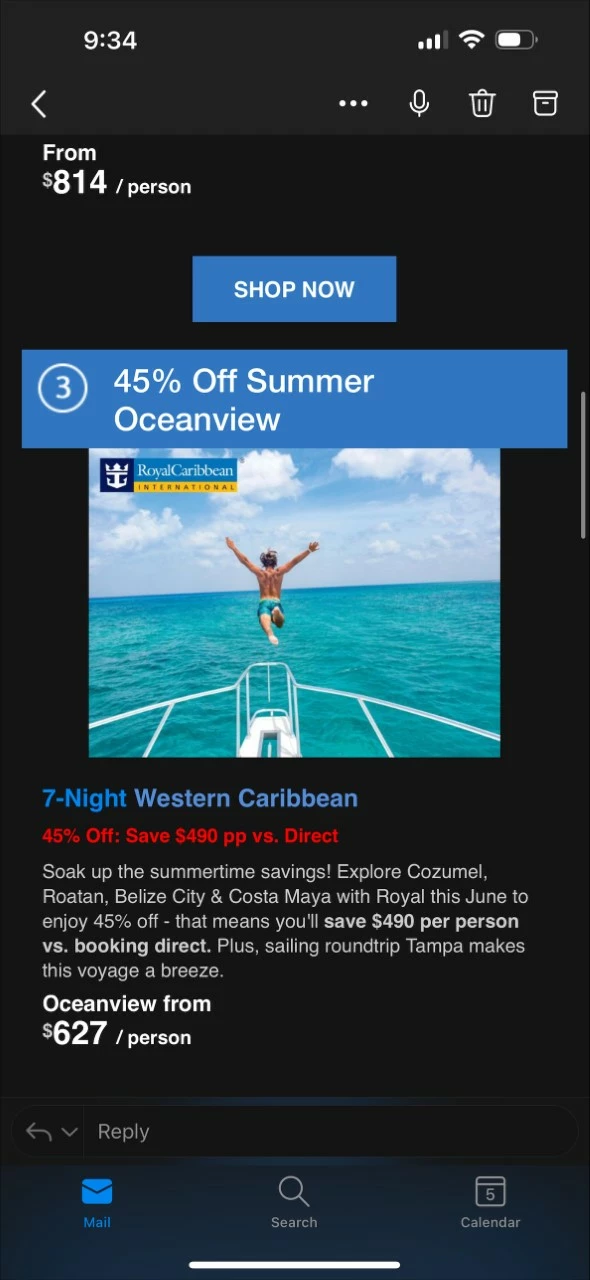
Incorrect header text alignment:
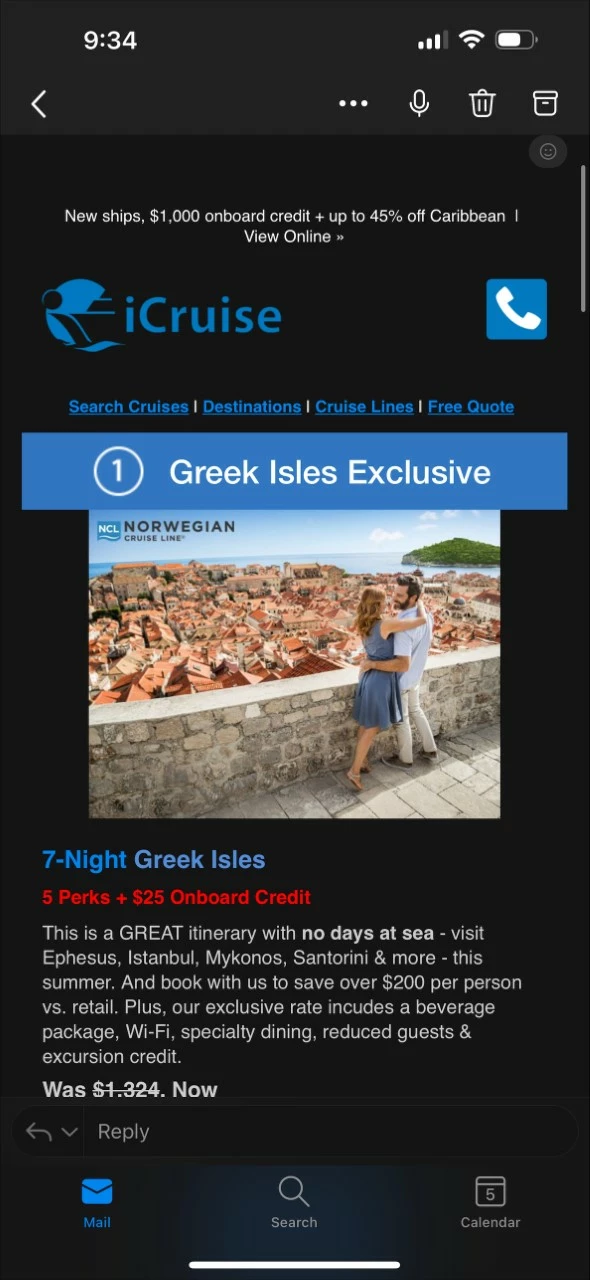
My question is: When is it necessary to create a new email asset after making changes to an email template? If I make small changes to an existing module, is it necessary to create a new email asset or can we just pull in the updated module and everything should work as intended (given the code is correct, of course)? I understand when it comes to clones of clones of clones that code corruption can happen, but is that true for small changes as I mentioned, or just for bigger code changes like a newly created module?
Thanks so much,
LK