Dynamic content removes inline styling? | Community
Skip to main content
Matt_Stone2
New Participant
March 10, 2019
Solved

Dynamic content removes inline styling?

  • March 10, 2019
  • 1 reply
  • 4064 views

I noticed an odd issue with some new templates we've rolled out concerning dynamic content. The issue stems only when making sections dynamic--the templates work flawlessly when content is static.

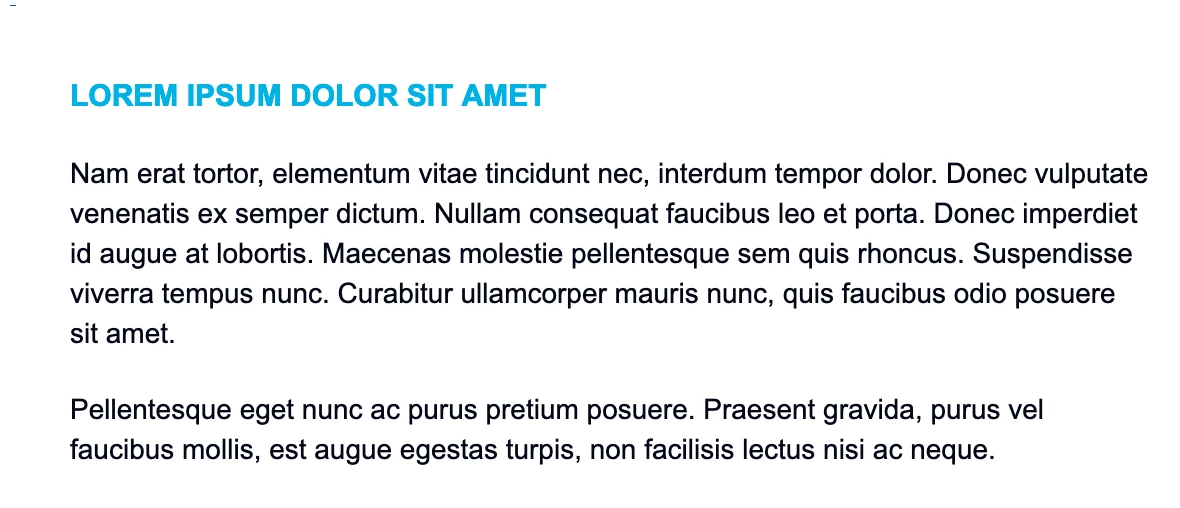
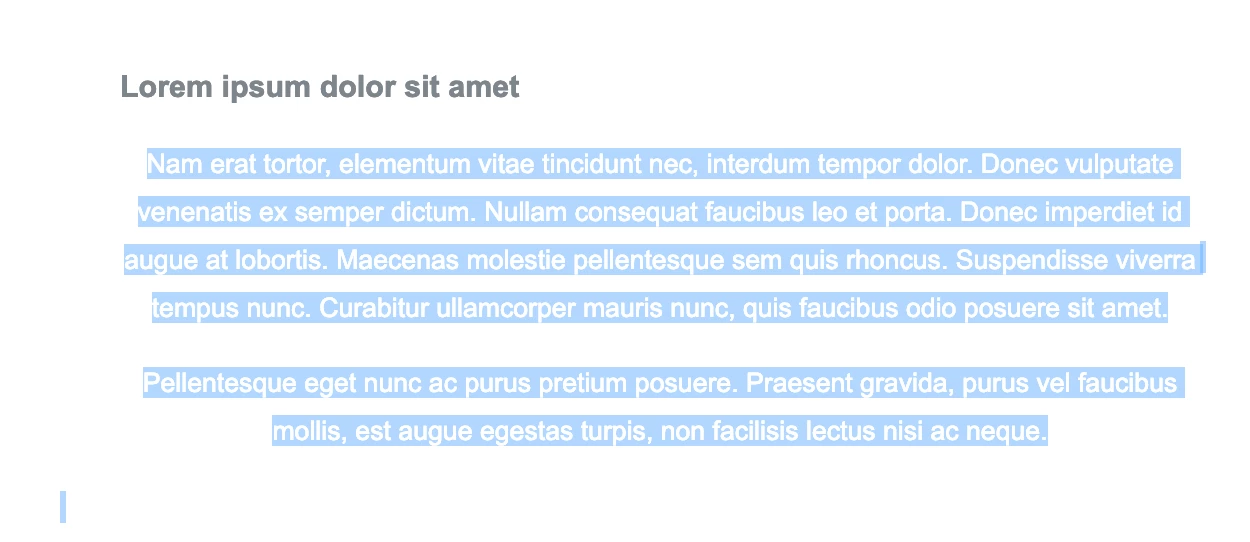
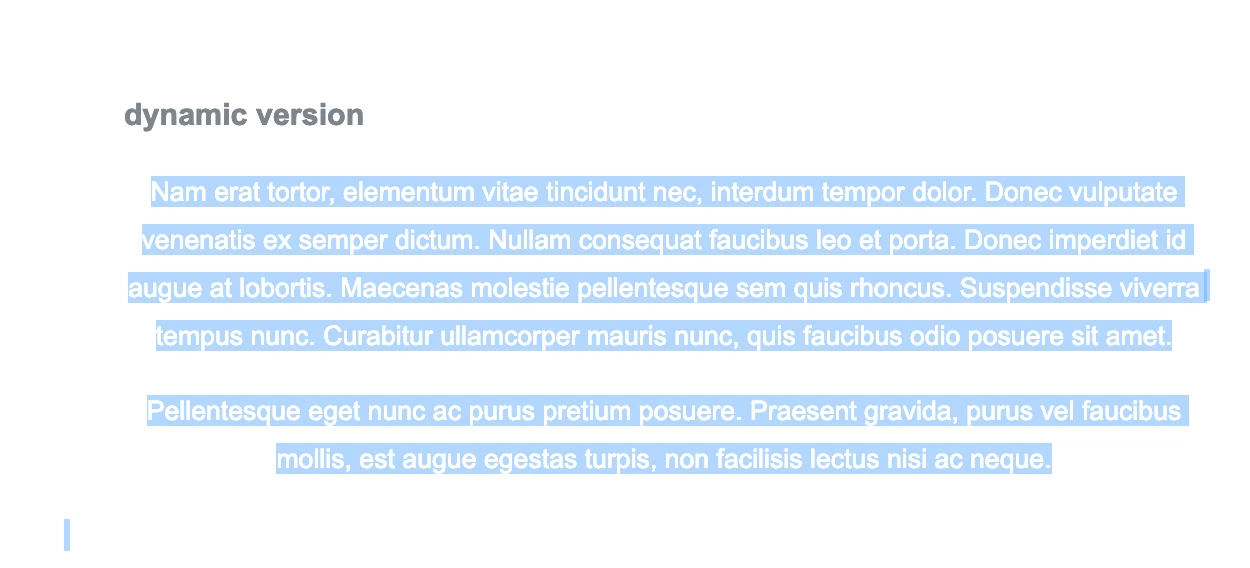
What appears to be happening is that when a section becomes dynamic, the inline styling of any elements within that section are ignored and substituted with the internal styling in the <head> section. The inline styling isn't erased from the actual code when you make the section dynamic, it's just ignored. Below are examples of what you see when an example is sent with static content, then what happens when it's dynamic. It's also worth noting this only occurs on a live send--sample emails, even of the segmented versions, show correct.

What it should look like
The default version
The dynamic version

I've asked support but they aren't particularly helpful as it involves custom code (even though I believe this is an issue with rendering and not the code). Here's the full template code: [HTML] Marketo Email Template - Dynamic Content Issue - Pastebin.com

This post is no longer active and is closed to new replies. Need help? Start a new post to ask your question.
Best answer by SanfordWhiteman

It's a known limitation that variables don't work in dynamic content.

1 reply

SanfordWhiteman
New Participant
March 11, 2019

I think you'll find that the actual problem is your variable value is not interpolated when you switch to Dynamic Content.

So the name of the variable is output instead (font-family: ${whatever}).

This in turn raises the suspicions of the mail client, which strips all the inline styles on that element before rendering. The HTML source of the received email still has all the styles, save for the one using your mktoVariable, but the mail reader (Gmail for example) strips the styles.

The raw source:

The stripped source in Gmail:

Also remember to check in multiple mail clients, because rendering differences can show you the exact cause. You can't rely only on the stripped + rendered view in a single client.

Matt_Stone2
New Participant
March 11, 2019

@Sanford Whiteman Thanks -- this makes sense. You're saying that for whatever reason, when dynamic content is added something is failing to convert the Marketo variables prior to send, which results in the literal inclusion of the variable name, instead of the intended text? And as a security precaution, Gmail strips out all the inline styling, which results in the bad render.

Is this a known limitation -- or would this be considered a bug?

SanfordWhiteman
SanfordWhitemanAccepted solution
New Participant
March 11, 2019

It's a known limitation that variables don't work in dynamic content.