Edit Scripting Screen Menu won't expand | Community
Skip to main content
New Participant
November 16, 2023
Solved

Edit Scripting Screen Menu won't expand

  • November 16, 2023
  • 3 replies
  • 2456 views


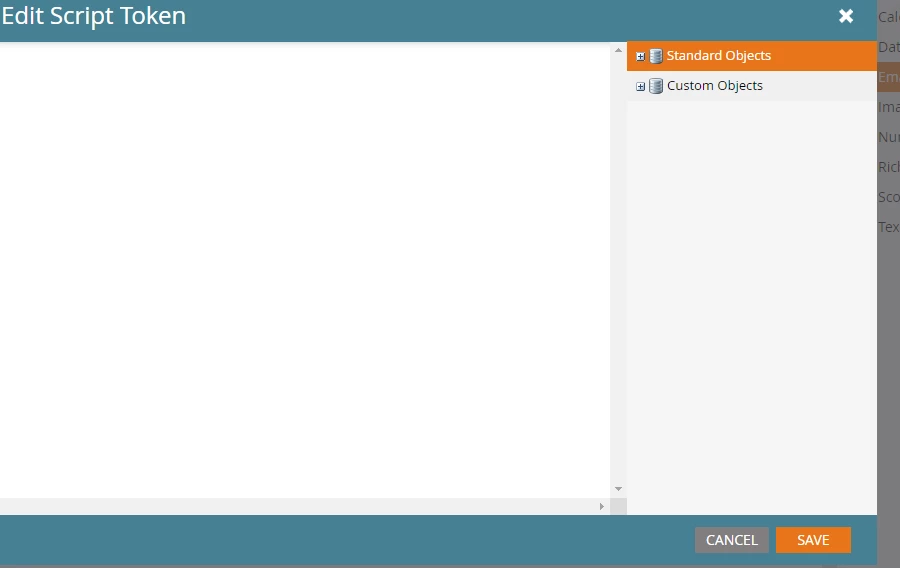
Recently when attempting to add a script token, the right hand menu of standard and custom objects won't expand. How do we fix this? See screenshot.


This post is no longer active and is closed to new replies. Need help? Start a new post to ask your question.
Best answer by Katja_Keesom

Unfortunately not uncommon and a frustration indeed. Just raised this with the product team to see if the bug can be fixed. In the mean time, any of the solutions the guys suggested will generally do the trick.

3 replies

Katja_Keesom
Katja_KeesomAccepted solution
Community Manager
November 19, 2023

Unfortunately not uncommon and a frustration indeed. Just raised this with the product team to see if the bug can be fixed. In the mean time, any of the solutions the guys suggested will generally do the trick.

New Participant
November 17, 2023

Page reload or (sometimes) re-logon helps in my case in 99% of the cases 🙂

Darshil_Shah1
Community Manager
November 17, 2023

I've seen this (unfortunately, more times than desired), but opening the Marketo instance in an incognito window or a different browser has usually worked for me. I've also come across a situation where I wasn't able to save the velocity script because I had limited rights per the error dialog box, but I was the admin of the instance. That also got fixed on its own after some time. If neither of the things works out for you, I'd suggest you open a support ticket and include the snapshot and a loom video so they exactly know what the issue is.

Michael_Florin-2
New Participant
November 17, 2023

Happens to me in ~30% of all cases. Just try again.


And I believe the more fields you have, the more likely it is that the lists won't load. Unfortunately, hidden fields are loaded too.

Darshil_Shah1
Community Manager
November 19, 2023

Exactly- more fields and synced custom objects (basically a heavy tree) make an instance more vulnerable to this. I hope they fix this soon! A couple of times it got fixed for me on its own before the support got back to me the next day, so creating a loom video certainly helps.
