Email footers not automatically updated | Community
Skip to main content
New Participant
January 6, 2022
Solved

Email footers not automatically updated

  • January 6, 2022
  • 2 replies
  • 3571 views

Hi, 

My team is trying to update our email footers to say 2022. We were under the impression any email already created should automatically update with change. We are not seeing that happen. However, any new email is updated to say 2022.


Is this the correct div coding or do we need something else? 

<div> © 2022 National Retail Federation &nbsp; <a style="text-decoration:none;color:${Footer-LinkColor}" href="mailto:contact@nrf.com">Contact</a>&nbsp;&nbsp;<a style="text-decoration:none;color:${Footer-LinkColor}" href="https://nrf.com/privacy-policy">Privacy Policy</a>&nbsp;&nbsp;<a style="text-decoration:none;color:${Footer-LinkColor}" href="nrf.com/terms-and-conditions-nrfcom">Terms &amp; Conditions</a></div>
</div>


Thank you,

Alexa

 

Best answer by Courtny_Edwards

Hi Alexa,

Found this which may help: https://nation.marketo.com/t5/knowledgebase/email-template-updates-not-reflected-in-existing-emails/ta-p/299454

https://experienceleague.adobe.com/docs/marketo/using/product-docs/email-marketing/general/email-editor-2/email-template-syntax.html

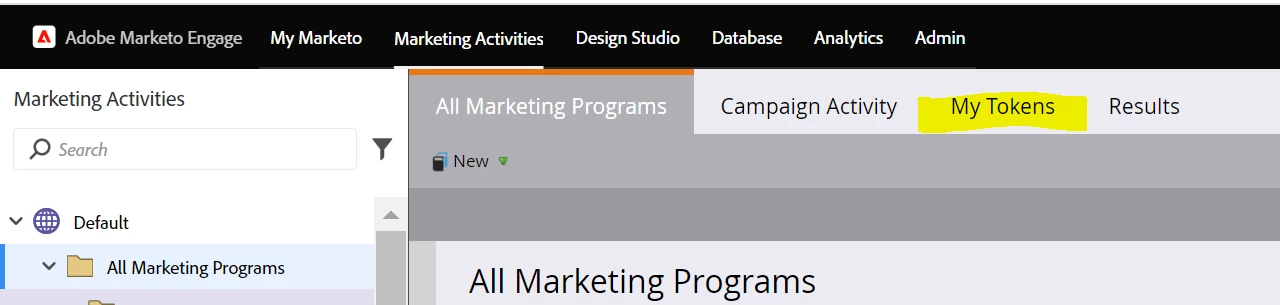
I'd use a token for the year in your template though, so you just have to change in one place at the start of the year - at top level all marketing programs folder - and it will trickle all the way through your programs that sit within that folder, old & new (that are made with the template with the token). You can use this token on your landing pages too and makes it one quick change each year! 


2 replies

SanfordWhiteman
New Participant
January 6, 2022

@hermana you should be using this method if you want it to be automatic each year:


The definitive guide to setting up copyright year {{my.tokens}} for Emails and LPs

Courtny_Edwards
Courtny_EdwardsAccepted solution
New Participant
January 6, 2022

Hi Alexa,

Found this which may help: https://nation.marketo.com/t5/knowledgebase/email-template-updates-not-reflected-in-existing-emails/ta-p/299454

https://experienceleague.adobe.com/docs/marketo/using/product-docs/email-marketing/general/email-editor-2/email-template-syntax.html

I'd use a token for the year in your template though, so you just have to change in one place at the start of the year - at top level all marketing programs folder - and it will trickle all the way through your programs that sit within that folder, old & new (that are made with the template with the token). You can use this token on your landing pages too and makes it one quick change each year! 


hermanaAuthor
New Participant
January 6, 2022

Hi, 


Thank you so much! This is very helpful. Do I use the date token? Are you able to share the token you used? 

Once I create the token, do I drop it into the design studio template?


Thank you,

Alexa

Amy_Goldfine
New Participant
January 6, 2022

You can just use a text token. And yes then you'd put the token value in your email template footers.

Amy GoldfineMarketo Champion &amp; Adobe Community Advisor