Email Insights not showing my A/B tested email | Community
Skip to main content
New Participant
August 18, 2022
Solved

Email Insights not showing my A/B tested email

  • August 18, 2022
  • 2 replies
  • 3027 views

Hi,


I recently did A/B test for an email sent program. I set up the winner sent to the remaining 40% of the audience.


I had also set up the Email performance report before approve the email sending. But now, when I look at the email performance report, it only shows the data for the 40% of the audience. 


Then I tried to go to the the Analytics tap and set up the Email Insights for this email. But nothing is showing:
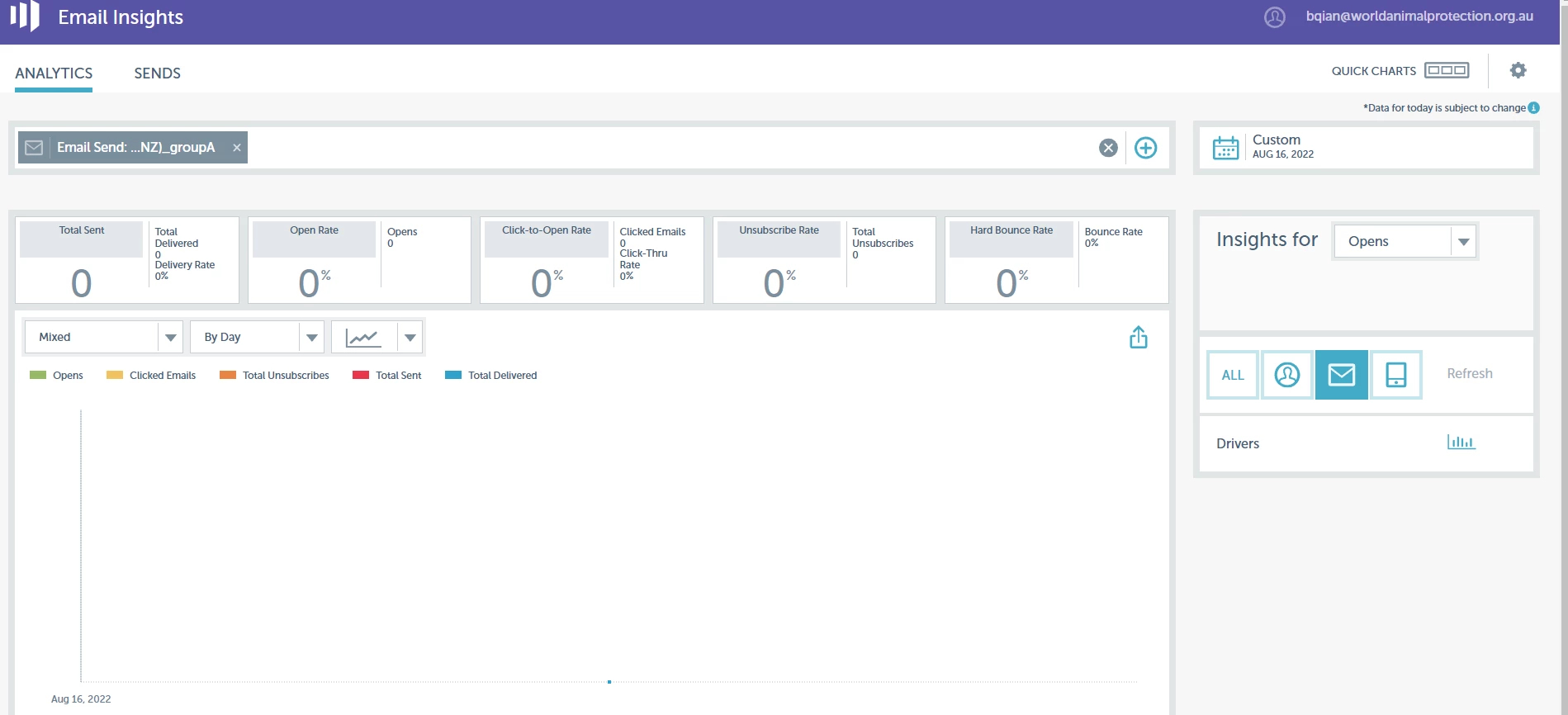


Could you please help me to trouble shooting?


Thank you


Best answer by Katja_Keesom

A few questions come to mind here:

  1. How did you select the emails to be included in your email performance report? The different versions of the email get a different name, so I would select the program level, so all versions are included.
  2. How long after sending the email did you check results? The email performance report does not update realtime, so do count on some lag. For Email Insights I believe it does not include today's data in the first place, but I am not 100% sure of that.

2 replies

Katja_Keesom
Community Manager
August 25, 2022

@bettywap how are you getting on with this issue? Have the numbers come through properly? It is good custom on the platform to give feedback to the suggestions you receive.

BettywapAuthor
New Participant
August 30, 2022

@katja_keesom , Thank you for answering my questions here. I tried to search in email insights again later on in the SENDS tap and it shows everything I need 😀. I guess I just need more patience as suggested here. Look like that Marketo needs more time to collect data to show after sending.

Katja_Keesom
Katja_KeesomAccepted solution
Community Manager
August 18, 2022

A few questions come to mind here:

  1. How did you select the emails to be included in your email performance report? The different versions of the email get a different name, so I would select the program level, so all versions are included.
  2. How long after sending the email did you check results? The email performance report does not update realtime, so do count on some lag. For Email Insights I believe it does not include today's data in the first place, but I am not 100% sure of that.