
Email Programs: Adding an email address after the program has been approved and finished. | Community
Skip to main content
Adrian_Cardelle
New Participant
August 26, 2019
Solved

Email Programs: Adding an email address after the program has been approved and finished.

  • August 26, 2019
  • 1 reply
  • 2814 views

Hi there,

I understand email programs are meant for a one time use (batch emails). I already created an email program, approved, and it's finished. However, I received two more email addresses that need to be added to the list. Is there a way to do this or must I just clone the program to send them out to just those two?
This post is no longer active and is closed to new replies. Need help? Start a new post to ask your question.
Best answer by Carrie_Chandle1

Hi @Adrian Cardelle‌ - when you say that the email is approved and finished, you mean that it got sent out, right?

If it's just two more people, I'd create a smart campaign and send the email that way. Then, you could always pull an email performance report on the email asset (instead of using the email program dashboard reporting) to get the full analytics view - not super important for two people, but it's there if you need it.

1 reply

Carrie_Chandle1
Carrie_Chandle1Accepted solution
New Participant
August 27, 2019

Hi @Adrian Cardelle‌ - when you say that the email is approved and finished, you mean that it got sent out, right?

If it's just two more people, I'd create a smart campaign and send the email that way. Then, you could always pull an email performance report on the email asset (instead of using the email program dashboard reporting) to get the full analytics view - not super important for two people, but it's there if you need it.

Adrian_Cardelle
New Participant
August 28, 2019

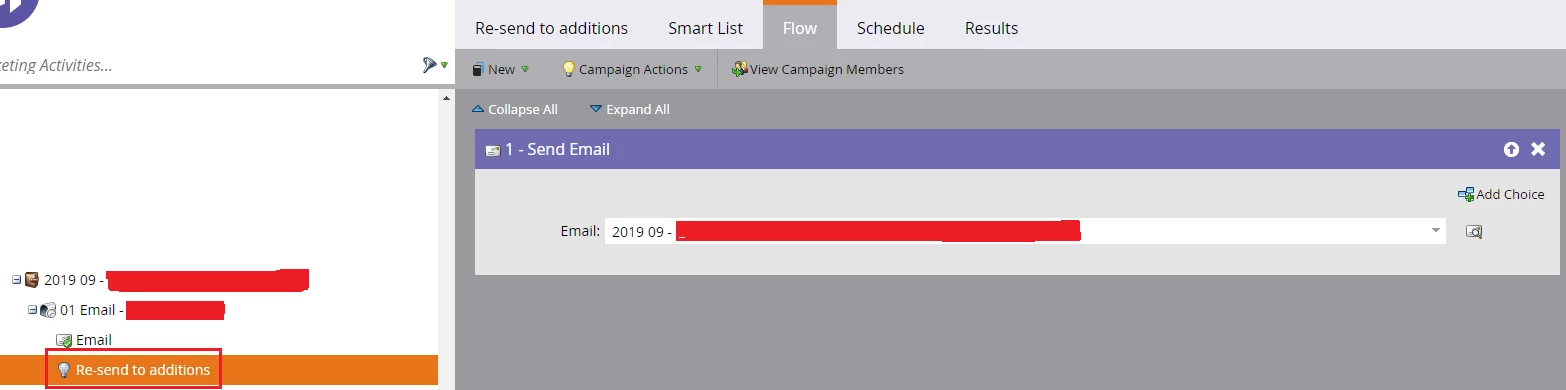
Yes, the email has gone out. Thank you for this tip. I set a smart campaign as a part of my program to "Re-send to additions". I added "Email Address" filter, and included the emails there. However, two questions to your response. If I have to continue to add on emails in the future, do I simply continue to add on the emails to the existing filter? Or drag another "Email Address" filter every time I need to add people to the campaign?

And 2., To activate this campaign, do I just manually go to schedule and hit "run once" each time, since there are no triggers in place to tell it to send the email otherwise?

Thank you. 

Carrie_Chandle1
New Participant
September 3, 2019

If you need to continue to send this email out, you can either swap out the existing email addresses in the email address filter with your new ones (you don't need the old ones because they've already received the email), or if you think this will be a regular occurrence, you can turn the campaign into a trigger using the "Campaign is Requested" trigger instead of the "email address" filter you're currently using.

If you keep it as-is, your would continue using "run once"... if you move it to a trigger, you would activate it. Is this a campaign that will regularly be re-run? Is there any automated criteria you can put in place?