
Email Rendering Issue with Columns on MAC Outlook App | Community
Skip to main content
Alyssa_Pacheco
New Participant
March 15, 2024
Question

Email Rendering Issue with Columns on MAC Outlook App

  • March 15, 2024
  • 1 reply
  • 1906 views

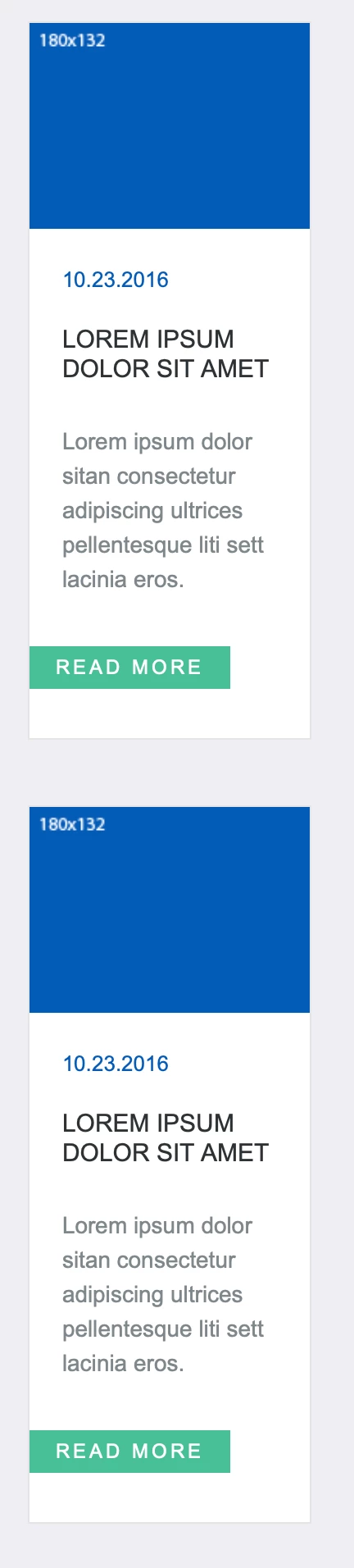
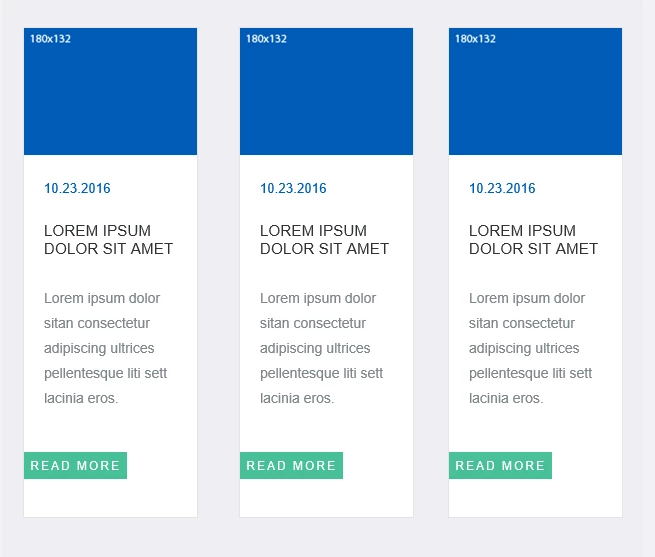
I'm having an issue with a Marketo template (Default template: "Newsletter" > "Snowbunny") where my columns are coming across as stacked rather than horizontally oriented as they should. In my preview all looks fine and when testing/sending to PC accounts it's all fine but when rendered on a MAC in outlook all of the columns are stacking. Does anyone have any suggestions on what needs to be adjusted within the code (I've included below) in case anyone knows? Any suggestions would be much appreciated!  


Screenshot on MAC:
 

Screenshot on PC/Marketo Preview:


Here is the template code:

codeshare.io/g868j8 

1 reply

Jo_Pitts1
Community Manager
March 17, 2024

@alyssa_pacheco ,

I've not spent any real time on this, but try looking at this media query

@media only screen and (max-width: 640px) {

Drop it to 600 and see what happens.  


That shouldn't be the issue, but I am curious.  If you have a small screen, and hence a small preview area, weird things can happen!


Cheers

Jo


Alyssa_Pacheco
New Participant
March 18, 2024

Hi Jo,

Thanks so much for the reply! That's an interesting thought, I tried adjusting the value as suggested to 600 from 640 but the columns are still showing stacked. Interestingly they are stacking down the middle now as opposed to the left. 

Any other suggestions?

Thanks,

Alyssa

Jo_Pitts1
Community Manager
March 18, 2024

@alyssa_pacheco, I'll try and make time today to have a proper look at the code and what is going on.  Have you reviewed on Email On Acid or similar to see if it's something quirky in your environment vs global