Emails in Nurture Programs | Community
Skip to main content
New Participant
January 30, 2024
Solved

Emails in Nurture Programs

  • January 30, 2024
  • 3 replies
  • 2117 views

Hello,


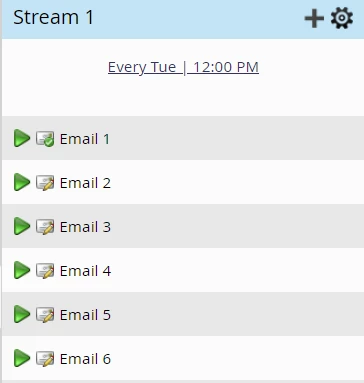
I have a question related to emails in nurture programs. Even if i add the emails into the stream, the emails will only go out if i approve the draft. Is that correct?
 

Thank you


This post is no longer active and is closed to new replies. Need help? Start a new post to ask your question.
Best answer by Axelle_Loisel

Hi Mariana,


If emails were already approved once, they will go out even if there is a draft.

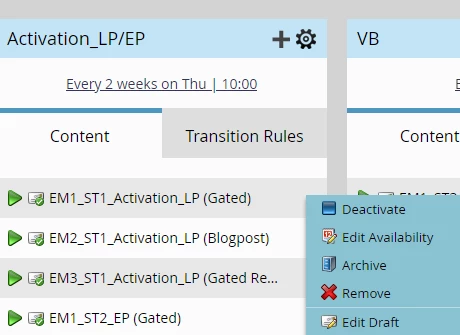
If you want an email not be sent you need to deactivate it in the stream : Click right on the email > Deactivate


3 replies

Darshil_Shah1
Community Manager
January 30, 2024

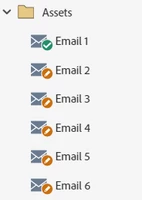
Hello @mariana! While @uditmathur and @axelle_loisel  are to the point, I'd like to add that the approved version of the emails would be sent for all the active emails, including the emails in draft mode, i.e., the emails with an orange pencil in their icon that have unapproved content in them. Also, you'd be unable to unapprove an email once it's added to the nurture stream (as it's then considered an asset being used, and assets being used or referenced can't be unapproved). Conversely, you'd not be able to add any email asset that's unapproved in the first place. That brings us to the point previously mentioned: if you want to skip sending content to the stream, you can simply deactivate it. I hope this helps, and please feel free to let us know if you have any more questions.

uditmathur
Community Manager
January 30, 2024

Hi Mariana,


All email has to be approved prior to send. You will not be able to activate any unapproved email in the stream.


In your screen shot below since your email is active this indicates that an you are editing a previously approved email, so in this case the approved version before activating the content will be sent on the next cast. 

Axelle_Loisel
Axelle_LoiselAccepted solution
New Participant
January 30, 2024

Hi Mariana,


If emails were already approved once, they will go out even if there is a draft.

If you want an email not be sent you need to deactivate it in the stream : Click right on the email > Deactivate