Engagement email opens count | Community
Skip to main content
June 13, 2017
Solved

Engagement email opens count

  • June 13, 2017
  • 2 replies
  • 3465 views

Hi all,

When my leads have completed there nurture stream (eg. 10 casts) they become exhausted.

Is there a way to get a list of individual email opens that does a cumulative emai open count?

eg.

Lead 1 - Stream A - 5 opens
Lead 2 - Stream A - 0 opens
etc...

i want to create a segment or list  of exhausted leads who are :

engaged : Opened more than 5 emails
mildly engaged : Opened 1 - 5 emailsnot engaged : did not open any emails

I may be able to do it via a smart list but was wondering if there is an internal data count that is accessible against a particular stream?

Kind Regards
Tim
This post is no longer active and is closed to new replies. Need help? Start a new post to ask your question.
Best answer by Harish_Gupta6

Hi Tim,

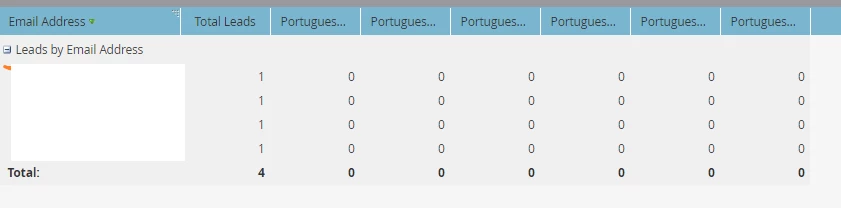
If you are looking for column wise total then you will get it in report but for row wise total, you need to download the excel and do it manully.

For Column wise, here is the screen shot:


Hi Tim,

If you found my answer as correct then please mark it as Correct answer, it will add some points in my profile

Thanks

2 replies

Harish_Gupta6
New Participant
June 14, 2017

Hi Tim,

Create a smart list "Opened Email" for each email and then create a lead performance report and add these smart list as custom column in it. You will get your result.

Here is the document url: Add Custom Columns to a Person Report - Marketo Docs - Product Docs

In the step 3, you need to change the Group created by option to EMAIL.

Please let me know if you need more details.

Thanks

Harish Gupta
June 15, 2017

Hi Harish

Thanks for the details. That is really useful to be able to create a custom column out of a smart list.

I can then add a further smart list to the performance list to filter my leads down to exhausted members only.
I would like to get a cumulative count of emails opened. I think the only way is to export my performance list and do it manually in Excel?

Harish_Gupta6
New Participant
June 15, 2017

Hi Tim,

If you are looking for column wise total then you will get it in report but for row wise total, you need to download the excel and do it manully.

For Column wise, here is the screen shot:

Harish Gupta
June 14, 2017

Hi Tim,

If you want this info at the personal level,

this is not an out of the box functionality but there is ways around it!

June 14, 2017

Now i am intrigued Karina?

June 14, 2017

It will take me sometime to explain my ideas.  Let me prepare a document and I will share it with you as soon as I can.