Engagement Program Communication Limits | Community
Skip to main content
New Participant
August 24, 2021
Question

Engagement Program Communication Limits

  • August 24, 2021
  • 1 reply
  • 1973 views

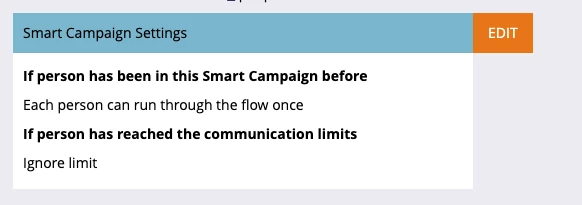
This topic has been covered in various capacities but for the life of me I can't find a thread that outlines how to toggle communication limits on and off for engagement programs. For a smart campaign I know communication limits are changed in the schedule tab in the "Smart Campaign Settings" box but can't find the equivalent for an engagement program. 


To turn off communication limits for a given engagement program do I need to uncheck "block operational emails" in the smart campaign that is used to add leads to the streams in my engagement program or is there another place where this would be set?
 

This post is no longer active and is closed to new replies. Need help? Start a new post to ask your question.

1 reply

Katja_Keesom
Community Manager
August 25, 2021

Important question: Are you using emails in your engagement programs directly, or content programs? In the latter case the answer is easy: You set it up at the level of the smart campaign in the content program.

s_skalaAuthor
New Participant
August 25, 2021

@katja_keesom I'm using a mixture of programs and emails (well mostly emails and 1 program per stream).


I understand I can set the smart campaign within the program to ignore communication limits but how do I accomplish that with the rest of the standard emails in my steams? 

Katja_Keesom
Community Manager
August 26, 2021

Hmm, that is indeed trickier. In any case I would recommend putting emails in a content program for better control over who receives which communication when and keeping track of whether someone has already consumed the content through other routes.