Engagement Program Questions with T-minus 2 days till Campaign Launch | Community
Skip to main content
New Participant
August 16, 2023
Solved

Engagement Program Questions with T-minus 2 days till Campaign Launch

  • August 16, 2023
  • 2 replies
  • 4520 views

Hi Community,

We are launching a big marketing initiative in two days (yes two days!) and I have been testing using embedded smart campaigns in an Engagement program like crazy.


A few questions have arisen: 


  1. With emails embedded in the Engagement program, is it possible to disable communication limits? For example, with a smart campaign I can uncheck “Block non-operational emails”. Is this possible with an Engagement program? In testing I noticed that anyone who I had previously been sent an email and had reached our communication limits was skipped. 
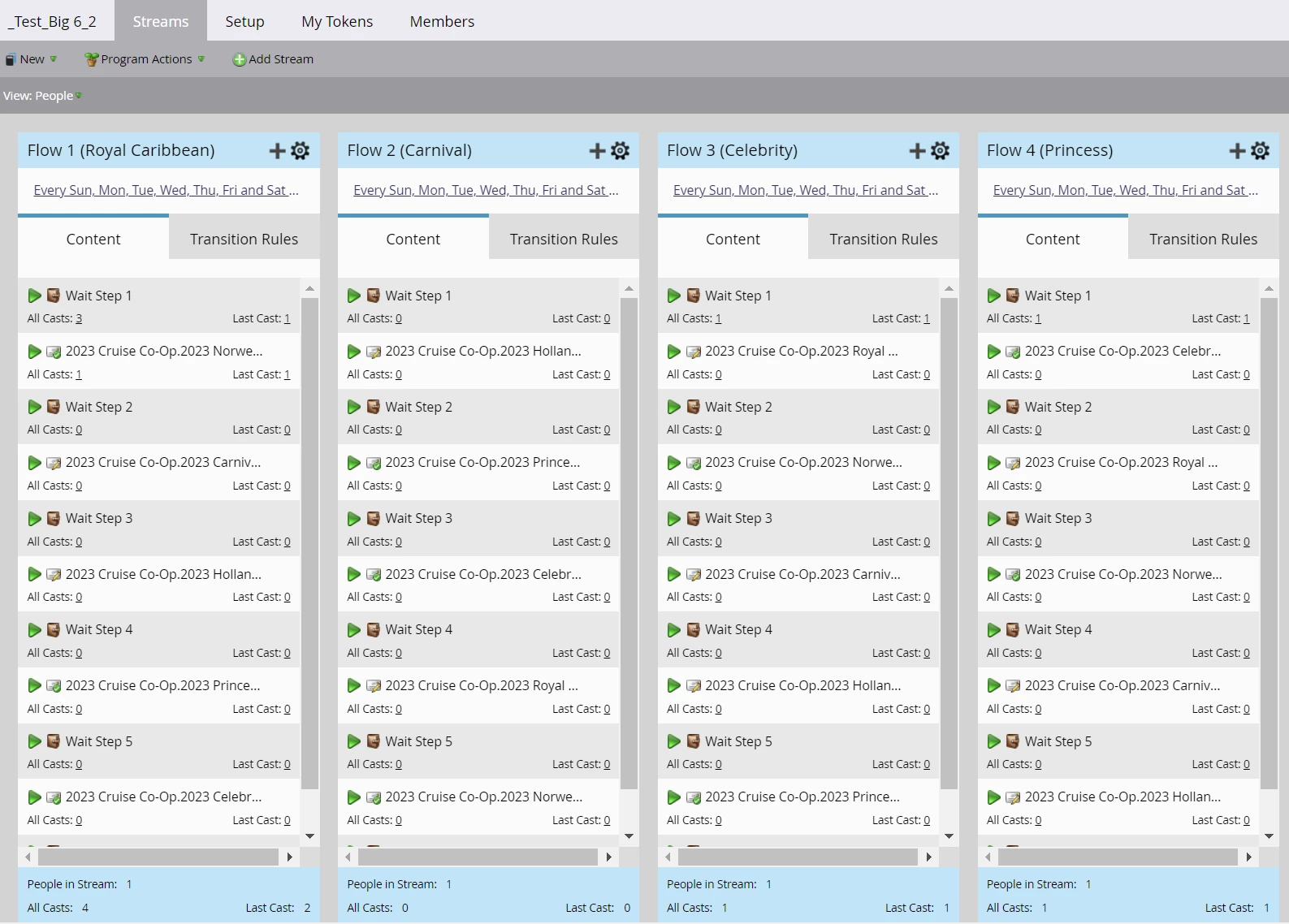


  2. Related to my question above, it appears that even a cast with a wait step campaign embedded will skip someone who’s exceeded their communication limits for the week. Is this accurate? 


    This would potentially be an issue because our goal is to try and send as close to equal a number of emails per Engagement stream as possible every 30 days and frequent skipping of a cast could hamper this. 
     
  3. What is the best way to add more content to an Engagement program? For example, if we were to embed a campaign that includes a combination of wait steps and email sends, would it be best to add any new emails to the bottom of the smart campaign? Or would it be better to create a new smart campaign with fresh emails and wait steps in the default program and then embed that campaign in the Engagement program flow?

    If we went the route of embedding a new smart campaign, what would be required to ensure that people will go through this new campaign after they’ve gone through the previous campaign? Would it be best to add a “Request campaign” flow step to the first campaign?


  4. Can you please confirm that if we embed an email directly in an Engagement program stream and then embed that same email in another stream that a person can only receive it once in the program? A key aspect of our marketing initiative is to have 6 email streams set up wherein a customer will receive 6 emails within each stream over 180 days and at some point can be added to another stream containing the same emails, but in a different arrangement.  

    It also appears that I can’t embed the same smart campaign twice in a flow as it results in the warning below: 


  5. When embedding smart campaigns that include email sends and wait steps in an Engagement program stream, is it better to not set the Stream Cadence since the smart campaigns need to be run separately anyway? What about when embedding wait step campaigns mixed with embedded emails? In testing the latter after setting a stream cadence, I noticed that if someone hit their communication limits, the wait step cadence will be skipped in addition to any embedded email content. 


  6. If we wanted to pause someone who’s in a smart campaign wherein the flow is a mix of wait steps and email sends and this campaign is embedded within an engagement program, how would this work? Even if we "paused" their engagement cadence, would they still continue to receive the next email in the flow?  For example, we want to pause emails to someone who has recently made a purchase. Would simply pausing them in the Engagement stream keep them from getting the remaining emails, or would we have to remove them from the smart campaign flow?

Thank you for any help you can provide!


LK

This post is no longer active and is closed to new replies. Need help? Start a new post to ask your question.
Best answer by Darshil_Shah1

@guitarrista82 wrote:

Hi Community,

We are launching a big marketing initiative in two days (yes two days!) and I have been testing using embedded smart campaigns in an Engagement program like crazy.


A few questions have arisen: 


  1. With emails embedded in the Engagement program, is it possible to disable communication limits? For example, with a smart campaign I can uncheck “Block non-operational emails”. Is this possible with an Engagement program? In testing I noticed that anyone who I had previously been sent an email and had reached our communication limits was skipped. 
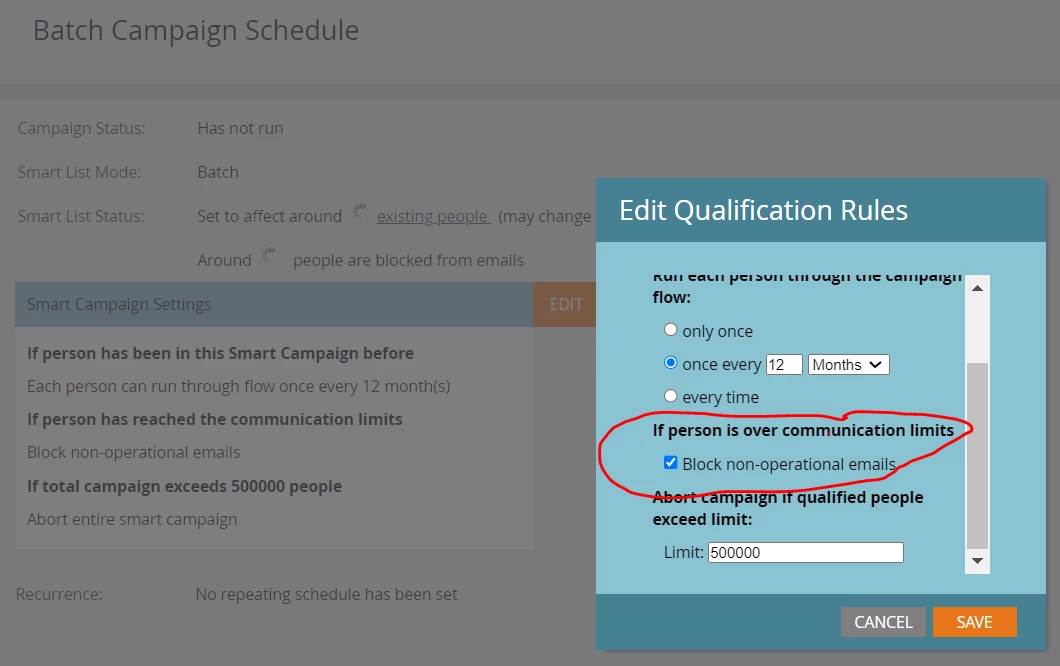


Well, Engagement programs are meant for sending marketing, i.e., non-operational emails, and they perform the Marketability and communication limit checks for all the members with the normal cadence before every time the cast is deployed irrespective of the content being added as Default nested programs or email assets. Even if you have the communication limits set to not block non-operational emails when the person reaches their communication limits at the smart campaign level that is used to send the nurture content via the nested default program, Marketo would still not send out the emails. With the Engagement program, if the person has reached their communication limits or isn't marketable, the person would not receive emails from it.


  1. Related to my question above, it appears that even a cast with a wait step campaign embedded will skip someone who’s exceeded their communication limits for the week. Is this accurate? 

     

    This would potentially be an issue because our goal is to try and send as close to equal a number of emails per Engagement stream as possible every 30 days and frequent skipping of a cast could hamper this. 
     

I'd question the need for the Wait step in the send nurture email smart campaign within the nested default program you've used in the engagement program. When a person isn't eligible to be sent nurture email for reasons such as being non-marketable/communication limits reached, they'd not skip the respective content in the next case, Marketo would send them the first un-sent content in the next cast when they become eligible (i.e., marketable/upon communication limits reset). Also, to answer your question, yes, as mentioned above in Q1's response, if a person isn't marketable/has reached communication limits, they'd not be sent emails from the engagement program (they'd be skipped in the cast). EP checks this every time the content is being sent from it.


  1. What is the best way to add more content to an Engagement program? For example, if we were to embed a campaign that includes a combination of wait steps and email sends, would it be best to add any new emails to the bottom of the smart campaign? Or would it be better to create a new smart campaign with fresh emails and wait steps in the default program and then embed that campaign in the Engagement program flow?

    If we went the route of embedding a new smart campaign, what would be required to ensure that people will go through this new campaign after they’ve gone through the previous campaign? Would it be best to add a “Request campaign” flow step to the first campaign?
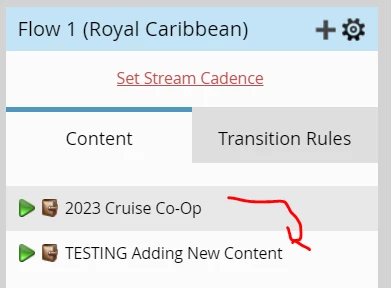


Well, technically you could add content at any place in the stream. However, the higher-up you add content more likely that people in that engagement program stream during the cast would receive it. Marketo's EP checks for the first un-sent content to stream members at the time of cast. So if you add the new content piece at the top of the stream all the members in that stream would be sent that new piece of content (of course, given that they're marketable, their cadence is un-paused, and haven't reached their communication limits). Conversely, if you add content at the bottom of the stream, members would not be sent that content piece until they've been sent all the other content pieces above it. You don't need any Request Campaign flows to ensure the next in line content is being considered for send by the Enagegment program. EP has built in logic to send the content in the order they're added to the stream.


  1. Can you please confirm that if we embed an email directly in an Engagement program stream and then embed that same email in another stream that a person can only receive it once in the program? A key aspect of our marketing initiative is to have 6 email streams set up wherein a customer will receive 6 emails within each stream over 180 days and at some point can be added to another stream containing the same emails, but in a different arrangement.  

    It also appears that I can’t embed the same smart campaign twice in a flow as it results in the warning below: 
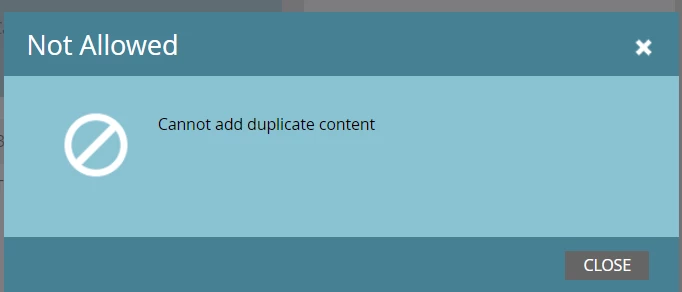


Yes, even if you have the same content pieces (nested default program/email asset) added in multiple streams of the same engagement program, Marketo would only send it to a person 1x. With the email assets, Marketo would skip sending the content even if the person has been sent the same email previously (from any program/campaign flow). With the nested default program, Marketo would skip sending the content piece if the person is already a member of it (nested default program) or was sent content from it previously. You should check out this experience league product documentation. If you want to resend something, it’s safest to create a new program and smart campaign. Also, to avoid confusion, I'd rather use the engagement program stream and not the flow, as the latter is used in the smart campaign's context. Lastly, yes, you're not able to add the same content piece more than 1x in the single stream of an Engagement program.


  1. When embedding smart campaigns that include email sends and wait steps in an Engagement program stream, is it better to not set the Stream Cadence since the smart campaigns need to be run separately anyway? What about when embedding wait step campaigns mixed with embedded emails? In testing the latter after setting a stream cadence, I noticed that if someone hit their communication limits, the wait step cadence will be skipped in addition to any embedded email content. 
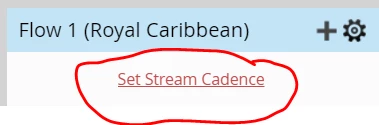


You must set the cadence at the stream level for sending out the content from the engagement program irrespective of what type of content (email assets/nested default program) you're using in the stream. There's no need to schedule the batch campaigns if you are using them in the engagement stream because it will use stream cadence to run the batch campaign flow. There'd be small blue arrow pointing on the smart campaign that's been used in the engagement program for content send indicating that they'd be requested by EP at the time of send. Also, I stil have questions about the need of using wait steps in the send email campaigns within the nested default program. 🙂


  1. If we wanted to pause someone who’s in a smart campaign wherein the flow is a mix of wait steps and email sends and this campaign is embedded within an engagement program, how would this work? Even if we "paused" their engagement cadence, would they still continue to receive the next email in the flow?  For example, we want to pause emails to someone who has recently made a purchase. Would simply pausing them in the Engagement stream keep them from getting the remaining emails, or would we have to remove them from the smart campaign flow?

Pausing people from the enagagement program would only stop them from being sent the content in the next case, any content that was sent in the previous cast, but is held off (due to wait step, etc.) would still go out IMO as the person has already been requested the send nurture campaign while their cadence was un-paused. Using wait steps in the send nurture email campaigns could be confusing (and could be a source of such errorenous sends). In this case, you'd want also want to remove people from the smart campaign's flow along with pausing their nurture cadences so as to ensure that they don't receive email from the camapign which has already been requested in the previous cast but the person is still in the wait step. Additionally, it's worth mentioning that when their cadence is updated back to the Normal state, they'll be sent the next content in the line as to Marketo' EP the previous send content campaign was already requested and sent even though techincally person wasn't sent that email as they were removed from the flow while in the wait step.


All the best with your launch! I hope you find the above insights useful. Let us know if you have any more quesitons. 🙂

2 replies

Katja_Keesom
Community Manager
August 16, 2023

In general, @darshil_shah1 's answers are on the mark. There is however one thing I was picking up on in your questions in general. I would always question the wisdom of creating a drip nurture (a content program that has several steps in it with email sends and wait steps) and then adding that to an engagement program. I guess I would always choose one or the other. Otherwise the cadence of the engagement program and the timing of the drip nurture would interfere with eachother.

Darshil_Shah1
Community Manager
August 16, 2023

Thank you for adding this, @katja_keesom! I swear I had this in my mind when I started writing the answer, but then I got into the weeds of answering all the questions and I missed it. @guitarrista82, in general, you'd want to either use the custom nurture program setup with smart campaigns/wait step (i.e., w/o using the Engagement program) or use the OOTB nurture capabilities of the Engagement program. Although Marketo's Engagement program although is very robust and feature-rich, certain use cases such as mixed cadences, Wait steps, etc. are better set using the custom nurture setup using smart campaigns and wait steps. Mixing custom nurture and Engagement programs could make the setup difficult and complicated to build, manage, update, and troubleshoot.

Darshil_Shah1
Darshil_Shah1Accepted solution
Community Manager
August 16, 2023

@guitarrista82 wrote:

Hi Community,

We are launching a big marketing initiative in two days (yes two days!) and I have been testing using embedded smart campaigns in an Engagement program like crazy.


A few questions have arisen: 


  1. With emails embedded in the Engagement program, is it possible to disable communication limits? For example, with a smart campaign I can uncheck “Block non-operational emails”. Is this possible with an Engagement program? In testing I noticed that anyone who I had previously been sent an email and had reached our communication limits was skipped. 


Well, Engagement programs are meant for sending marketing, i.e., non-operational emails, and they perform the Marketability and communication limit checks for all the members with the normal cadence before every time the cast is deployed irrespective of the content being added as Default nested programs or email assets. Even if you have the communication limits set to not block non-operational emails when the person reaches their communication limits at the smart campaign level that is used to send the nurture content via the nested default program, Marketo would still not send out the emails. With the Engagement program, if the person has reached their communication limits or isn't marketable, the person would not receive emails from it.


  1. Related to my question above, it appears that even a cast with a wait step campaign embedded will skip someone who’s exceeded their communication limits for the week. Is this accurate? 


    This would potentially be an issue because our goal is to try and send as close to equal a number of emails per Engagement stream as possible every 30 days and frequent skipping of a cast could hamper this. 
     

I'd question the need for the Wait step in the send nurture email smart campaign within the nested default program you've used in the engagement program. When a person isn't eligible to be sent nurture email for reasons such as being non-marketable/communication limits reached, they'd not skip the respective content in the next case, Marketo would send them the first un-sent content in the next cast when they become eligible (i.e., marketable/upon communication limits reset). Also, to answer your question, yes, as mentioned above in Q1's response, if a person isn't marketable/has reached communication limits, they'd not be sent emails from the engagement program (they'd be skipped in the cast). EP checks this every time the content is being sent from it.


  1. What is the best way to add more content to an Engagement program? For example, if we were to embed a campaign that includes a combination of wait steps and email sends, would it be best to add any new emails to the bottom of the smart campaign? Or would it be better to create a new smart campaign with fresh emails and wait steps in the default program and then embed that campaign in the Engagement program flow?

    If we went the route of embedding a new smart campaign, what would be required to ensure that people will go through this new campaign after they’ve gone through the previous campaign? Would it be best to add a “Request campaign” flow step to the first campaign?


Well, technically you could add content at any place in the stream. However, the higher-up you add content more likely that people in that engagement program stream during the cast would receive it. Marketo's EP checks for the first un-sent content to stream members at the time of cast. So if you add the new content piece at the top of the stream all the members in that stream would be sent that new piece of content (of course, given that they're marketable, their cadence is un-paused, and haven't reached their communication limits). Conversely, if you add content at the bottom of the stream, members would not be sent that content piece until they've been sent all the other content pieces above it. You don't need any Request Campaign flows to ensure the next in line content is being considered for send by the Enagegment program. EP has built in logic to send the content in the order they're added to the stream.


  1. Can you please confirm that if we embed an email directly in an Engagement program stream and then embed that same email in another stream that a person can only receive it once in the program? A key aspect of our marketing initiative is to have 6 email streams set up wherein a customer will receive 6 emails within each stream over 180 days and at some point can be added to another stream containing the same emails, but in a different arrangement.  

    It also appears that I can’t embed the same smart campaign twice in a flow as it results in the warning below: 


Yes, even if you have the same content pieces (nested default program/email asset) added in multiple streams of the same engagement program, Marketo would only send it to a person 1x. With the email assets, Marketo would skip sending the content even if the person has been sent the same email previously (from any program/campaign flow). With the nested default program, Marketo would skip sending the content piece if the person is already a member of it (nested default program) or was sent content from it previously. You should check out this experience league product documentation. If you want to resend something, it’s safest to create a new program and smart campaign. Also, to avoid confusion, I'd rather use the engagement program stream and not the flow, as the latter is used in the smart campaign's context. Lastly, yes, you're not able to add the same content piece more than 1x in the single stream of an Engagement program.


  1. When embedding smart campaigns that include email sends and wait steps in an Engagement program stream, is it better to not set the Stream Cadence since the smart campaigns need to be run separately anyway? What about when embedding wait step campaigns mixed with embedded emails? In testing the latter after setting a stream cadence, I noticed that if someone hit their communication limits, the wait step cadence will be skipped in addition to any embedded email content. 


You must set the cadence at the stream level for sending out the content from the engagement program irrespective of what type of content (email assets/nested default program) you're using in the stream. There's no need to schedule the batch campaigns if you are using them in the engagement stream because it will use stream cadence to run the batch campaign flow. There'd be small blue arrow pointing on the smart campaign that's been used in the engagement program for content send indicating that they'd be requested by EP at the time of send. Also, I stil have questions about the need of using wait steps in the send email campaigns within the nested default program. 🙂


  1. If we wanted to pause someone who’s in a smart campaign wherein the flow is a mix of wait steps and email sends and this campaign is embedded within an engagement program, how would this work? Even if we "paused" their engagement cadence, would they still continue to receive the next email in the flow?  For example, we want to pause emails to someone who has recently made a purchase. Would simply pausing them in the Engagement stream keep them from getting the remaining emails, or would we have to remove them from the smart campaign flow?

Pausing people from the enagagement program would only stop them from being sent the content in the next case, any content that was sent in the previous cast, but is held off (due to wait step, etc.) would still go out IMO as the person has already been requested the send nurture campaign while their cadence was un-paused. Using wait steps in the send nurture email campaigns could be confusing (and could be a source of such errorenous sends). In this case, you'd want also want to remove people from the smart campaign's flow along with pausing their nurture cadences so as to ensure that they don't receive email from the camapign which has already been requested in the previous cast but the person is still in the wait step. Additionally, it's worth mentioning that when their cadence is updated back to the Normal state, they'll be sent the next content in the line as to Marketo' EP the previous send content campaign was already requested and sent even though techincally person wasn't sent that email as they were removed from the flow while in the wait step.


All the best with your launch! I hope you find the above insights useful. Let us know if you have any more quesitons. 🙂

New Participant
August 16, 2023

Thank you so much Darshil! I haven't used EPs for a LONG time so this has been a learning experience for me.


While I definitely agree that using the EP's built-in stream cadence is the best way to go, the marketing team prefers to run more restrictive scheduling, i.e., send the email every 30 days, Mon-Fri AND wait must end at 9 am. This is where the EP's built-in cadence wouldn't work, hence why we're embedding the smart campaigns. But to confirm, do you recommend still setting the EP stream cadence, perhaps to daily, per your comment below?


You must set the cadence at the stream level for sending out the content from the engagement program irrespective of what type of content (email assets/nested default program) you're using in the stream. 


And then, regarding your comment below, I did try setting just the stream cadence while using the embedded smart campaigns, and they did show the arrow as you indicated, but the emails were never cast. The smart campaigns were not created in the EP so perhaps that's why they didn't run?


To confirm, if I were to set the stream cadence to Daily and the time to run every day at 9 am, does this mean that this is when the smart campaign would be called and would fire off the flow steps in the campaign?


There's no need to schedule the batch campaigns if you are using them in the engagement stream because it will use stream cadence to run the batch campaign flow. There'd be small blue arrow pointing on the smart campaign that's been used in the engagement program for content send indicating that they'd be requested by EP at the time of send. 

I will have more questions, but still working on those.


Thanks,

LK

Darshil_Shah1
Community Manager
August 16, 2023

Why don't you set the EP stream to run M-F 9 AM, and have a smart campaign that changes the engagement program cadence of people who received content from the EP to the Paused state, adds them to the wait step of 30 days that must end on M-F at a time little before 9 AM, and then changes the cadence back to the Normal state. I believe this should technically enable you to pull the ask of your strategy team.


And then, regarding your comment below, I did try setting just the stream cadence while using the embedded smart campaigns, and they did show the arrow as you indicated, but the emails were never cast. The smart campaigns were not created in the EP so perhaps that's why they didn't run?


Nope, there's no such need for the default programs to be housed within the engagement program locally, plenty of use cases benefit from keeping the default programs being used in the engagement programs out of them. What do you see in the person's activity log? Also, while testing EP streams you can use the Engagement program's OOTB Test Stream functionality instead of setting a cast, and then waiting for the EP to deploy emails. Also, if you're using nested default programs, please make sure you're using a Member of Engagement Program filter in your smart list. 🙂


To confirm, if I were to set the stream cadence to Daily and the time to run every day at 9 am, does this mean that this is when the smart campaign would be called and would fire off the flow steps in the campaign?


Yes - smart campaigns selected while adding the nested default programs would be requested for the people slated to receive that content at the time of the cast! 🙂


I will have more questions, but still working on those.

Cool! Bring it on - always on my toes to help the Marketo community in all the ways I can.