Filters in segments (web personalization) | Community
Skip to main content
New Participant
May 9, 2022
Solved

Filters in segments (web personalization)

  • May 9, 2022
  • 1 reply
  • 2594 views

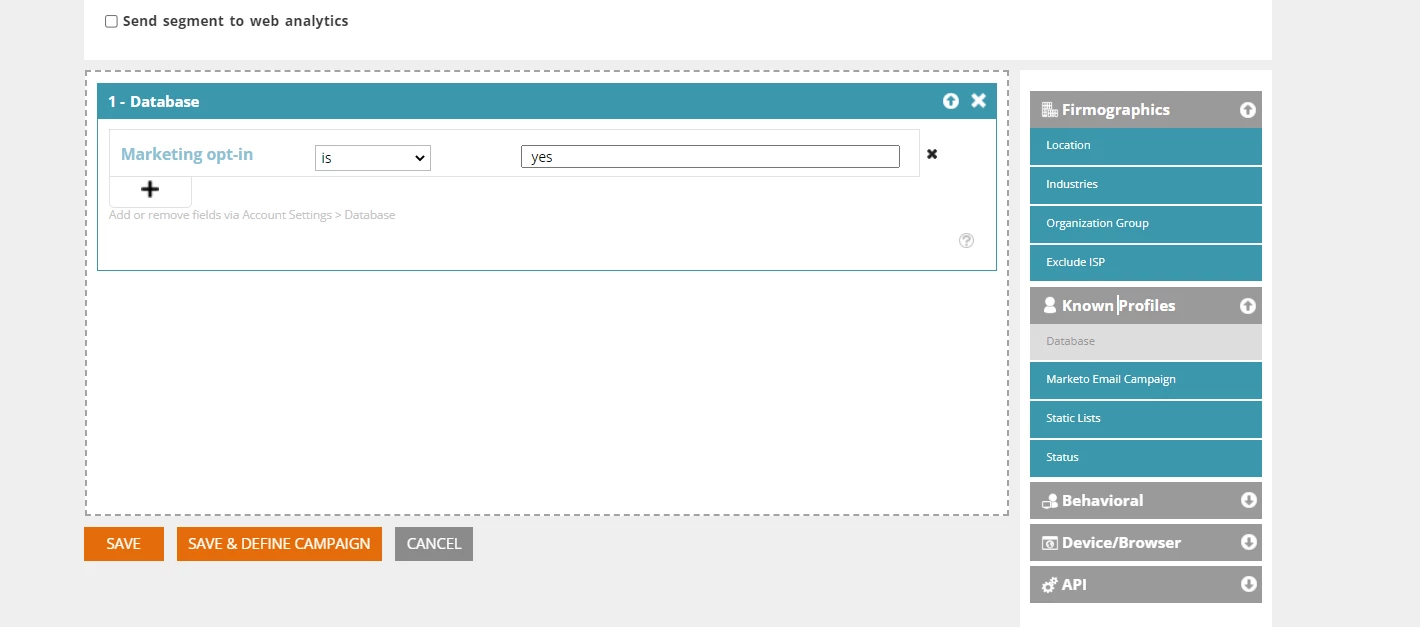
Why filter from database "marketing opt in" = yes doen't work? We created a lead with opt-in = yes, but the content is not shown to him. 
 

This post is no longer active and is closed to new replies. Need help? Start a new post to ask your question.
Best answer by Darshil_Shah1

You would need to use this segment to show the dynamic content to the people based on their segment membership, there are majorly couple of ways to do that:


1. Use this segment in a web-campaign

2. Use the RTP JS methods to get the segment data of a visitor, and personalize the content on the web-page using custom JS


Also, segment associations aren't very fast, and it may take few minutes for Marketo to associate a person to the segment upon qualification, hence you may not see the dynamic data configured for a segment immediately after updating the field-data on the person record (i.e., Marketing Opt In = yes).


1 reply

Darshil_Shah1
Darshil_Shah1Accepted solution
Community Manager
May 9, 2022

You would need to use this segment to show the dynamic content to the people based on their segment membership, there are majorly couple of ways to do that:


1. Use this segment in a web-campaign

2. Use the RTP JS methods to get the segment data of a visitor, and personalize the content on the web-page using custom JS


Also, segment associations aren't very fast, and it may take few minutes for Marketo to associate a person to the segment upon qualification, hence you may not see the dynamic data configured for a segment immediately after updating the field-data on the person record (i.e., Marketing Opt In = yes).


New Participant
May 10, 2022

We used this segment in Web campaign and do some tests with leads with opt in=yes. However, the content, that should be shown to those leads - is not shown. And we are wondering why does not it work

Darshil_Shah1
Community Manager
May 10, 2022

Ah okay, thank you for sharing that! Can you try troubleshooting by checking following items?


  • Ensure the RTP JS is placed on the target webpage (if you have more than one domains added to your webpages, you need to ensure that correct domain’s RTP JS is added on the webpage).
  • Ensure that the correct target domain is set on the segment and campaign.
  • In the segment page, do you see count for known people matches? If your segments doesn’t show any matches, campaign won’t be called to action.
  • Do you see any JS errors on the browser’s F12 console?
  • Verify the correct zone id is set in the campaign in case you’re setting up an in-zone campaign.


There are some more troubleshooting steps here including the key/most probable cause I listed above that you may refer if all the above seem to check-out correctly.