Solved
"Fixup Lead Owner" - Marketo leads assigned to SFDC admin
Forgive me if this isn't the right venue to pose this question. I'm new to the Marketo world - have posted over on SFDC community too. Appreciate any insight from you veterans!
We're using Marketo to assign lead owners based on web visitors selection from a drop down list on a form (things like Sales Inquiry, Media Inquiry).
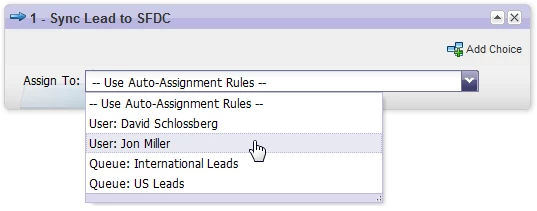
Everything has been working great until suddenly there's a Marketo action after the SFDC sync that is reassigning the lead. It creates the Task, Sync Lead Updates to SFDC, but then goes to Change Data Value > Changed Lead Sales Owner from StafferA to StafferB.
I haven't added this as a flow step in Marketo - and when I click in on it the reason given is
"Synched from salesforce.com - fixup Lead Owner."
We are not using lead assignment rules in SFDC yet, so I don't know why this step is now appearing. I've checked all field level permissions and Marketo still has access to everything.
Anyone run into this? Searched articles and discussions but didn't see anything quite like this.
And Marketo Support team says: The activity that you are seeing is basically reporting a change to the lead/contact record that was made at the Salesforce end. We have no control on the SFDC end to prevent such activities from happening or to see by whom they were made. This needs to be investigated from the SFDC end to see how the lead owner and by whom was changed at the Salesforce end.
We're using Marketo to assign lead owners based on web visitors selection from a drop down list on a form (things like Sales Inquiry, Media Inquiry).
Everything has been working great until suddenly there's a Marketo action after the SFDC sync that is reassigning the lead. It creates the Task, Sync Lead Updates to SFDC, but then goes to Change Data Value > Changed Lead Sales Owner from StafferA to StafferB.
I haven't added this as a flow step in Marketo - and when I click in on it the reason given is
"Synched from salesforce.com - fixup Lead Owner."
We are not using lead assignment rules in SFDC yet, so I don't know why this step is now appearing. I've checked all field level permissions and Marketo still has access to everything.
Anyone run into this? Searched articles and discussions but didn't see anything quite like this.
And Marketo Support team says: The activity that you are seeing is basically reporting a change to the lead/contact record that was made at the Salesforce end. We have no control on the SFDC end to prevent such activities from happening or to see by whom they were made. This needs to be investigated from the SFDC end to see how the lead owner and by whom was changed at the Salesforce end.