Form 2.0 not working on Drupal page | Community
Skip to main content
Kathryn_Collin2
New Participant
November 16, 2017
Solved

Form 2.0 not working on Drupal page

  • November 16, 2017
  • 2 replies
  • 3617 views

Hi all - We have a 2.0 form held in an iframe on the Contact Us page of our website (run on Drupal 7)

Recently we have noticed that for certain users after submitting, the button changes to be grayed out with the word 'sending' but never actually moves onto the follow up page.
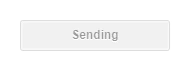
After submit, an external page should load within the iframe.

While the submit function still works, and the info sent to Marketo, its terrible for UX with users often repeatedly resubmitting the form.

We know the form works generally, as we don't experience the same issue on a Marketo page, but wondering if anyone else has had any similar problems with Drupal embeds??

Thanks in advance!

Kat
Best answer by Gerard_Donnell4

Hi @Kathryn Collins​,

Do you have a web admin?

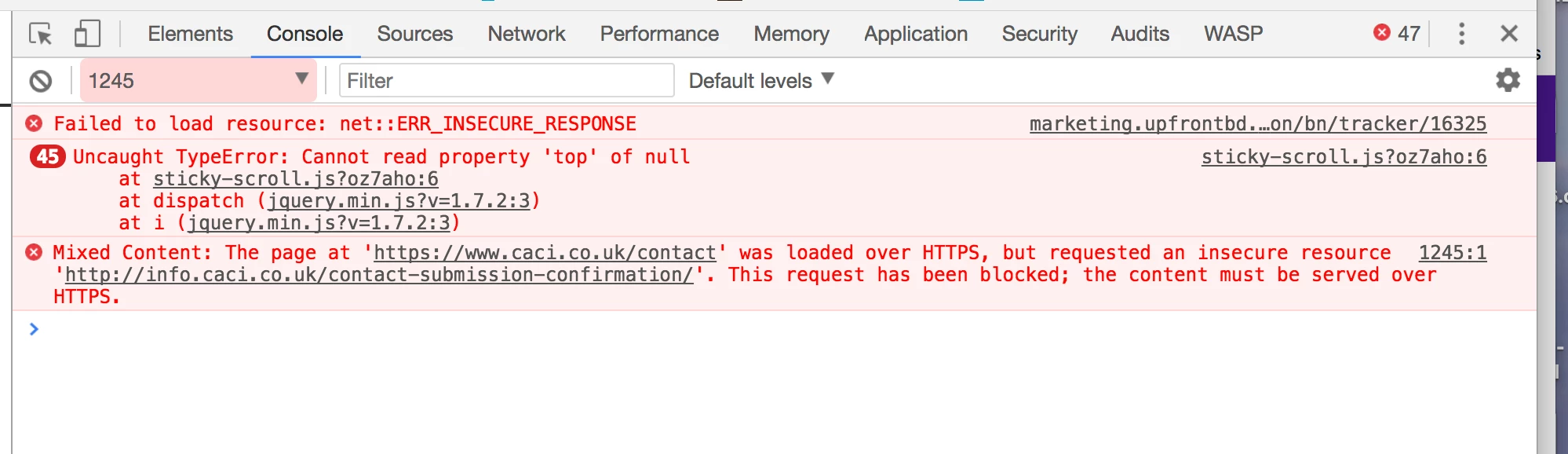
Have a look at the error that is generated when the form is submitted.  Looks like you need to host your follow up page on a secure server (https). Your follow up page is info.caci.co.uk/contact-submission-confirmation/

You can replicate this by filling in the form and monitoring the console tab when you go to the Inspect Element window in Google chrome.

Mixed Content: The page at 'caci.co.uk/contact' was loaded over HTTPS, but requested an insecure resource 'info.caci.co.uk/contact-submission-confirmation/'. This request has been blocked; the content must be served over HTTPS.

2 replies

Ayan_Talukder
New Participant
November 20, 2017

Hi Kathryn, I see Gerrard has already given you a very helpful response. We had the same issue for several months as well also finding we needed to have our Marketo CNAME domain secured.

After some minor tweaks we got our pages fixed but have now opted for landing pages because Forms 2.0 embedding unfortunately doesn't pre-populate fields.

However, I believe Sandford has posted on this before and found a way around this with some scripting.

Gerard_Donnell4
Gerard_Donnell4Accepted solution
New Participant
November 16, 2017

Hi @Kathryn Collins​,

Do you have a web admin?

Have a look at the error that is generated when the form is submitted.  Looks like you need to host your follow up page on a secure server (https). Your follow up page is info.caci.co.uk/contact-submission-confirmation/

You can replicate this by filling in the form and monitoring the console tab when you go to the Inspect Element window in Google chrome.

Mixed Content: The page at 'caci.co.uk/contact' was loaded over HTTPS, but requested an insecure resource 'info.caci.co.uk/contact-submission-confirmation/'. This request has been blocked; the content must be served over HTTPS.

SanfordWhiteman
New Participant
November 16, 2017

Yep, standard browser security measure, good call Gerard!