
Form 2.0 Select Default Not Working | Community
Skip to main content
Venus_Wills
New Participant
March 20, 2014
Solved

Form 2.0 Select Default Not Working

  • March 20, 2014
  • 3 replies
  • 1849 views
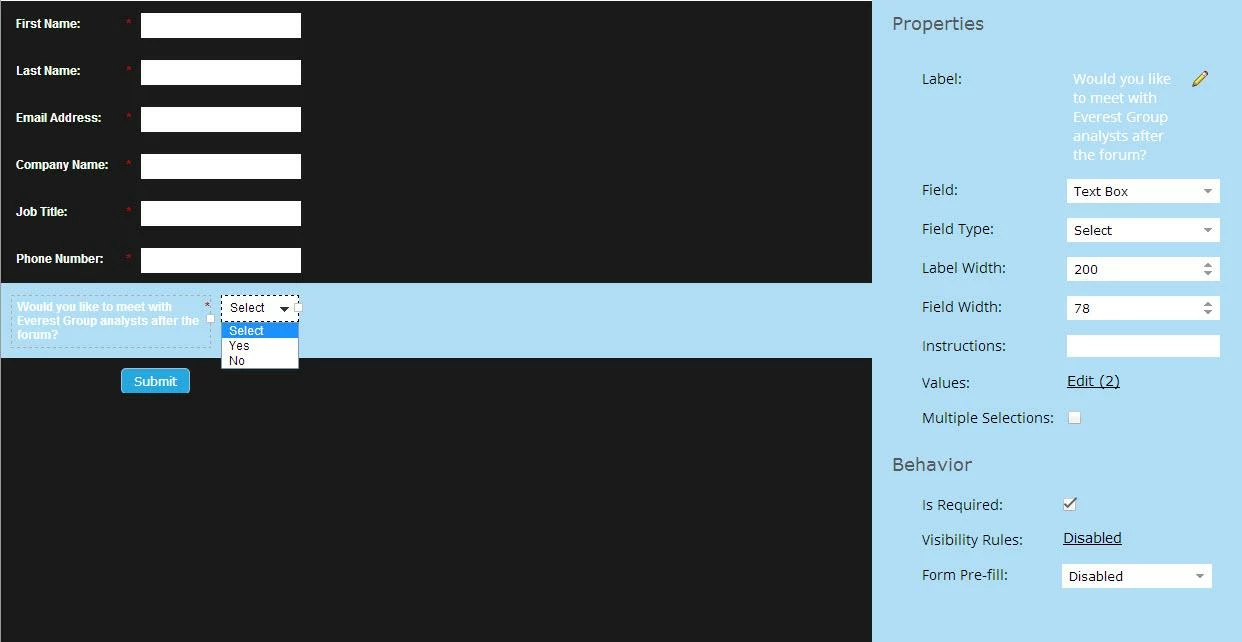
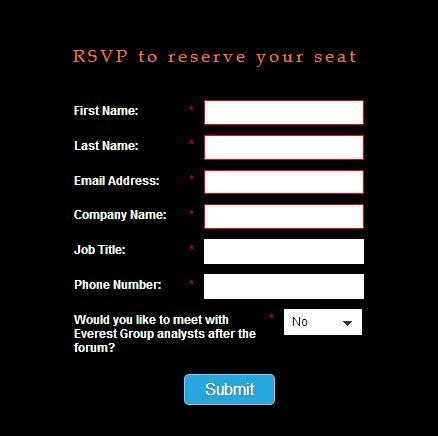
I'm using a select field for a yes/no question in my form. I want the default to be "Select" and the radio button next to "Select" is checked. The form looks correct in editor, but when I view it on the live landing page, it always defaults to No. However, if I add a random third value in addition to Yes and No, the default value is Select. Please help!

Form in editor mode:


Form on landing page:


This post is no longer active and is closed to new replies. Need help? Start a new post to ask your question.
Best answer by

This should help!

Click on "edit" then "advanced editor" and paste in the following - 

No|No

Yes|Yes|selected


3 replies

Venus_Wills
New Participant
March 20, 2014
@Vikki - That worked - thanks so much! What's the logic behind it?

@Josh - I actually wanted the drop-down to show Select as the default, but it keeps showing No as the default on my landing page.
Josh_Hill13
New Participant
March 20, 2014
You can also just remove "Selected" from the regular select editor. That removes "Select"
Accepted solution
March 20, 2014

This should help!

Click on "edit" then "advanced editor" and paste in the following - 

No|No

Yes|Yes|selected