Form Checkbox Not Appearing on Marketo Landing Page
Hello,
I have added a Marketo form to a custom Marketo landing page that was built by an outside development team.
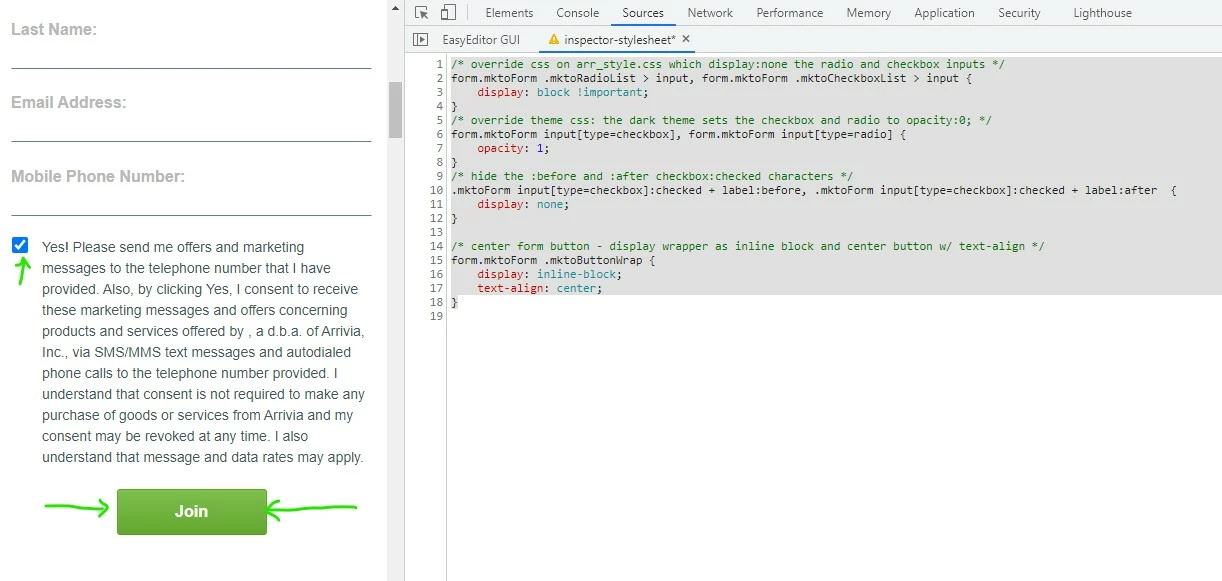
The form uses the Dark Theme and I am applying custom code to modify the button's color and alignment on the form.
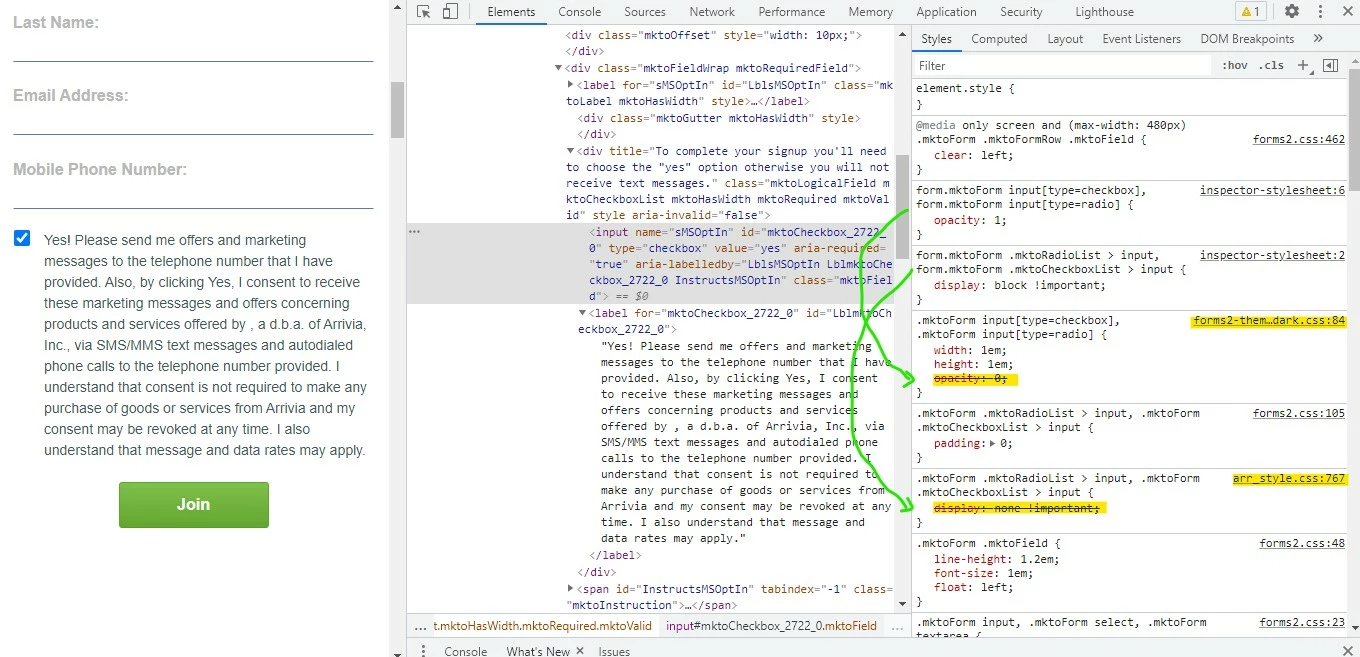
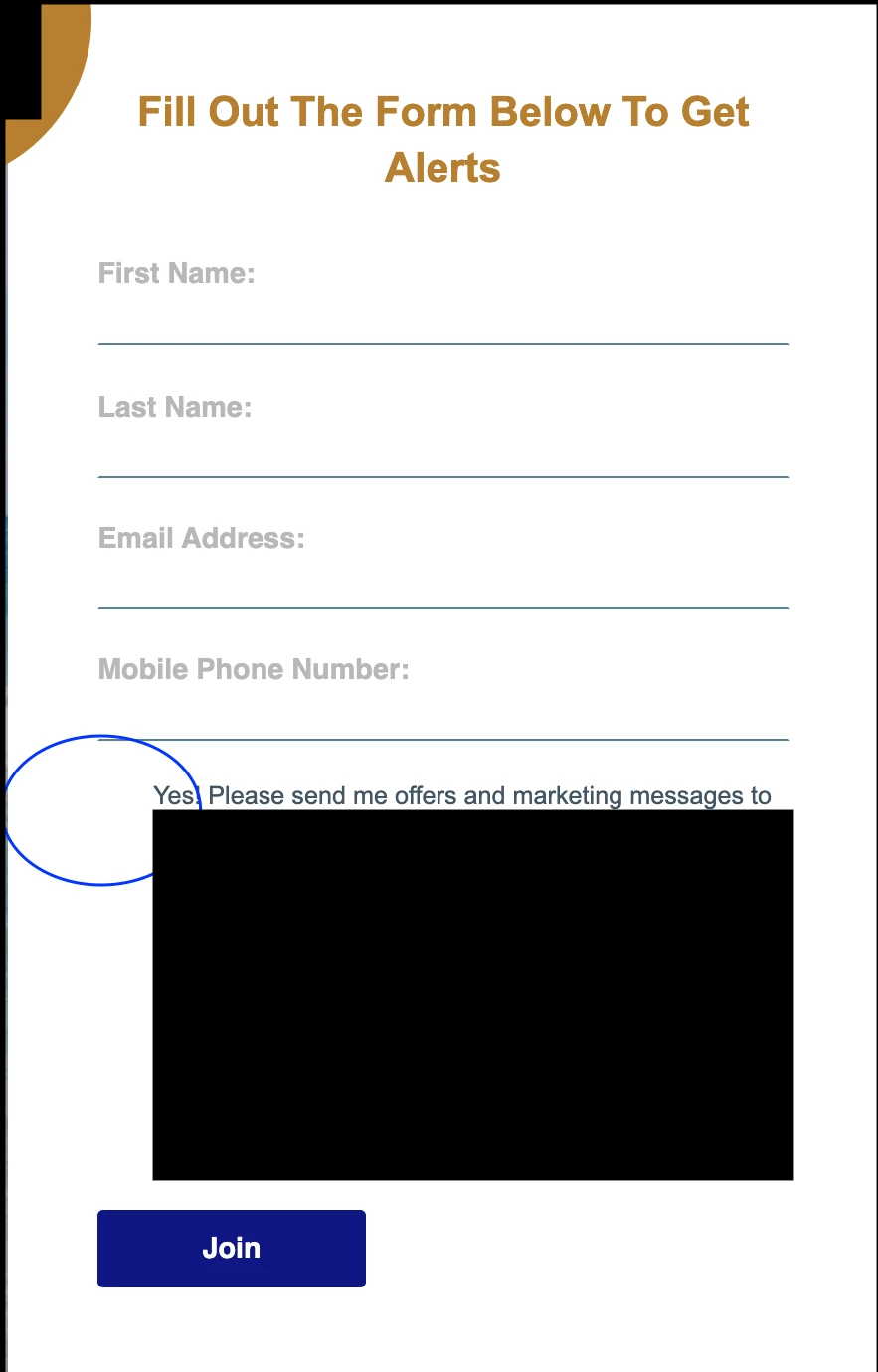
The main problem I am having with the form is that the checkbox is not appearing in the form when placed on the landing page.
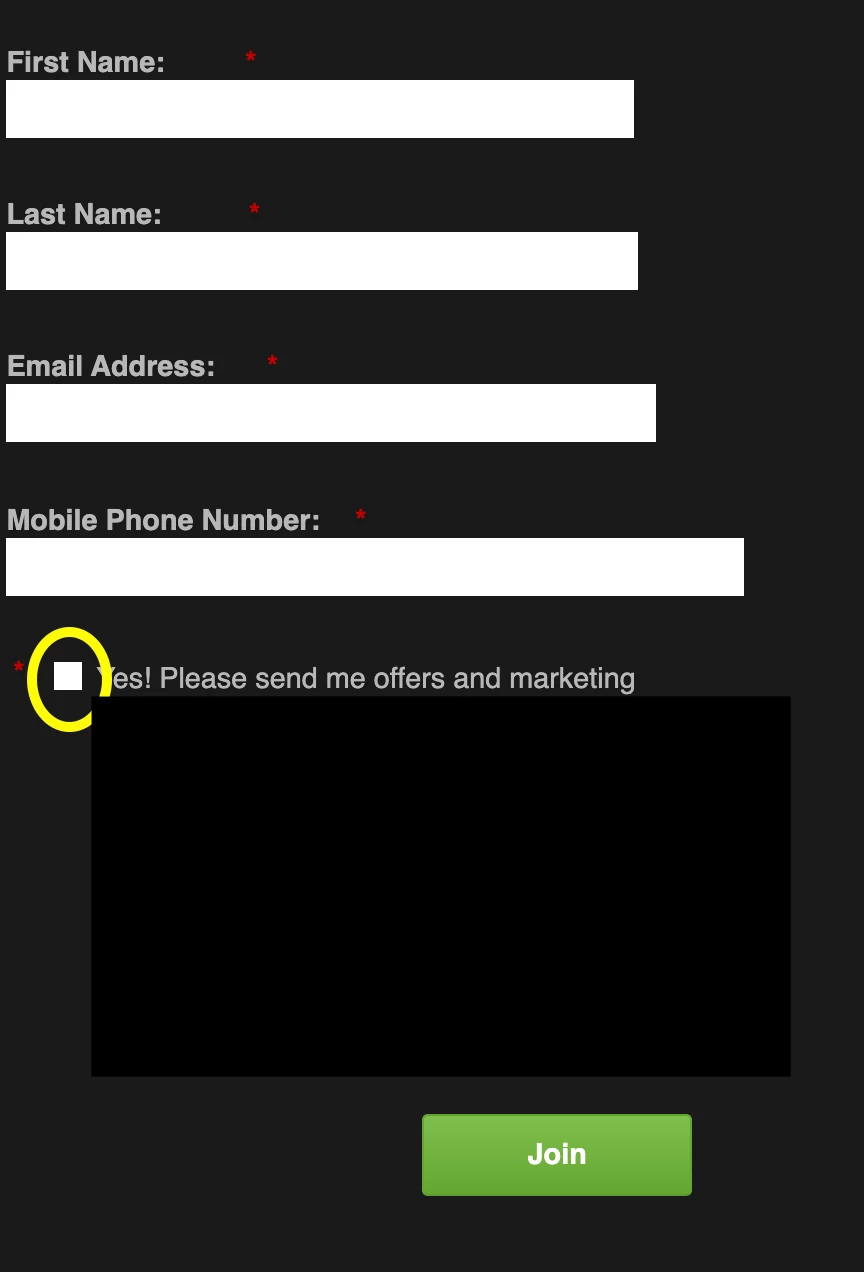
Please see screenshots below of both the form as it appears on the landing page and the form in preview mode with the dark theme.
Form On LP:
Preview of Form in Marketo with Dark Theme:
I am thinking that the checkbox isn't appearing on the page because no styling is being applied to it, like shadow or borders. But I'm not sure. If that is the case, how would I add a border/shadow to the checkbox to make it show up?
.mktoButton {
  background: {{Lead.Brand Secondary Color}} !important;
  color: #ffffff !important;
  border-color: none !important;
  box-shadow: none !important;
  font-size: 16px !important;
  padding: 0.625rem 1.125rem !important;
  line-height: 1.5 !important;
  border-radius: 0.2rem !important;
  font-weight: 700 !important;
  font-family: 'Helvetica' !important;
  text-shadow: none !important;
}

.mktoButton:hover {
  background: {{Lead.Brand Secondary Color}} !important;
  color: #ffffff !important;
  border-color: none !important;
}

.mktoForm {
  width:100% !important;
}
.mktoFormRow, .mktoFieldWrap, .mktoButtonRow {
  width:100% !important;
}
.mktoForm input[type=url],
.mktoForm input[type=text],
.mktoForm input[type=date],
.mktoForm input[type=tel],
.mktoForm input[type=email],
.mktoForm input[type=number],
.mktoForm textarea.mktoField,
.mktoForm select.mktoField {
  width:100% !important;

}