Form - multiple selections with fields hidden | Community
Skip to main content
Travis_Schwartz
New Participant
March 17, 2023
Solved

Form - multiple selections with fields hidden

  • March 17, 2023
  • 2 replies
  • 5335 views

Hello, 


I was charged with creating a similar form to this:

Where it is presenting two options

1. either sign up for something or continue to the website.


I found the documentation example (https://developers.marketo.com/rest-api/assets/forms/examples/) for form submit on non-form click event and figured that was likely where I needed to be, but am facing a couple of challenges


1. How do I make the other fields visibility dependent on selecting the "sign up" option?

2. is this java script code living in a rich text field on the form or on the page where the form exists?

3. how do I assign the element ID? is that in the CSS editing section of the form editor?


Thanks
Best answer by SanfordWhiteman

ok... I've gotten to where I'm stuck.


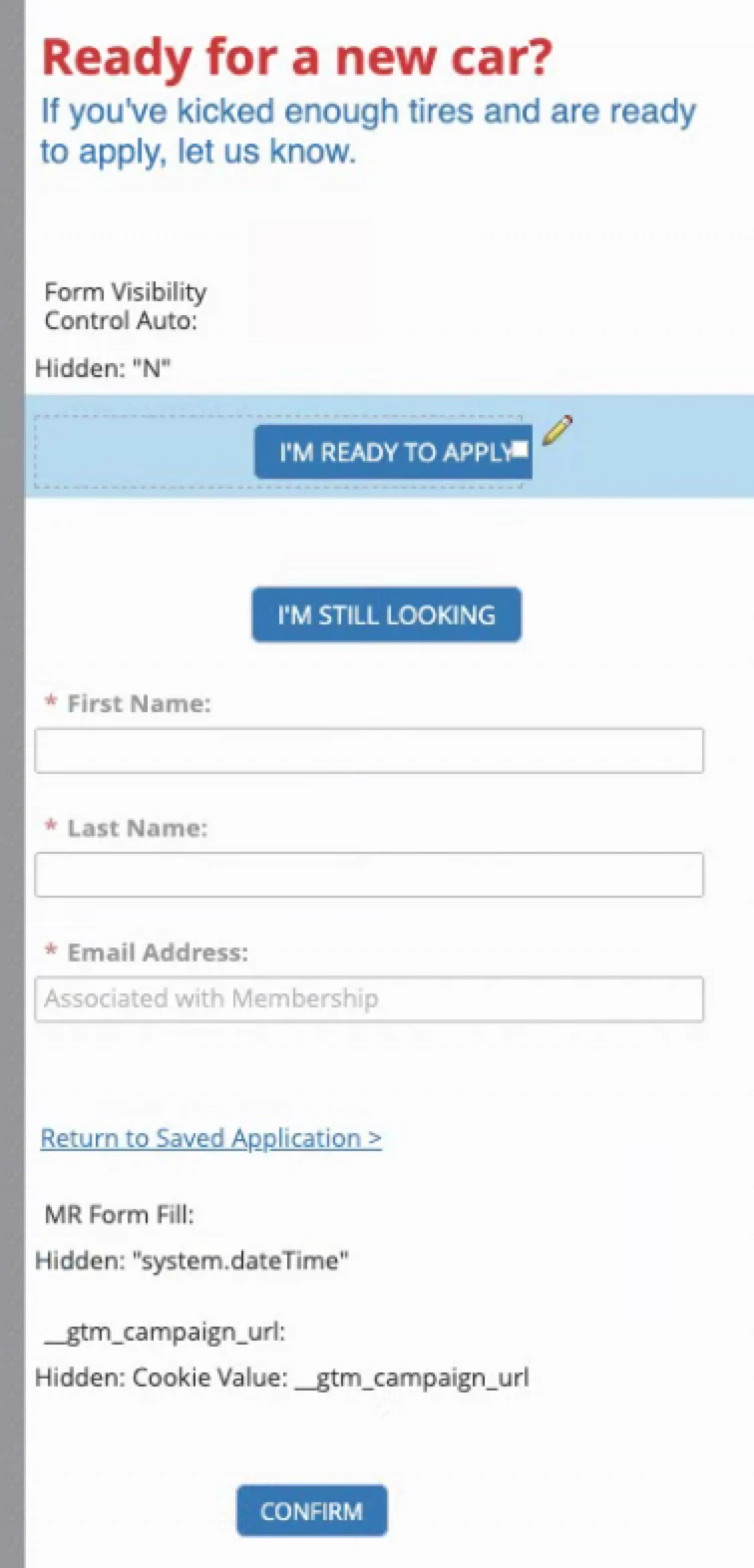
This is what I've got:


I'm guessing that I need to use API to change the visibility value which will then impact my visibility rules?


Also, would I be using API to control the visibility of the CONFIRM button?


I'm guessing that I need to use API to change the visibility value which will then impact my visibility rules?

Do it like this.


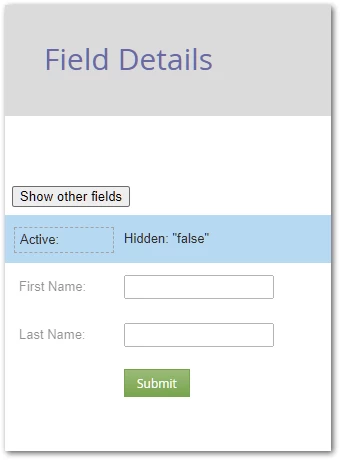
The form behind that demo looks like so in Form Editor:

With Visibility Rules to control the First Name and Last Name if Active equals “true”.


Also, would I be using API to control the visibility of the CONFIRM button?

For that, follow the method at

Conditionally show/disable/hide the Submit button on Marketo forms

2 replies

SanfordWhiteman
New Participant
March 17, 2023

2. is this java script code living in a rich text field on the form or on the page where the form exists?


While it’s possible to put JS inside a Rich Text (I have a blog post about it) it’s not recommended. You should put it in a separate script tag after the embed code.


3. how do I assign the element ID? is that in the CSS editing section of the form editor?


Not sure what you mean by this or where IDs come into play.

SanfordWhiteman
New Participant
March 17, 2023

1. How do I make the other fields visibility dependent on selecting the "sign up" option?


Multiple ways to do this. Easiest is to have a hidden field like Form Visibility Control (I have a few of these actually) and then use Visibility Rules to show other fields if the hidden field has, for example, the value “true”.


Then put the button in a Rich Text area. Add a click listener to the button that flips Form Visibility Control to “true”. Then native show/hide functionality takes care of it.

Travis_Schwartz
New Participant
March 17, 2023

I'll give this a go. I think I'm following most of it, but I'll likely have questions.


Do you happen to have a link to a page you have done this to that I could look at?

Travis_Schwartz
New Participant
March 17, 2023

ok... I've gotten to where I'm stuck.


This is what I've got:


I'm guessing that I need to use API to change the visibility value which will then impact my visibility rules?


Also, would I be using API to control the visibility of the CONFIRM button?