Solved
Forms 2.0 CSS/style issues
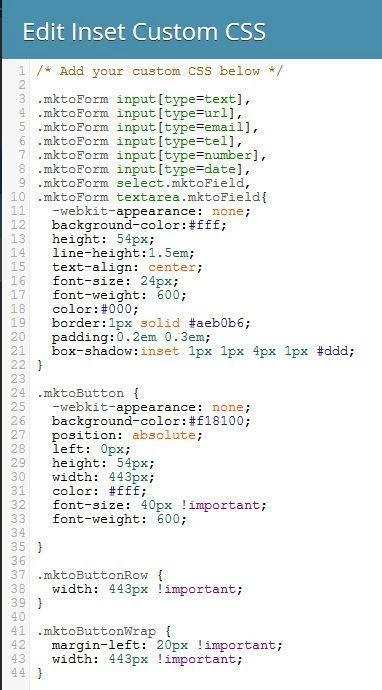
Hi Marketo community, I am having issues manipulating the form button styling in the 2.0 editor. In 1.0 I could drop an HTML block onto a landing page, which contained scripts that allowed me to change the appearance and position of the form button on the landing page level.
I know you are supposed to be able to do most of this natively in the 2.0 editor now, but I seem to be experiencing a lot of bugs when trying to apply changes via the WYSIWYG. For example, in the screenshot here I updated the font type for the form in form settings. It updated the font in the form fields, but not on the button. Is it possible to make the button I choose bigger or smaller? Also in regards to the buttons, if I select a custom color for one of the button styles, the hover color becomes the original button color and there does not appear to be a way to change the hover color. This creates serious issues in our ability to create forms that use branded colors and fonts.
I am hoping someone has some pre-canned CSS for the form editor that would allow for better control over some of these areas in the forms. Thanks for your feedback, rockstars!
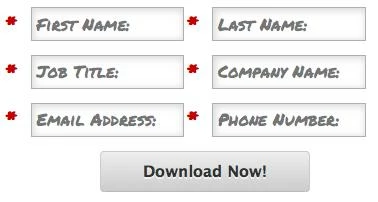
I know you are supposed to be able to do most of this natively in the 2.0 editor now, but I seem to be experiencing a lot of bugs when trying to apply changes via the WYSIWYG. For example, in the screenshot here I updated the font type for the form in form settings. It updated the font in the form fields, but not on the button. Is it possible to make the button I choose bigger or smaller? Also in regards to the buttons, if I select a custom color for one of the button styles, the hover color becomes the original button color and there does not appear to be a way to change the hover color. This creates serious issues in our ability to create forms that use branded colors and fonts.
I am hoping someone has some pre-canned CSS for the form editor that would allow for better control over some of these areas in the forms. Thanks for your feedback, rockstars!