
New
Hide fields from the import wizard
Some fields have nothing to do in the import wizard mapping step. Because they are not allowed to be updated for business reasons, or even when there update is blocked on import. e.g.:
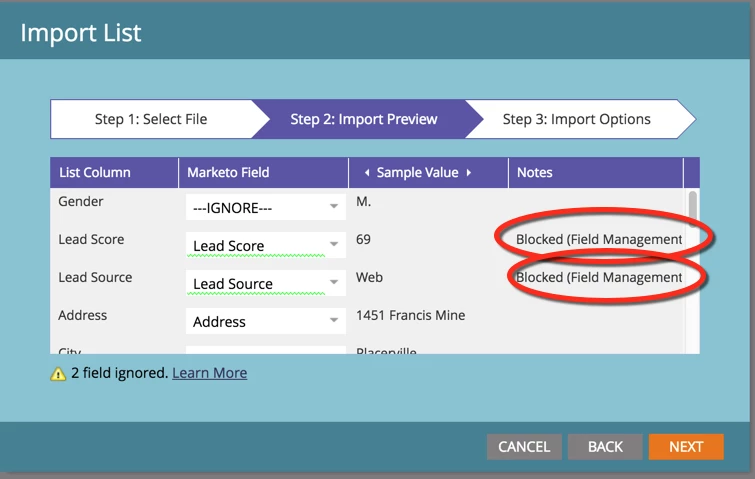
When the data schema has been significantly extended, the number of fields showing up in the wizard can be extremely long and the mapping process will end up being painful and error prone.
This idea would be that fields that are "blocked on import" should not show up in the lead import wizard field mapping step.
Alternatively, we could have a setting in the admin -> field management that would enable the admin to hide the field from the wizard.
-Greg