How do I add a program status? Email Blast Exclusion | Community
Skip to main content
May 30, 2014
Solved

How do I add a program status? Email Blast Exclusion
  • May 30, 2014
  • 4 replies
  • 3548 views


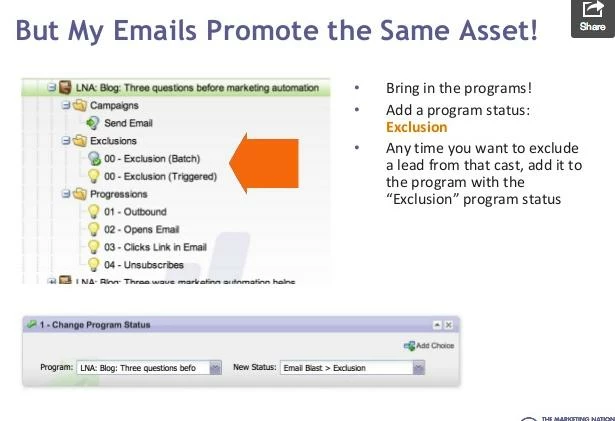
I saw this in a marketo presentation, but cannot for the life of me figure out how to find this status!
This post is no longer active and is closed to new replies. Need help? Start a new post to ask your question.
Best answer by
To add new values to a program status, you have to do that from the Channel first.  Go to the Admin Section in Marketo, then click on Tags.  From there, find "Email Blast" channel in the Channel section.  That is where you can add the status "Exclusion."

4 replies

February 13, 2015
That's what I'm trying to figure out too - anyone know?
January 8, 2016

Michelle Mackesy​ Did you ever get an answer to your question or figure this out?

December 4, 2014
Follow-up Question: How can I be sure that this Exclusion status actually EXCLUDES people from receiving related emails? I know I added the word excluded in the tags, but how do I define it?
January 8, 2016

Caitlin McCormick​ Did you ever get an answer to your question or figure this out?

May 30, 2014
All Program Statuses are created in Admin>Tags>Channel and you will find all of the status that you have as of the current moment.  From there you can chose to add on to any current program statuses or create brand new channels in general...hope that helps!
Accepted solution
May 30, 2014
To add new values to a program status, you have to do that from the Channel first.  Go to the Admin Section in Marketo, then click on Tags.  From there, find "Email Blast" channel in the Channel section.  That is where you can add the status "Exclusion."