How do I format a Custom Object Expiration Date field using Velocity Script
Hello Community,
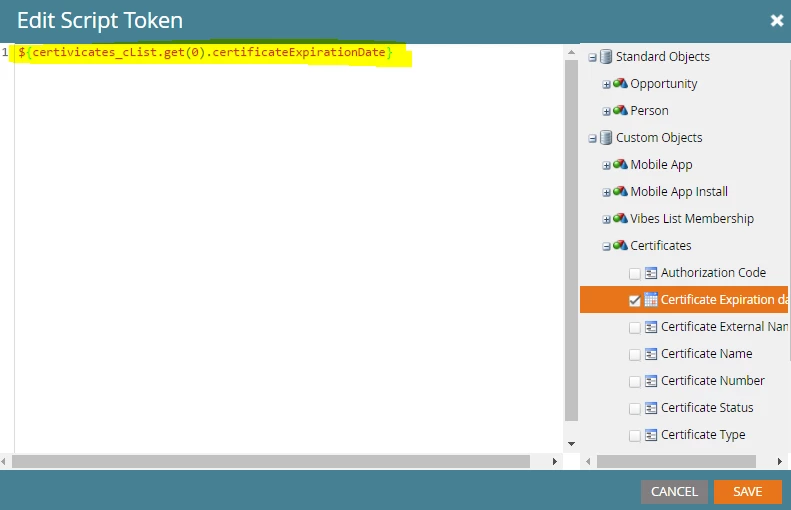
I am really on a roll with these VS questions lately . So, I have been tasked with formatting a Custom Object Date field so that it appears like January 13, 2018 instead of 2018-01-13. I tried modifying the code in red below (which I used to modify an expiration date token) by inputting "certificateExpirationDate" (see screenshot below showing the custom object date field) in place of lead.expirationDate and expirationDate, but that didn't seem to work. So, not sure what I need to do next
 ....Please help!
#set( $dateOptions = {
"formats" : {
"userin" : "yyyy-MM-dd",
"userout" : "MMMM d, yyyy"
},
"timezones" : {
"userin" : "America/New_York",
"userout" : "America/New_York"
},
"locale" : $date.getLocale()
} )
#set( $expirationDatelike = $lead.expirationDate )
#set( $expirationDate = $convert.parseDate(
$expirationDatelike,
$dateOptions.formats.userin,
$dateOptions.locale,
$date.getTimeZone().getTimeZone($dateOptions.timezones.userin)
) )
#set( $expirationDate_formatted = $date.format(
$dateOptions.formats.userout,
$expirationDate,
$dateOptions.locale,
$date.getTimeZone().getTimeZone($dateOptions.timezones.userout)
) )
${expirationDate_formatted}
Thank you,
Laura
