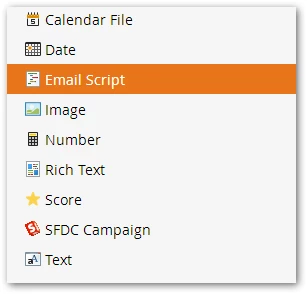
Add a new Email Script token at the highest folder level of Marketing Activities (Velocity is the language used to author Email Script tokens, so I call them "Velocity tokens" becase it's more direct and Velocity is not just used in Marketo).
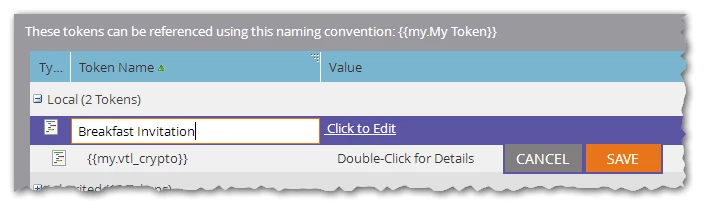
You can give the {{my.token}} the same name as the corresponding {{lead.token}} because they refer to the same underlying field. In this case I'm using the field called Breakfast Invitation.
In Script Editor, make sure to check off the field you're going use in the tree on the right-hand-side and temporarily drag the field onto the Script Editor "canvas" to find out its Velocity name (VTL names are not always the same as the original field name, for example they cannot have spaces so Marketo makes sure they have a valid name).
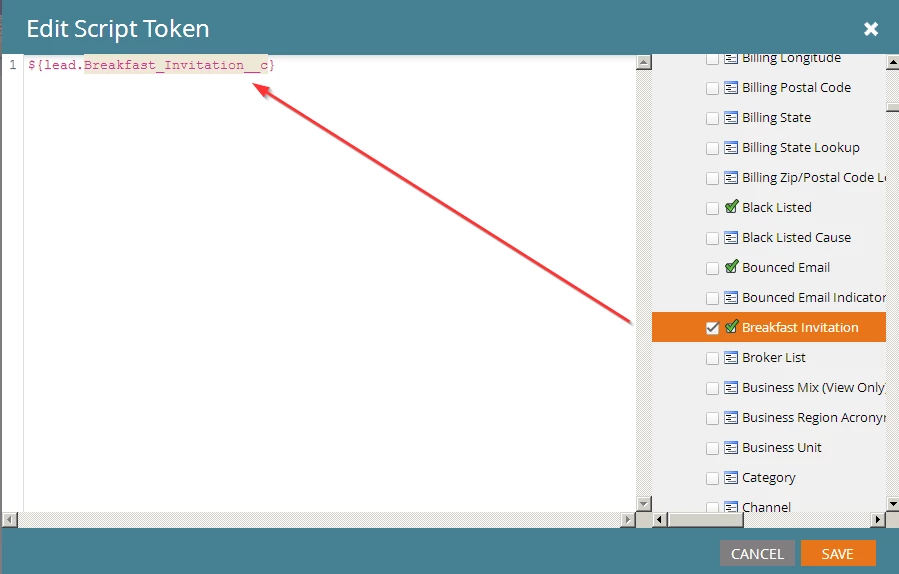
Copy out the name of the field, in this case Breakfast_Invitation__c. Then delete everything from the canvas. Don't uncheck the field though.
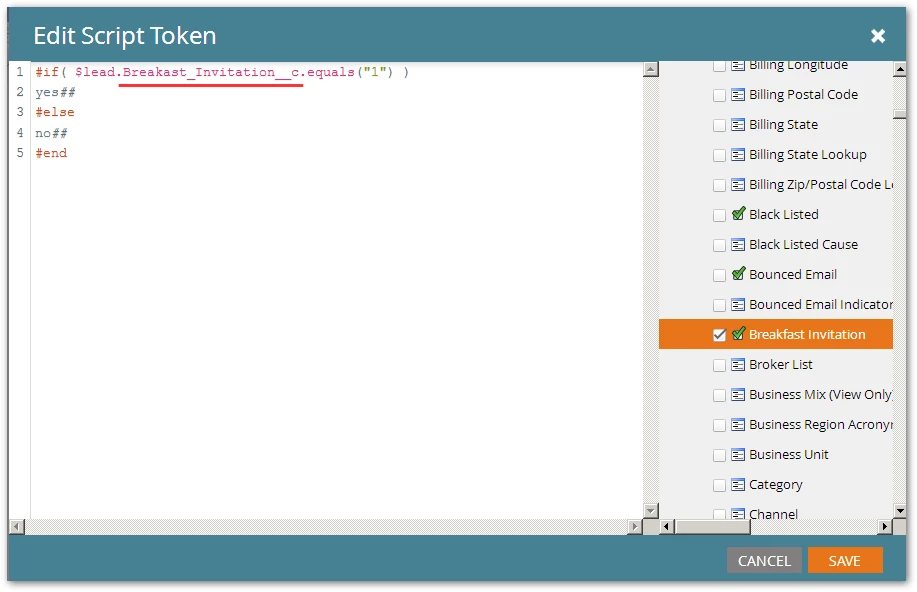
Replace the placeholder your_field_name in this simple code with the Velocity name of the field:
#if( $lead.your_field_name.equals("1") )
yes##
#else
no##
#end
Then paste the code into Script Editor. In this screenshot I've replaced in the name of the field copied out earlier:
Now you're done. Include {{my.Breakfast Invitation}} where you would have used {{lead.Breakfast Invitation}} and you'll get "yes" or "no".
Follow the same pattern with any other Boolean field. You can also write a macro for this, but I didn't want to delve to deep in this thread.