How do I use an image for the Default content in a token? | Community
Skip to main content
New Participant
June 13, 2023
Solved

How do I use an image for the Default content in a token?

  • June 13, 2023
  • 1 reply
  • 3616 views

Hello Community,


We want to use an image as the default content for an image token we've created. Is this possible to do?


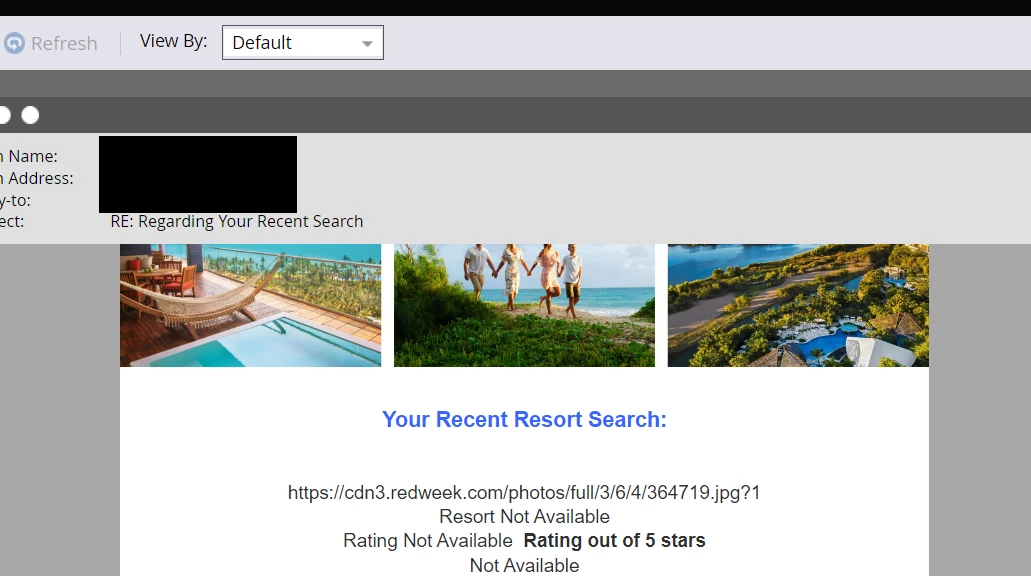
I tried simply pasting the image link as shown below, but the image doesn't appear when previewing the email in default mode:


Thank you,

LK


This post is no longer active and is closed to new replies. Need help? Start a new post to ask your question.
Best answer by Darshil_Shah1

I'm not sure why it didn't work for me, but when I changed the script, the image did appear.


Is it possible to add the styling within the velocity script or would it need to be added within the email?


I added the styling within the email as shown below and it's not working:
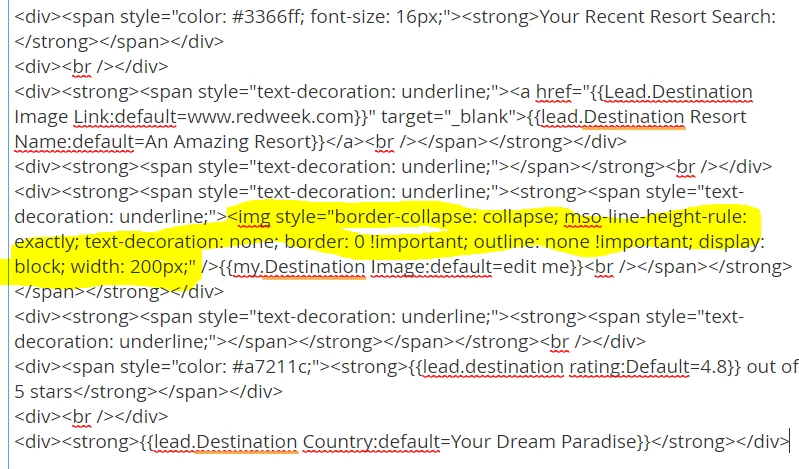


Any suggestions?


Thank you,

LK


Well, you can output the plain image URL from the velocity script token in the already existing image tag of your editable module, or you can also copy over the styles from here to the image tag in the velocity script token (in this case, you'd have to remove the already existing image tag in your editable module, as it's gonna be part of the velocity script). It's up to you how you want to do it. For the former case (i.e., just output the image URL from the velocity token), your script would look like something below. Add this velocity my token in the src attribute of the image tag in the editable module in the email and you should be good. Looking at your use-case you're better off with approach 1, i.e., outputting the image URL from the velocity token and plugging the token in the src attribute as I discussed above.


#if(!$lead.DestinationImageLink.isEmpty()) #set($imageURL = $lead.DestinationImageLink) #else #set($imageURL = "https://cdn3.redweek.com/photos/full/3/6/4/364719.jpg?1") #end ${imageURL}



1 reply

Darshil_Shah1
Community Manager
June 13, 2023

I'd rather use velocity for this. If the lead field is empty (assuming it'd have the image URL), then use the catch-all default image URL.


New Participant
June 13, 2023

Thank you @darshil_shah1 ,


How would I configure this? 

Darshil_Shah1
Community Manager
June 14, 2023

A simple if else conditional construct should suffice. Assuming the correct name of the lead token in the email script editor is $lead.DestinationImageLink and if populated, it'd always contain a link to the image:

#if(!$lead.DestinationImageLink.isEmpty()) #set($imageURL = $lead.DestinationImageLink) #else #set($imageURL = "https://default/img/url.png") #end <img src="$imageURL">