How do you clone a program's smart list? | Community
Skip to main content
June 22, 2016
Solved

How do you clone a program's smart list?

  • June 22, 2016
  • 2 replies
  • 2637 views

I've looked everywhere but can not find - how do you clone a program's smart list?  I don't even know if I'm saying that right.

I have an Email Send Program that I want to repeat with some changes.   I cannot seem to find the option to clone the "master" (?) smart list.

I can easily clone additional smart lists I've created after the email was sent (who clicked, who unsubscribed, etc).

Is it possible?
This post is no longer active and is closed to new replies. Need help? Start a new post to ask your question.
Best answer by

Hi Nancy,

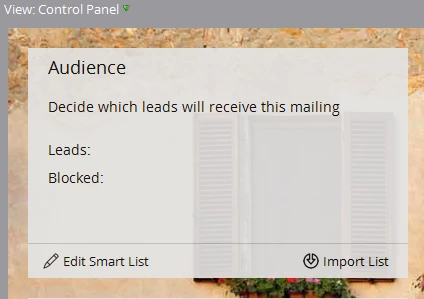
Are you talking about the Smart List that is inside the Email Send Program (mailbox icon)? That is, the one behind the Audience Panel (see below)? You can't clone that Smart List. But what you CAN do is clone the entire Email Send Program. Just right-click the Email Program mailbox icon in the tree and select "clone." Then, assuming you want to send a different email - just swap it out.

Hope that helps!

Denise

2 replies

Accepted solution
June 22, 2016

Hi Nancy,

Are you talking about the Smart List that is inside the Email Send Program (mailbox icon)? That is, the one behind the Audience Panel (see below)? You can't clone that Smart List. But what you CAN do is clone the entire Email Send Program. Just right-click the Email Program mailbox icon in the tree and select "clone." Then, assuming you want to send a different email - just swap it out.

Hope that helps!

Denise

June 23, 2016

I guess the answer is, "mix and match" -- clone the program whose list best fits your needs; then separately, clone the email that fits, wherever it is, into that new program. 

Thanks (for reading carefully and answering appropriately!)

June 23, 2016

Yup! And you are very welcome!

June 22, 2016

Hi Nancy

Refer below image hope it helps you to clone a smart list.