How to add cc "Lead Owner" in Emailing? | Community
Skip to main content
Cecile_Maindron
New Participant
June 20, 2016
Solved

How to add cc "Lead Owner" in Emailing?

  • June 20, 2016
  • 2 replies
  • 4496 views

Hello,

My question is slightly different than Can we add CC in email campaigns?   that's why I have started a new discussion.
We are sending out custom emails to a small targeted list provided by our sales rep. They want to know who has been sent an email, what and when.
They are therefore asked to be cced on this specific campaign. Our thinking was to add a cc = "lead owner" but as was I understand this feature doesn't exist in Marketo. Is there a work-around? Should we set an alert that basically send a copy of the email to the lead owner?

Again we don't want that sales owner are the reply to. We don't want to have one notification per campaign but we do want that sales rep receive every single custom emails that are sent out.

Cécile
This post is no longer active and is closed to new replies. Need help? Start a new post to ask your question.
Best answer by

Hi Cecile

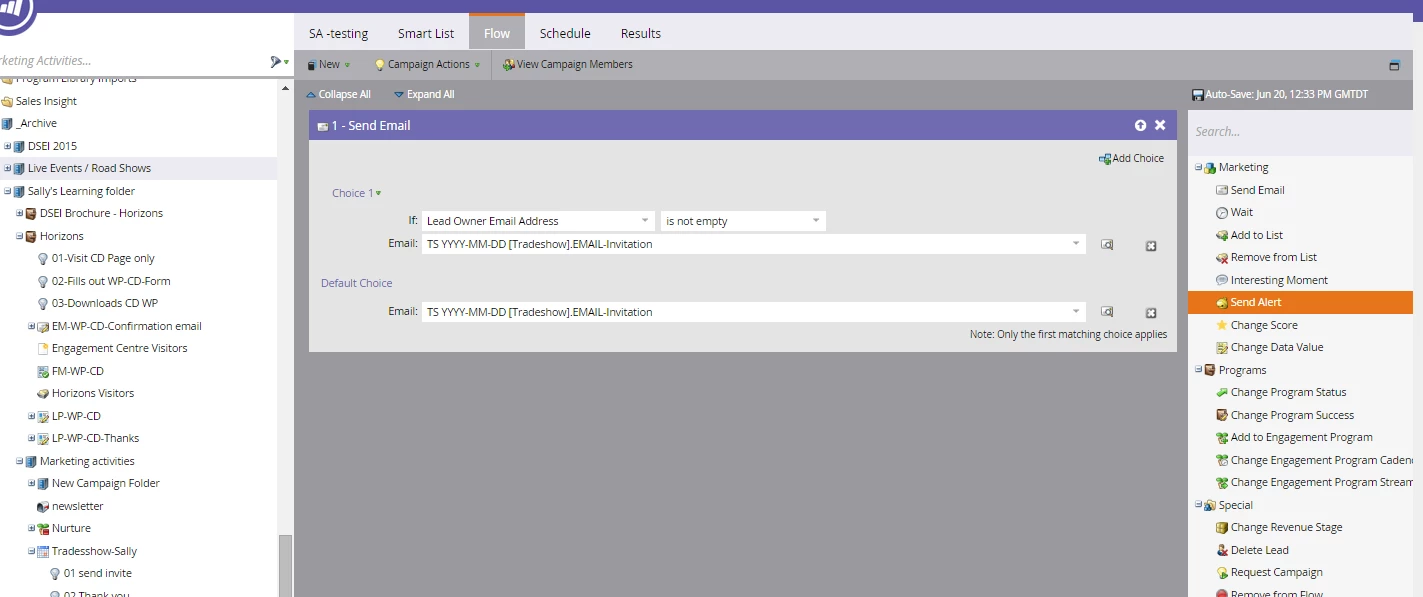
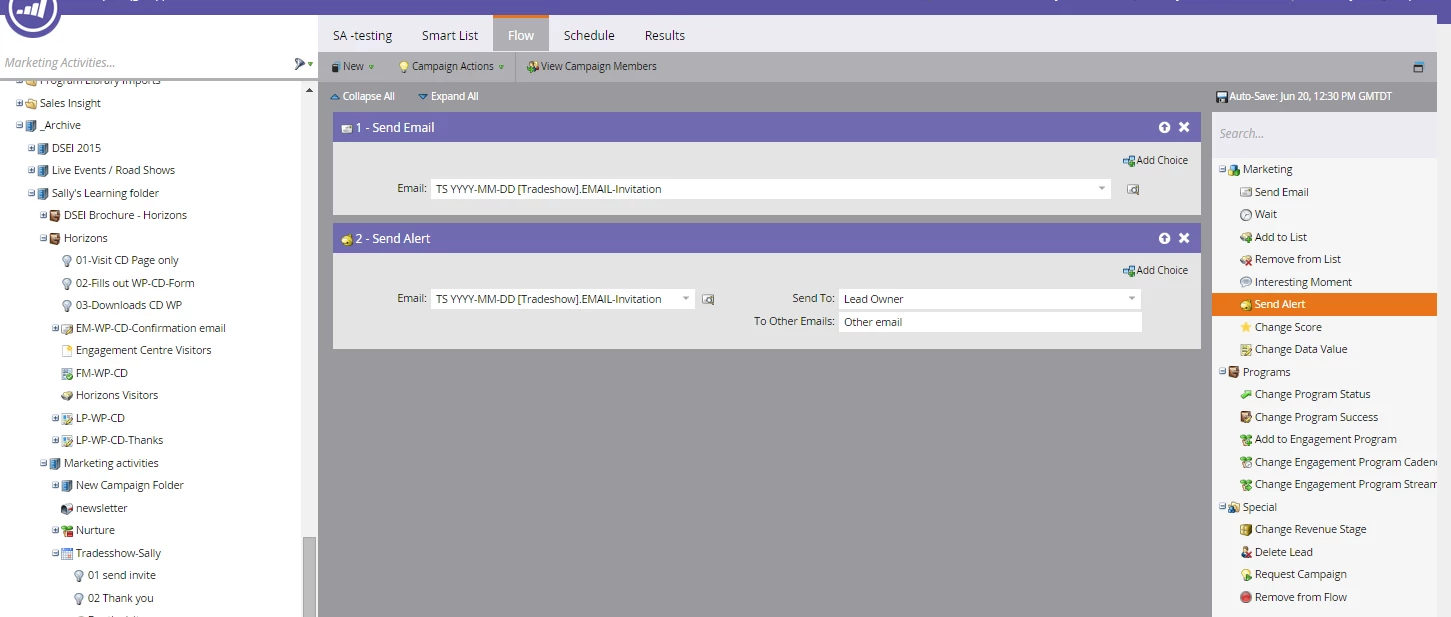
When you set up your campaign, you can create an alert alongside the email, so you would have this:

or you can set it up like this:

It is not a cc, but the lead owner does see the email

I hope this helps

Sally

2 replies

June 20, 2016

Yes, the above solution is the best available, there is no cc, but this will work just the same

Accepted solution
June 20, 2016

Hi Cecile

When you set up your campaign, you can create an alert alongside the email, so you would have this:

or you can set it up like this:

It is not a cc, but the lead owner does see the email

I hope this helps

Sally

June 20, 2016

I agree with Sally. We had same requirement but Marketo does not support cc feature. If you can convince business, alert is best option to notify.