
How to Change the Label of a Salesforce Custom Object in Marketo to Resolve Sync Issue
Hello,
I'm facing an issue with syncing a Salesforce custom object, Customer_Interaction, to both Lead and Contact in MKTO.
(Simplified ER Model):
Problem:
When I enable the sync of Customer_Interaction in MKTO for the first object (either Lead or Contact), it works perfectly. However, when I attempt to enable it for the second object, MKTO returns the following error message:

Reference:
I found this link Error When Enabling Salesforce Custom Object, which suggests changing the label of the custom object (not the name) to avoid this issue.
Current Setup:
- The Customer_Interaction custom object has a one-to-many relationship with both Lead and Contact, meaning that a Lead and a Contact can have zero or many Customer_Interaction linked to them.
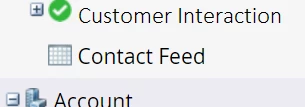
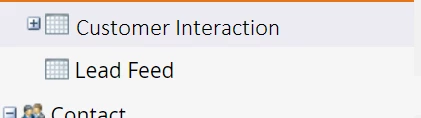
- Here is how I see the Customer_Interaction linked in MKTO, but note that only one is being synced:
Desired Outcome:
My goal is to ensure the Customer_Interaction object syncs with both Lead and Contact, allowing me to filter and create smart lists, campaigns, and other MKTO activities based on this object.
Example Smart Lists:
- Leads living in "Alberta" with at least one Customer_Interaction in Product X created in the last 30 days.
- Contacts living in "Ontario" with at least one Customer_Interaction in Product X and another in Product Y created in the last 30 days.
Constraints:
- We would like to avoid adding or changing objects in Salesforce solely to support MKTO integration.
- We would like to avoid adding custom fields to Lead/Contact just to support MKTO integration.
Request for Assistance:
Could you please guide me on:
- How to change the label of the SFDC custom object in MKTO, as the link above suggests?
- Whether the information in the provided link is still valid and applicable to solve the problem described here?
Thank you! 🙏