How to delete marketo field value with batch campaign | Community
Skip to main content
New Participant
March 25, 2022
Solved

How to delete marketo field value with batch campaign

  • March 25, 2022
  • 1 reply
  • 2066 views

Hi There,


Can anyone help how to delete the value of the Marketo field For, eg: I want to clear the user's phone value for a multiple user's

I'm trying with the batch campaign, but I don't have any idea to clear the value


Please help !!!


Thank You 🙂

This post is no longer active and is closed to new replies. Need help? Start a new post to ask your question.
Best answer by Darshil_Shah1

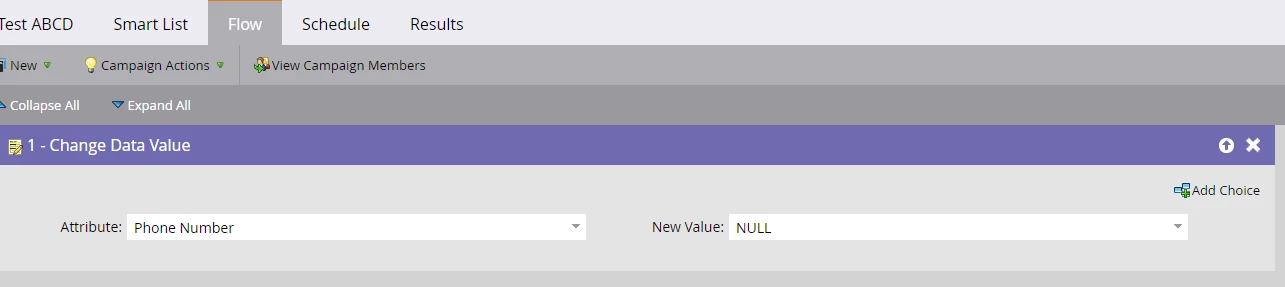
Assuming you have correct set of filters for the smart campaign added, in the flow simply use the Change Data Value flow step, select the apt field from the drop down and set the New Value = NULL, reference snapshot below:


1 reply

Darshil_Shah1
Darshil_Shah1Accepted solution
Community Manager
March 25, 2022

Assuming you have correct set of filters for the smart campaign added, in the flow simply use the Change Data Value flow step, select the apt field from the drop down and set the New Value = NULL, reference snapshot below:


BimalBkAuthor
New Participant
March 25, 2022

Thank You Darshil

it worked 🙂