How to enable view-only user | Community
Skip to main content
New Participant
September 5, 2021
Solved

How to enable view-only user

  • September 5, 2021
  • 1 reply
  • 1545 views

May I know how to edit a role with view-only access, for example, the user can see the setting of global data management  or global scoring  but he/she cannot have the access to edit ? how to enable this, thank you. 

Similar like below..
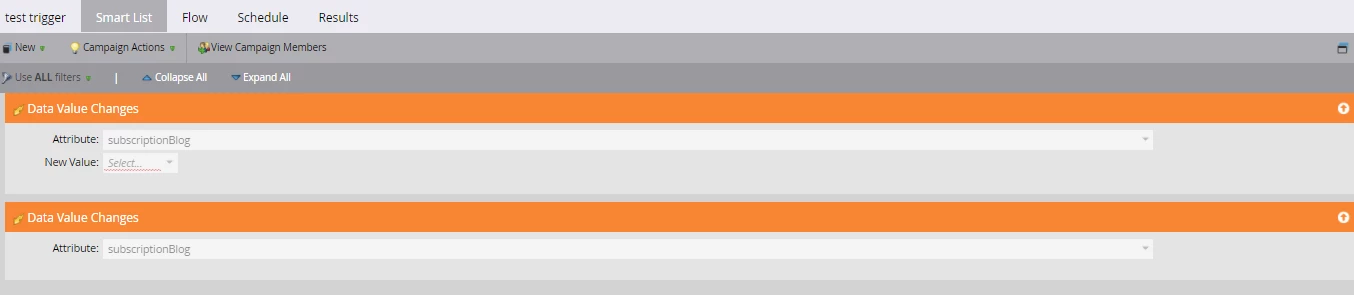
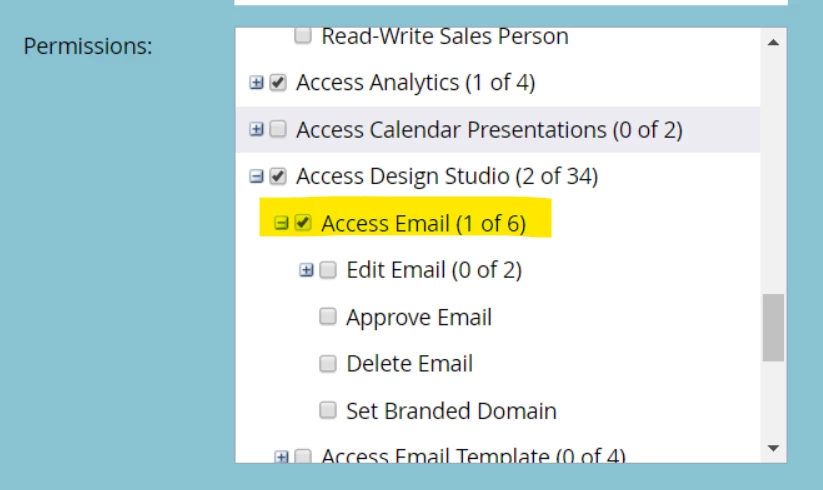
I am wondering to know if it's set-up by checking the box of "assess" without the child folder. (edit, delete...) 

Something similar like below...
 

This post is no longer active and is closed to new replies. Need help? Start a new post to ask your question.
Best answer by falvares

Hi @renee-1 ,

Yes, you would only want to give 'access' without edit permissions in order for the person to have read/view only access.

For campaigns and programs, you would not allow the users to edit/activate the trigger and batch campaigns, but they would have access to marketing activities.

More information on permissions can be seen here: https://experienceleague.adobe.com/docs/marketo/using/product-docs/administration/users-and-roles/descriptions-of-role-permissions.html?lang=en

1 reply

falvaresAccepted solution
Employee
September 5, 2021

Hi @renee-1 ,

Yes, you would only want to give 'access' without edit permissions in order for the person to have read/view only access.

For campaigns and programs, you would not allow the users to edit/activate the trigger and batch campaigns, but they would have access to marketing activities.

More information on permissions can be seen here: https://experienceleague.adobe.com/docs/marketo/using/product-docs/administration/users-and-roles/descriptions-of-role-permissions.html?lang=en