How to Find the Test Lead from a Zapier Integration Test Submission? | Community
Skip to main content
New Participant
April 15, 2022
Question

How to Find the Test Lead from a Zapier Integration Test Submission?

  • April 15, 2022
  • 1 reply
  • 1631 views

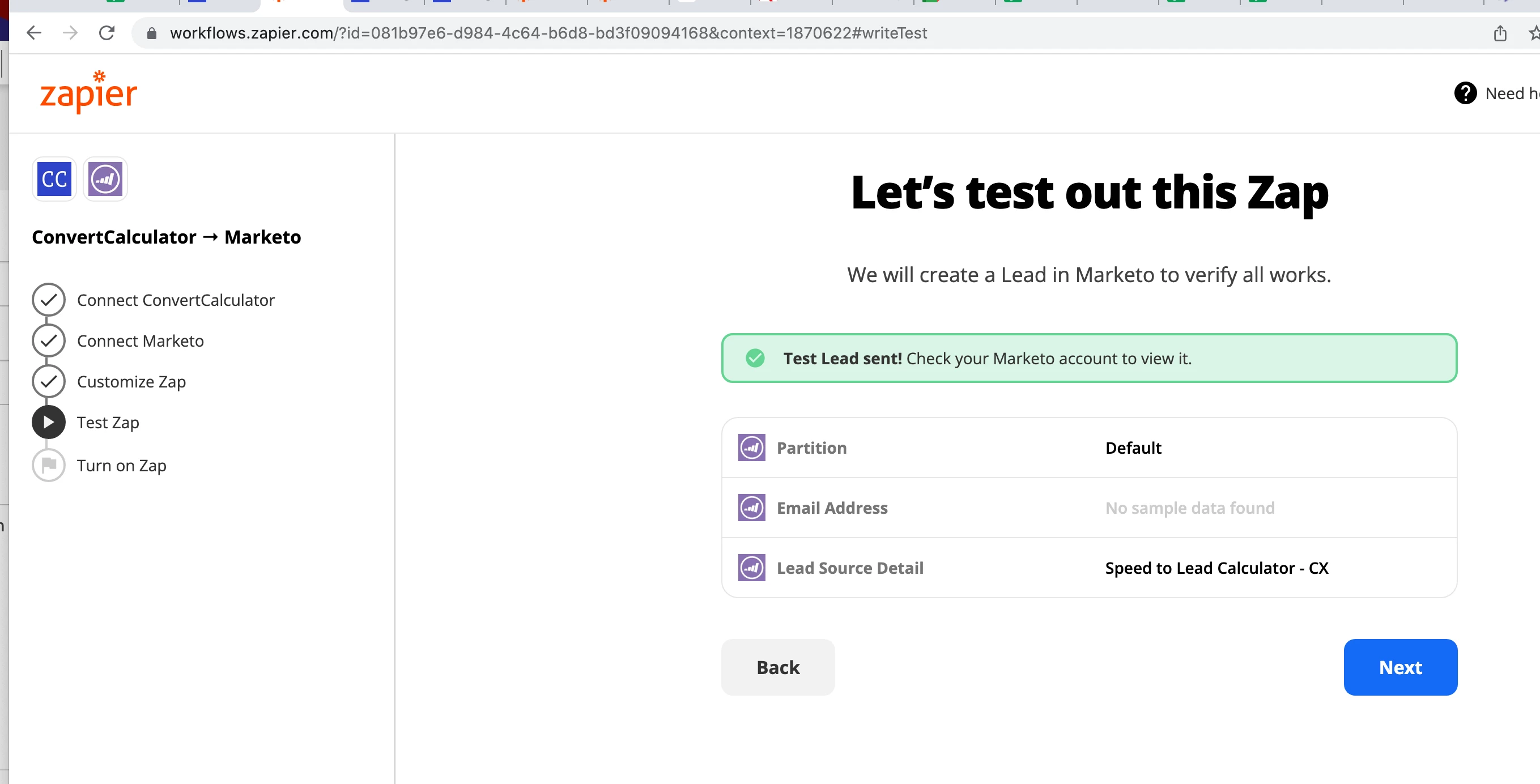
Trying to use Zapier to integrate Converter Calculator with Marketo to create a new lead upon form submission of the calculator. The only thing captured on the calculator is "email address." 


Is nothing actually being submitted because I have no sample data for email address? Where would I input sample data?
This post is no longer active and is closed to new replies. Need help? Start a new post to ask your question.

1 reply

Darshil_Shah1
Community Manager
April 16, 2022

Well, the Zapier takes the sample data from the Convert Calculator form submissions - I'm having a feeling that you haven't mapped the correct Email Address field being used on the convert calculator form with the Marketo's Email Address field - hence you're seeing the sample data not found error while testing your zap. 


You would want to map the field used to capture the Email Address on the Convert Calculator form with Marketo's Email Address field - refer below screenshot, I've used the "Enter your Email Address" field in the Convert Calculator form to capture the email address, which is what what I've mapped with the Marketo's Email Address field:


And, in the test zap page - you see one of the test email address I used while submitting the CC form. And, upon hitting the Send Test success in zap you would see this test person getting created in the Marketo.

The field will show no sample data when Zapier isn't able to find the data in the CC field selected during the field mapping.