How to setup whole email A/B test with custom conversion? | Community
Skip to main content
Community Manager
January 21, 2020
Question

How to setup whole email A/B test with custom conversion?

  • January 21, 2020
  • 3 replies
  • 7128 views

This may be me, but it sure seems like a bug.  We are trying to create an Email Send with a "Whole Email" A/B Test.  We want to set the winner criteria to be the most clicks to the call to action button, which seems to be pretty straight forward.  (The CTA buttons link to an external client site, so we cannot use any landing page triggers.)

Here's the issue...
1. When we create the emails, add them as the two email in the whole email test, all is well. 
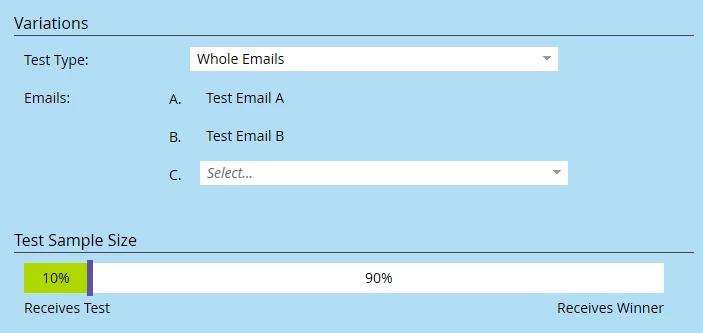
2. Next we choose, the Winner Criteria...
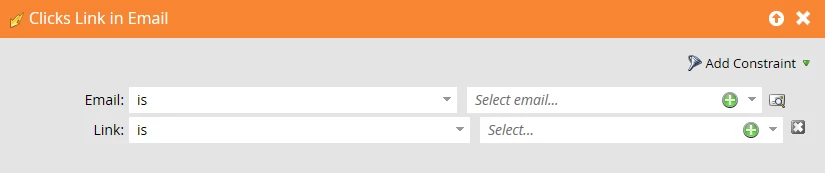
3. We select the "Clicks Link in Email" trigger and here is where the magic happens.  (Not really. Feels like black magic.)

As you can see below, the two emails we are using "Test Email A" and "Test Email B" cannot be selected.

(We even created a couple more and voila, they appear in the list. Whichever emails are select back in step #1 do not show up as selectable emails in this step.)
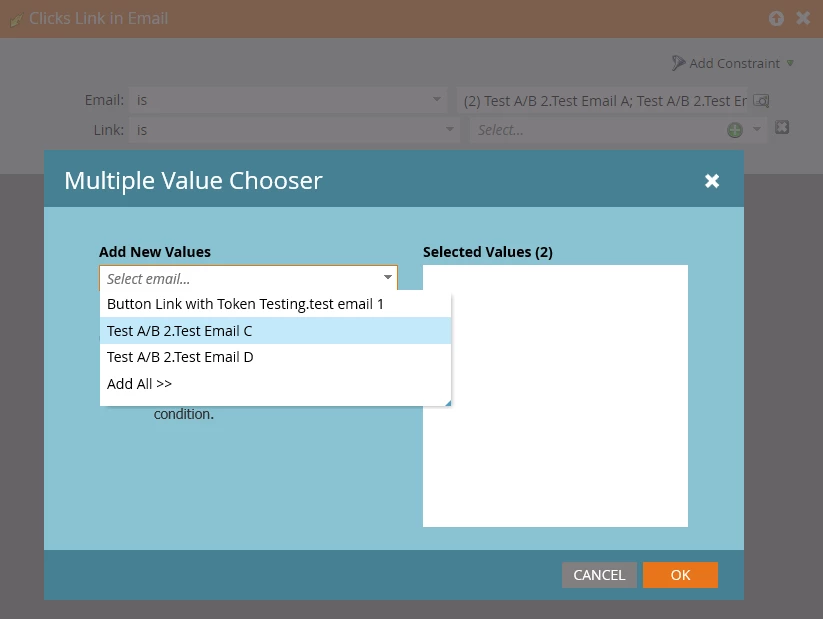
PROBLEM: If we can't pick the emails and the action for the test, how can we set the link criteria?

The workaround that did not work...

We reset the A/B Test and started again.  This time, we skipped selecting the emails to be tested in step #1 above, and moved on to the custom conversion rules first.  This time they appear as expected and can be selected
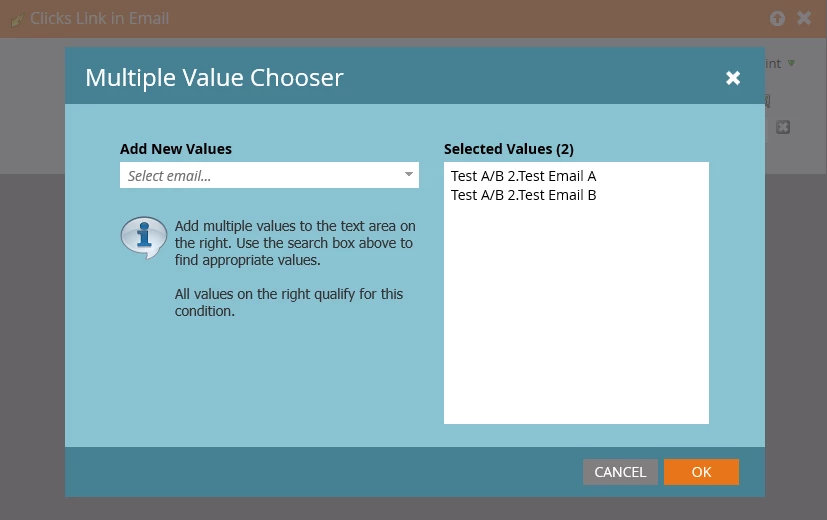
Then we select the link for the trigger.  No problem, all links contained in the emails appear.
(For this test sample, we are using Google as the external link.)
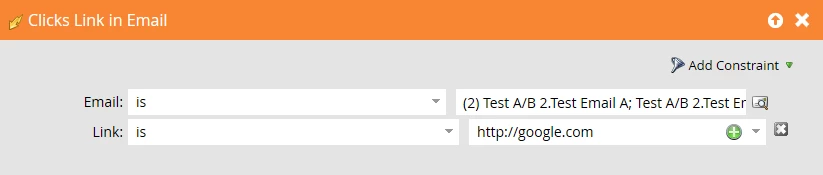
Next, we went back to step #1 to select to two emails, because we couldn't approve the program without selecting.  After doing that, everything looks as we would expect.
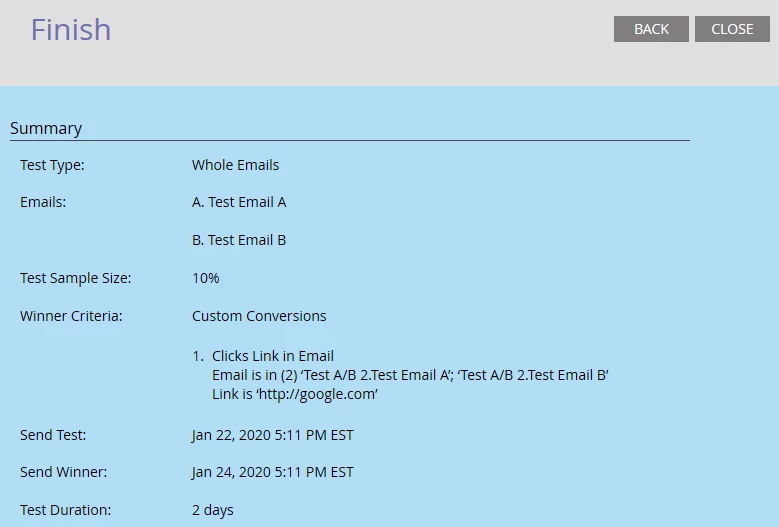
This does not "Play in Peoria."  We scheduled it to run, but nothing was sent.

Prepositional Clue … maybe?!

See in the Winner Criteria of the image above the phrase "Email is in (2) 'Test A/B..."  (hmmmm) 

Do these emails need to be in a separate program than the Email Send program?

This post is no longer active and is closed to new replies. Need help? Start a new post to ask your question.

3 replies

EllenSchwier
New Participant
March 14, 2022

Just curious, but would your logic still work if you said email is "any" with your specific external URL as the link? How many emails sent during your A/B test will include links to that specific website?

New Participant
March 14, 2022

Hi @blanemcmichen-1 ,

This does not look to be a normal behavior. I am raising a bug locally in JIRA for developers to take a look at the issue. The Customer Conversion Multiple Value Chooser should ideally have all the assets listed. Let me raise it and get back.

Warm Regards,

Nilesh.

New Participant
March 22, 2022

Hi Nilesh,

Do you have an update on this? It happened to us, I skipped the 1st part wherein you have to select the type of tests for us to be able to select the email in the custom conversion - Clicks email + link. Then this happened:


The Custom conversion row is empty but based on clicks the Plain text won but the HTML email was sent instead.


Tracey_Bartz1
New Participant
January 23, 2020

This issue is being caused because in order to select an email (that is used in an A/B test) in a trigger (any trigger not just the custom conversion trigger), the program (not just the email) must be approved first. Once the program is approved you should see the asset name change to ProgramName.TypeOfTest. You should be able to type that into the selected values box.

This is a very interesting chicken and egg scenario that you have stumbled upon. I would suggest contacting Marketo Support because it seems like this is something that needs to be addressed.

Community Manager
February 19, 2020

We tried that and it still doesn't work. Ugh!

chriskowalczyk9
New Participant
November 18, 2021

Any update on this? I had the same problem.