
How to understand the state of your database?
Ability to use your Adobe Marketo Engage instance depends largely on how well you understand your database. This is crucial, as knowing what data you have will give you more clarity and ideas on how to run campaigns. If there are gaps which do not fare well with your campaigns, you will want to resolve them before running campaigns, or exclude them from your campaign audience. So where do you start?
Define your understanding of Data.
For definition, list specific criteria of what you consider useful, and what you don’t. In our world, the most relevant term is marketable vs non-marketable. Here are some criteria to consider defining a marketable person.
Data Completeness
Example: A person whose profile includes a full name, valid email address, phone number, job title, and company name.
Rationale: Complete data ensures that marketing messages can be personalized and targeted accurately. It also enables segmentation and tailored campaigns, improving the effectiveness of marketing efforts.
Data Hygiene
Example: A person with a recently verified email address and current job position, and error free values for different fields.
Rationale: Data hygiene involves maintaining clean, error-free, and up-to-date records. This ensures that marketing efforts are not wasted on invalid or outdated contacts. Regular data cleaning processes help in maintaining a high-quality database.
Data Reliability
Example: A person whose email address is deliverable, and consistently does so.
Rationale: Reliable data implies that the information has been proven accurate through consistent engagement and interaction. It increases the likelihood that future communications will be successful.
Compliance
Example: A person who has explicitly opted into receiving marketing communications, complying with regulations like GDPR or CAN-SPAM Act.
Rationale: Compliance with legal standards and regulations ensures that individuals in the database have consented to be contacted, minimizing legal risks and enhancing the brand reputation.
Start with basics.
|
What is the size of your database? |
What is the proportion of all sources for this database? |
How is this database growing? |
What is the proportion of different sources, personas and job levels in this growth? |
|
How much of the composition is marketable? |
How much of the marketable database has been marketed to? |
Where are people in your funnel? |
Is there a difference in performance of campaigns, based on different sources? How significant is this difference? |
|
How engaged is your audience? |
How compliant is your database? |
How does all of this look for some specific accounts you target? |
What more? |
Getting data into shape (making the reports)
We use some standard reports, and their different versions to build up a data source. You could simply use the reports in the tabular format or extend its usefulness by transforming them into visuals via some data visualization techniques, or by working with an analyst.
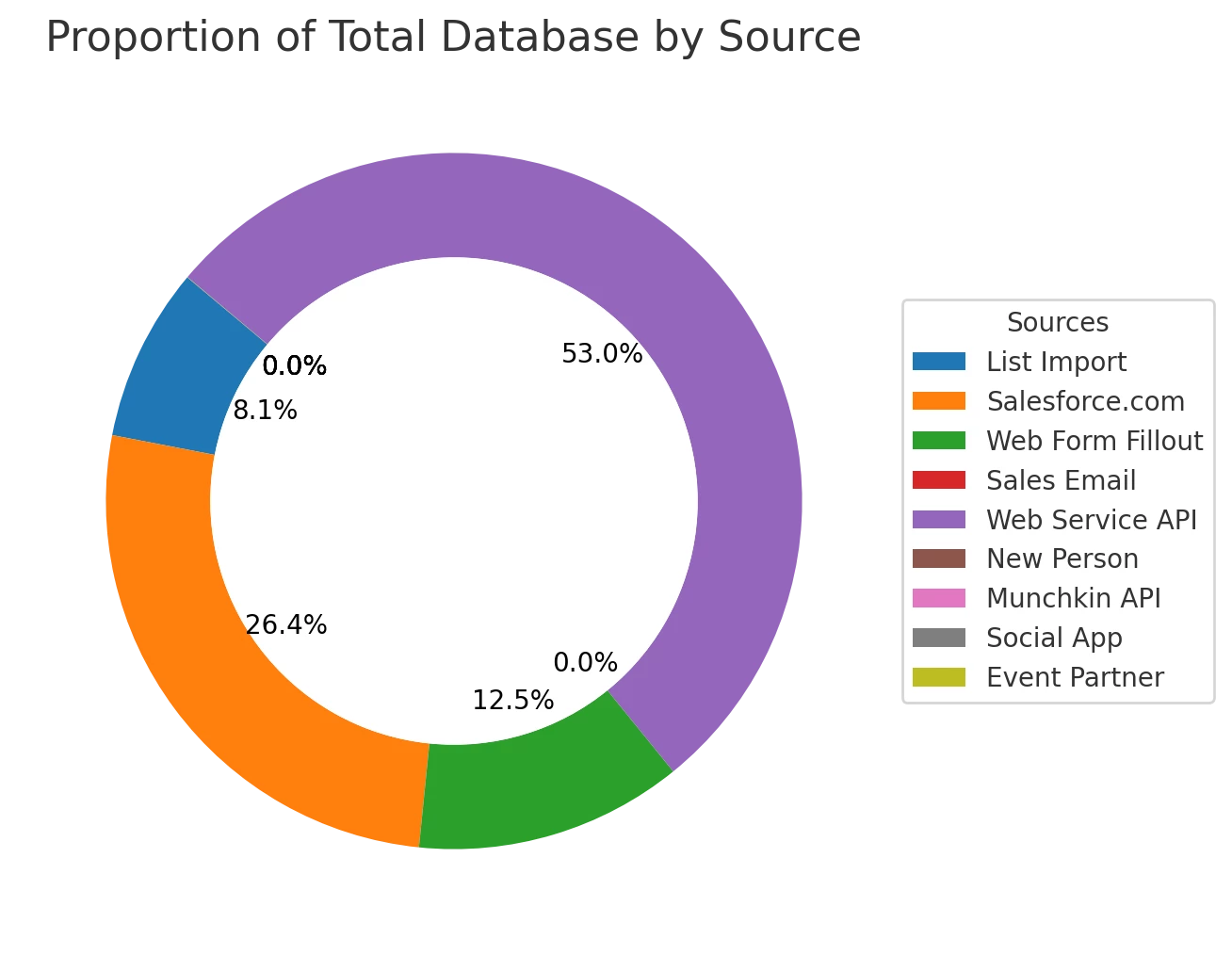
Size of database, by Sources
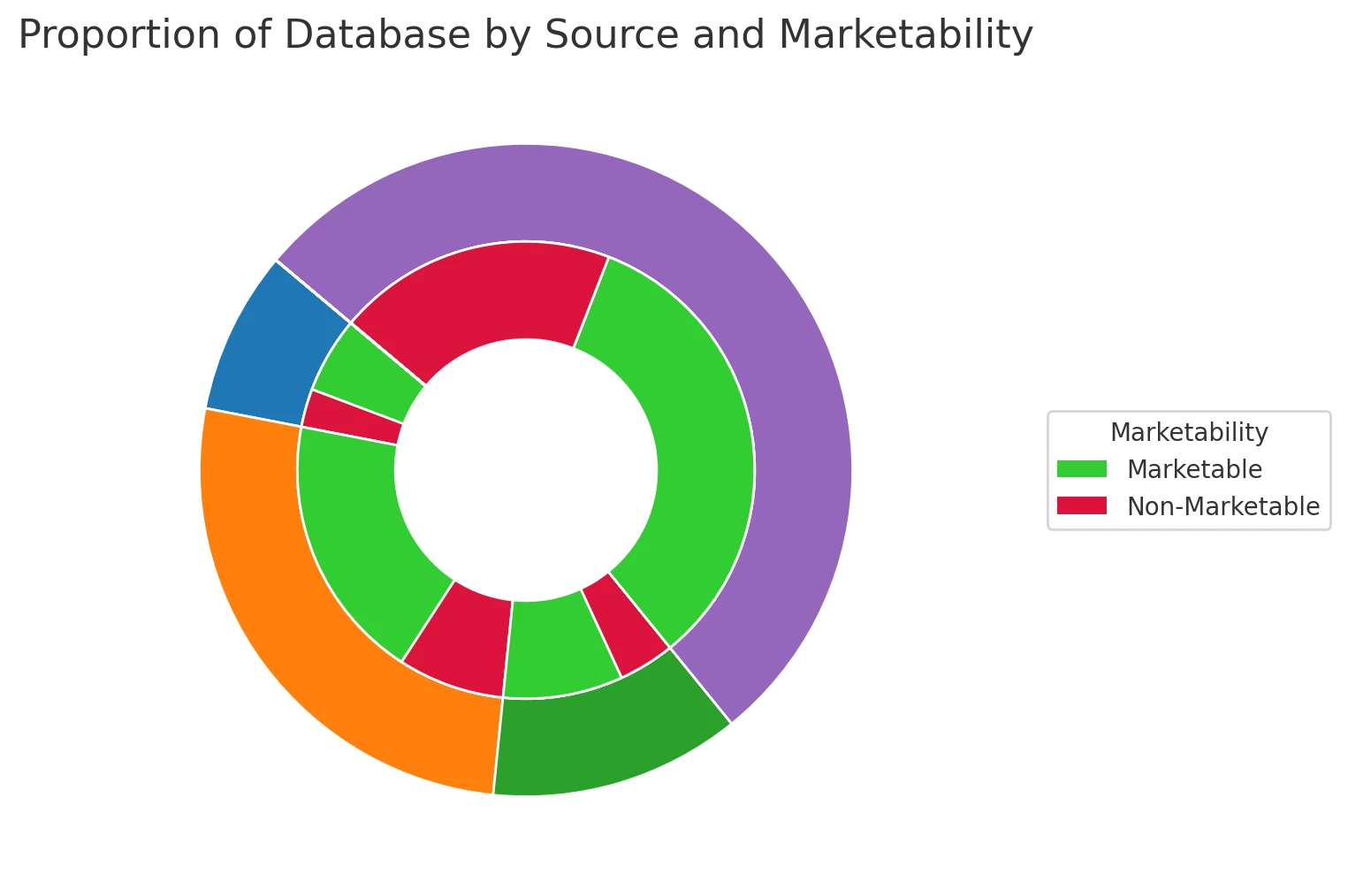
Using People Performance Report, we can see the composition of the database, categorized by Registration Source Type, which is one of the very useful fields to look at in Adobe Marketo Engage. Ensure to filter out non-marketable via a smart list on report.
1 - Create People Performance Report
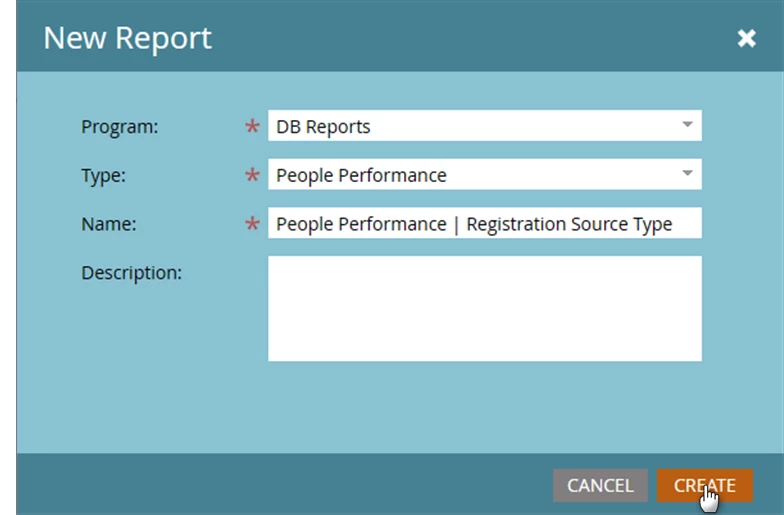
2 - Create smart lists for custom columns
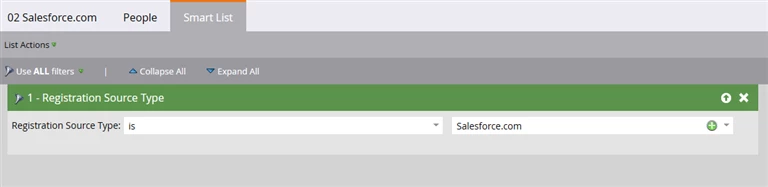
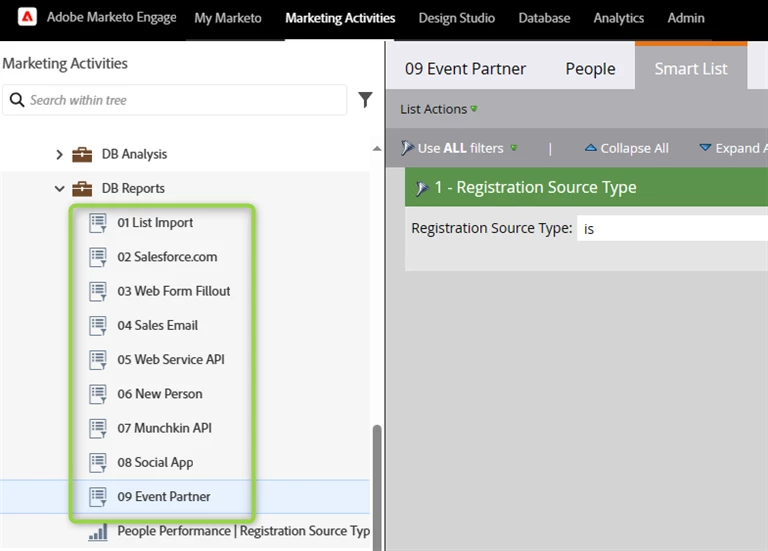
3 - Add custom columns and filter the smart list of the report.
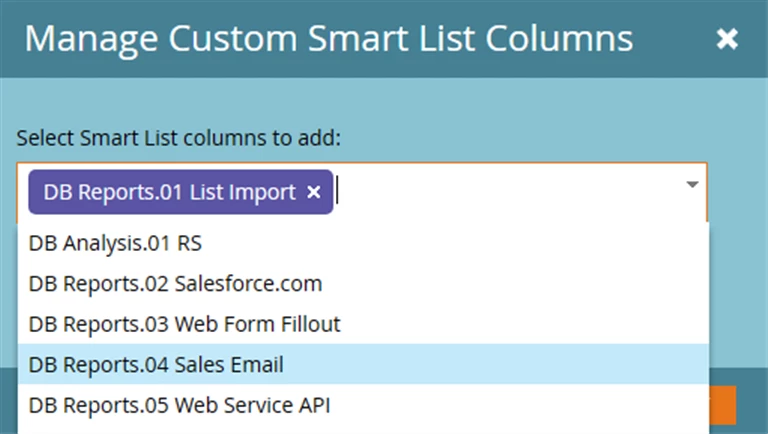
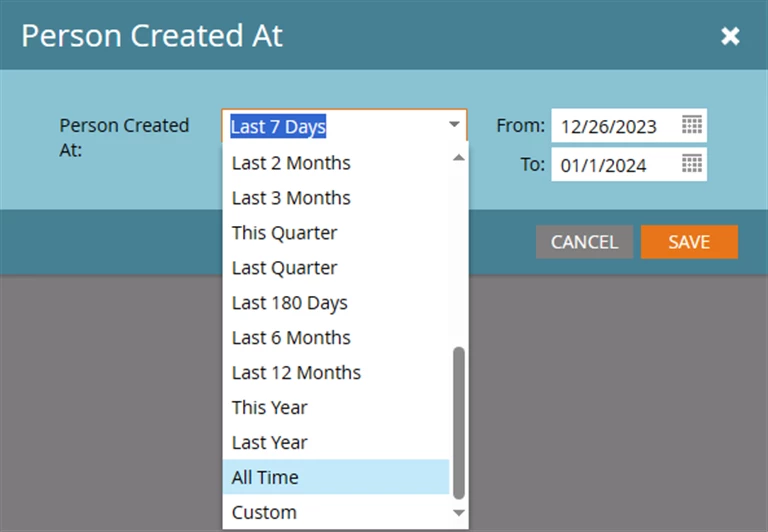
Try keeping the name of your program where you build these reports, as short as possible, as the program name precedes the smart list name, when smart lists are showing up as columns. In the example below, I renamed the program from “DB Reports” to “|” for the effect.
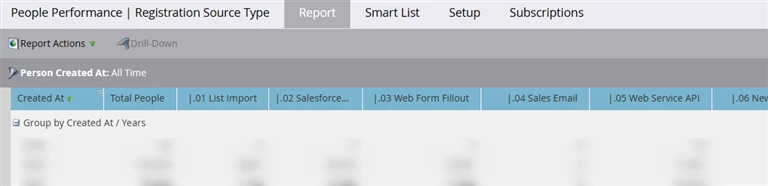
4 - Export and visualize.
Growth of database, by Sources
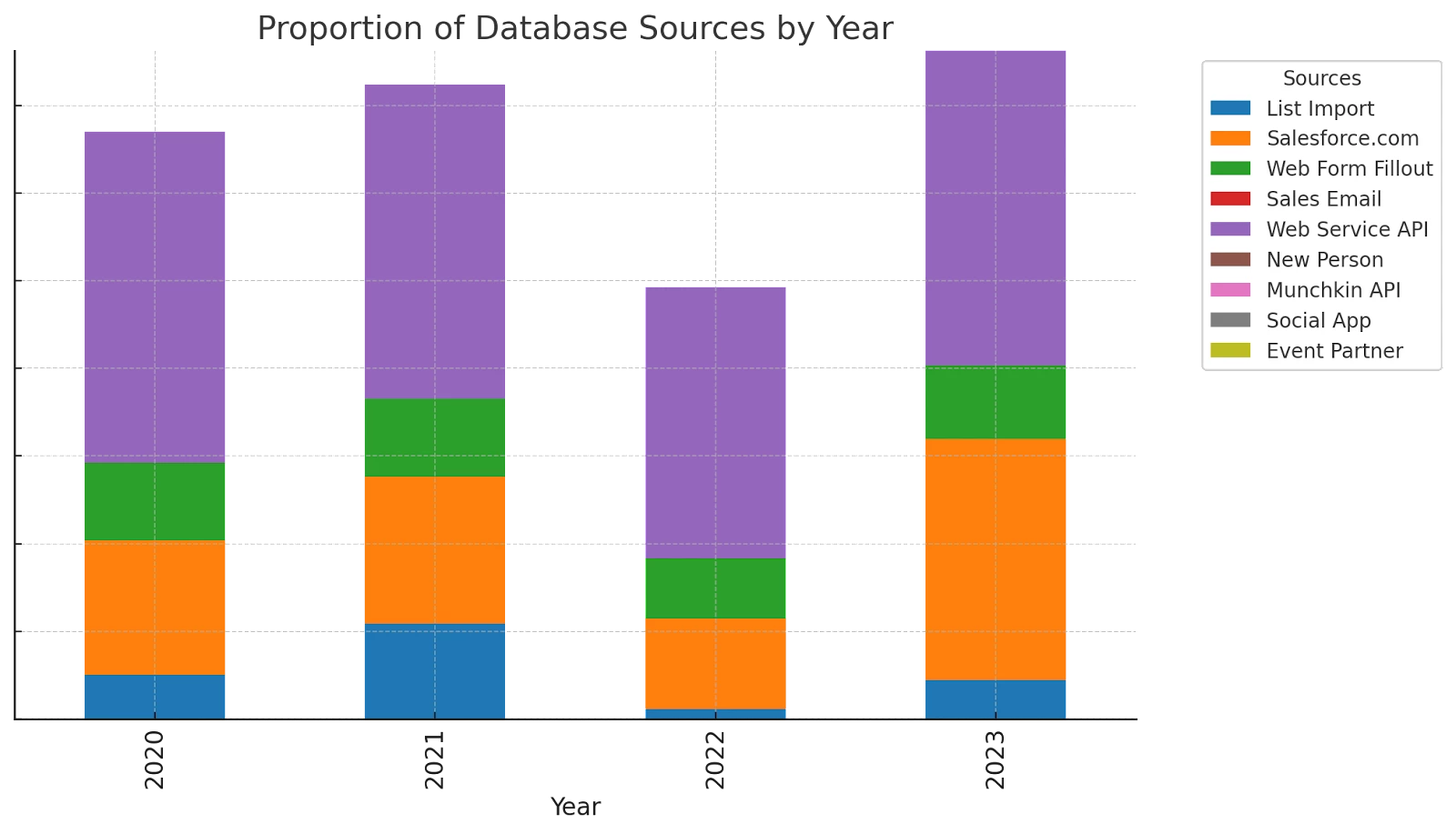
Next, you want to know how fast the growth is happening. All you need to do is group this report by month, week etc. This shows growth of your database over time, and also excludes non-marketable data.
Growth of non-marketable database, by Sources
Also, you could flip the exclusion to see if and how the bad data is increasing. If yes, spot the sources which contribute to this and optimize them. While there could be more ways you may want to group this by, an important aspect is to group by Job Level, Persona. For the sake of simplicity, we will stick to categorization by sources.
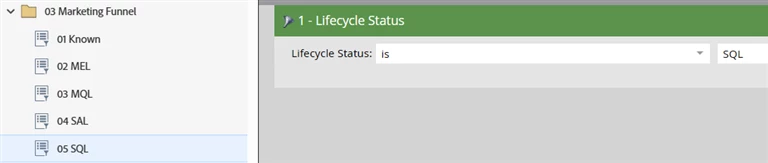
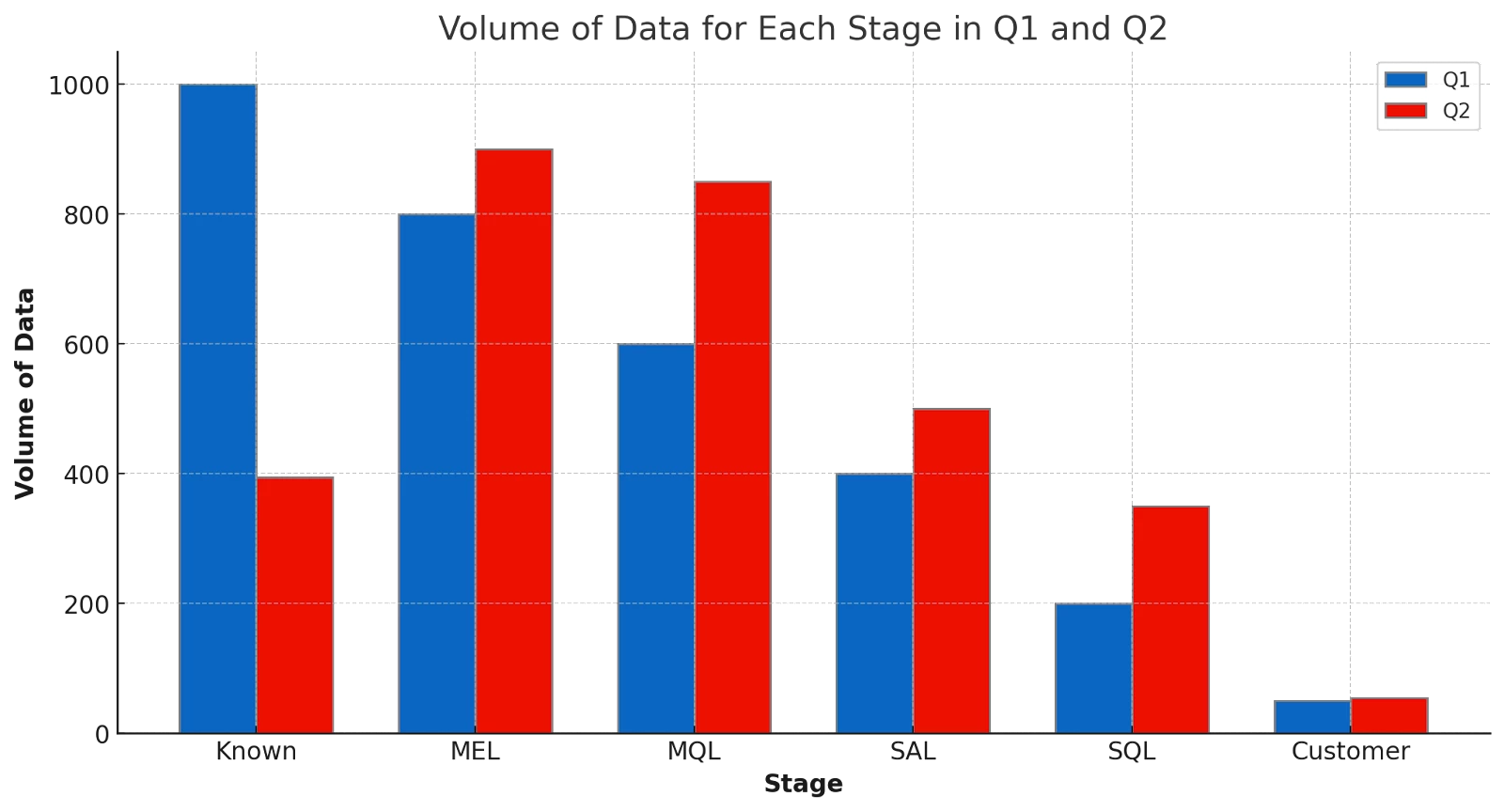
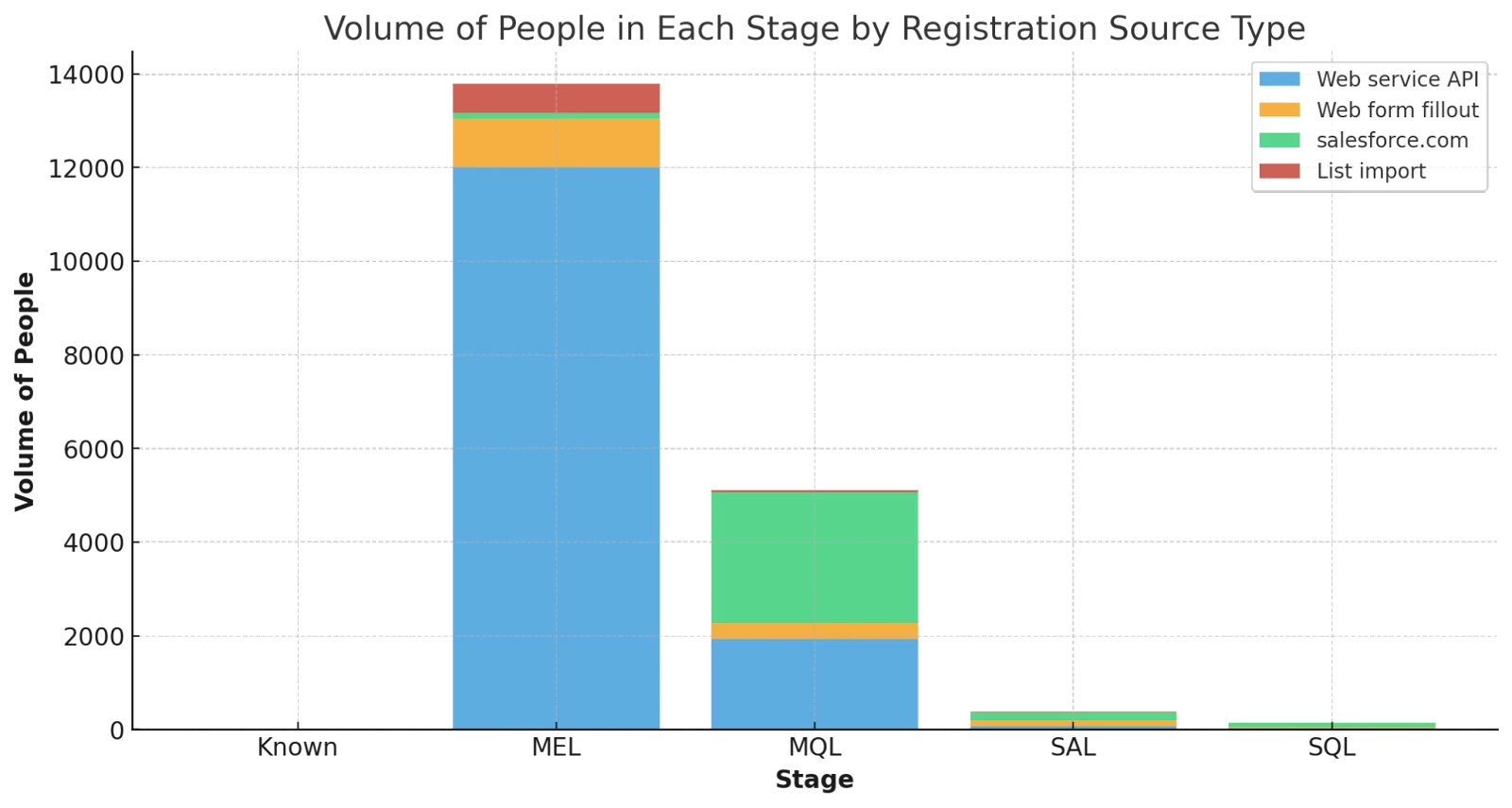
People in different stages of marketing funnel
Use the same people's performance report, but the smart lists for custom columns are representing the funnel stages. In addition, group by Registration Source Type. This should give you some useful idea about how your database might be progressing along the funnel. Stack this bar graph by sources, or personas and things get more interesting.
Database grouped by engagement grades.
Use your scoring to define some ranges (grades) and group the database by them. This will give you an idea of how engaged sets of your audience are. As with this report, group by source or other attributes to enrich the insights.
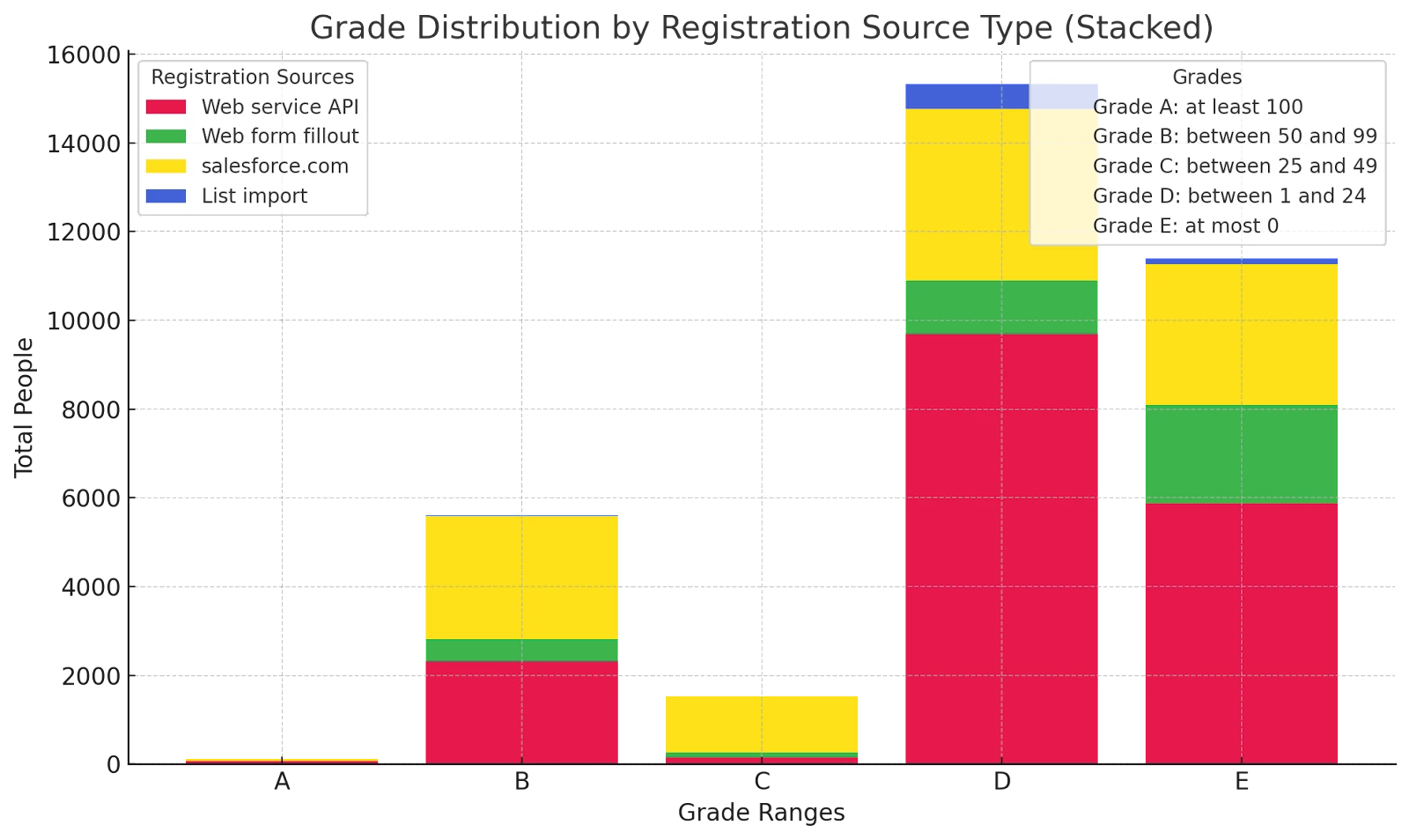
While these manual visuals are not a replacement of a systematic dashboard, these do bring valuable insights to your knowledge. The flexible matrix format of this report provides infinite possibilities, to slice and dice by dimensions of your choice. What is your use case of capitalizing on the powers of this matrix?