You can create a new custom email field to hold the updated email address values. And, then do a list import to update all the fields, use the standard email address field and existing email address values so that Marketo de-duplicates against the existing people and updates the correct person (instead of creating a new person, which it would, if you supply the new email address value in the standard email address field).
To create a new custom email field, go to Marketo Admin > Field Management > Click on Field Action dropdown > Click on New Custom Field.
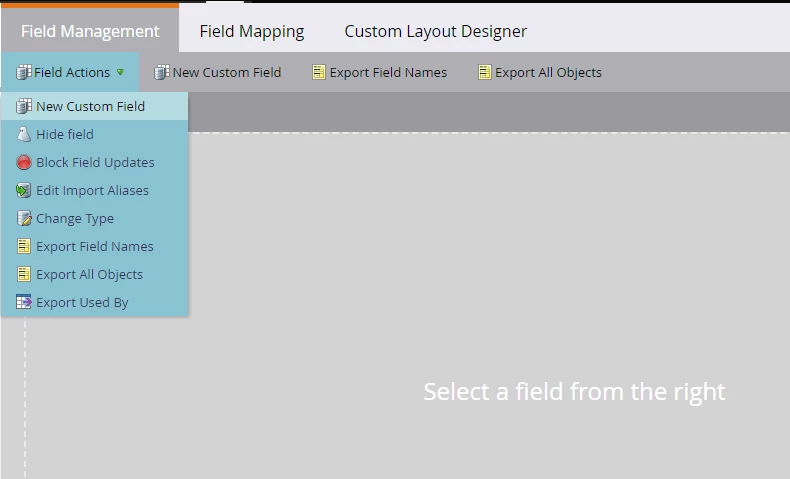
Create a custom email address field on person object using the new custom field creation dialog -
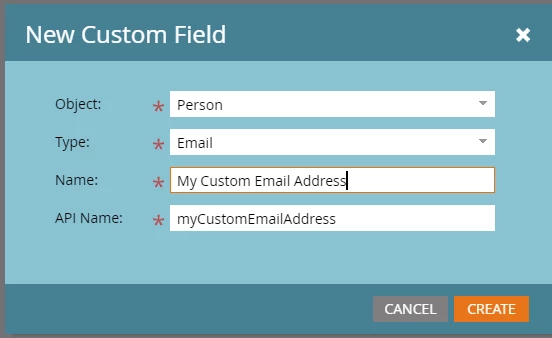
During import, map the updated/new email address values to the custom field you created. This gets the new email address values on the person record in Marketo. This documentation page can help you guide through the process importing people to a static list in Marketo.
Now create a smart campaign in Marketo, set the campaign smart list appropriately so all the customer/target records qualify (Member of list, and/or other filter logic) for the campaign flow. In the campaign flow, use a Change Data Value flow steo to update the standard Email Address field with the contents of the custom email address field using the lead token -
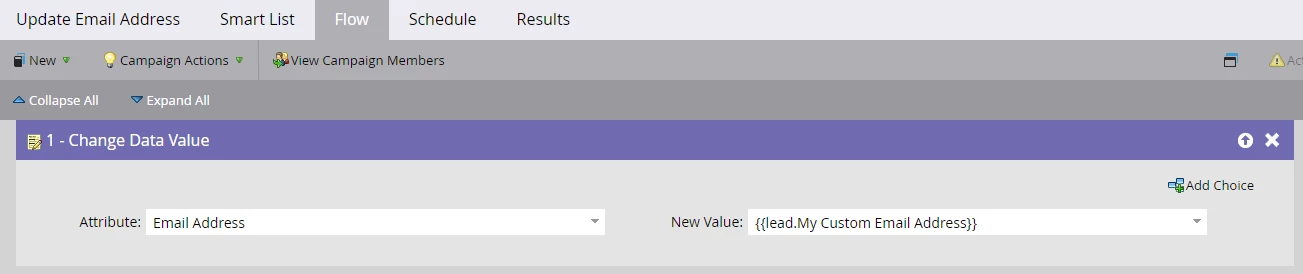
In the schedule tab, verify that campaign qualification rules are set to allow "Each person can run through the flow once" and ensure that the count of people set to affect in the smart campaign matches with the # of people you have want to update (i.e., the customer records).
Run the smart campaign from the schedule tab. Standard email address field values should get updated with the custom email address field's values once the campaign completes its run for the qualified people.
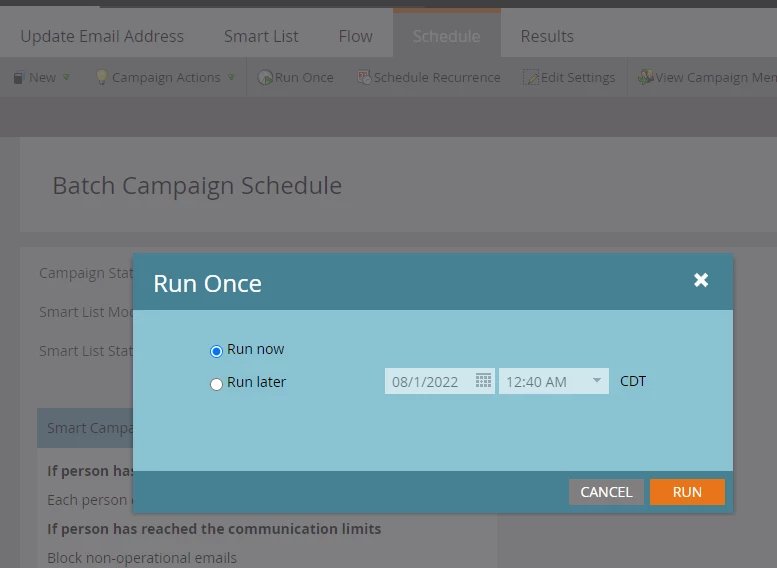
Alternatively, if you're comfortable with the Marketo APIs, you can also use Lead API to update the email address values, as you can refer and update people via their lead id using the API.
Hope this helps!