Check out: https://stackoverflow.com/questions/1827965/is-putting-a-div-inside-an-anchor-ever-correct#:~:text=Nothing%20is%20wrong%20with%20placing,have%20a%20specified%20tabindex%20attribute.
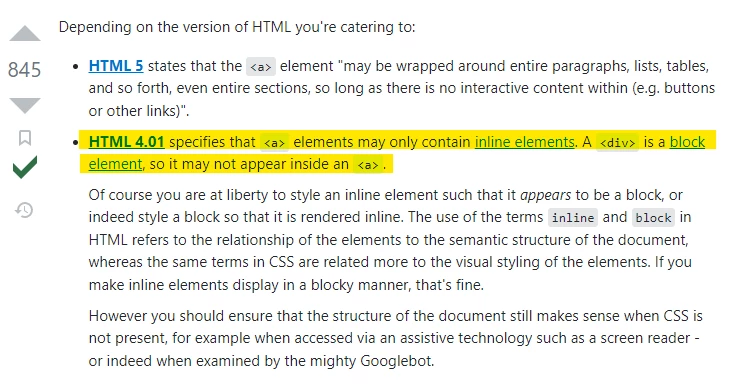
I think Marketo is trying to do you a favor here and tidy up the code by guessing at what might be the best arrangement of those elements to make them semantically correct. In the past for something like this, I'd instead include the <a> inside a parent <div> container w/ position:relative and give the <a> position:absolute and size it to fill the container. Add a little z-index to it so that it sits "atop" the other content and the results should be in line with what you're after here. There's an example a little further down the page in the article above for reference.
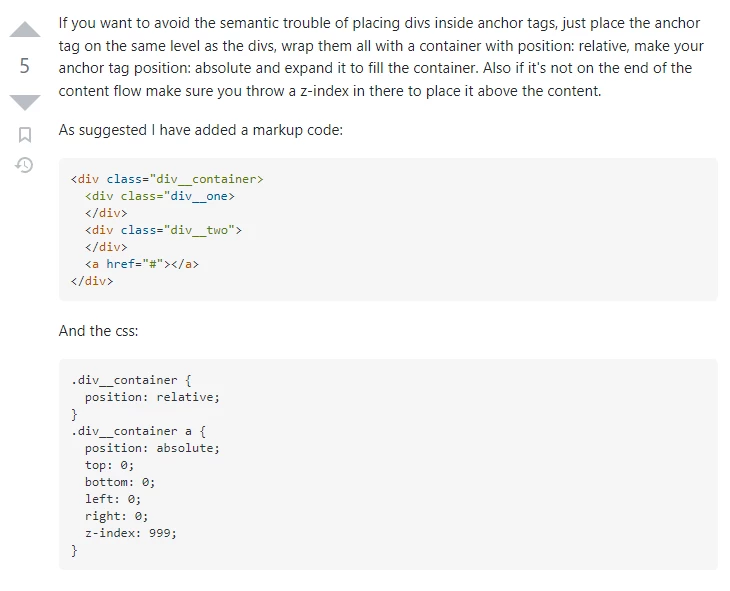
I modified your HTML to add in some classes and restructure the code just a bit to put this into action as an example here:
<div class="card">
  <div class="card-header">
    <img src="https://via.placeholder.com/320x180" class="card-img">
  </div>
  <div class="card-body">
    <h2 class="card-title">Card Title</h2>
    <p class="card-text">Card text</p>
  </div>
  <a class="card-link" href="https://placeholder.com"></a>
</div>
... with some additional CSS that would look like this:
.card {
  position: relative;
}
.card a.card-link {
  position: absolute;
  top: 0;
  bottom: 0;
  left: 0;
  right: 0;
  z-index: 999;
}
This should make the <a class="card-link"> overlap and fill the entire <div class="card"> container so that the entire area is clickable.
Let me know if this works for you or if you ran into any issues or questions trying to get this setup.
Thanks,
Dave