Hyperlink image in new edit view | Community
Skip to main content
March 9, 2016
Solved

Hyperlink image in new edit view

  • March 9, 2016
  • 2 replies
  • 2341 views

Hi there,

it seems my edit settings/functional view has been updated. How can I hyperlink and image now? As this doesn't seem to be working?

I have done the following:

1. click the image to hyperlink the following page comes up:
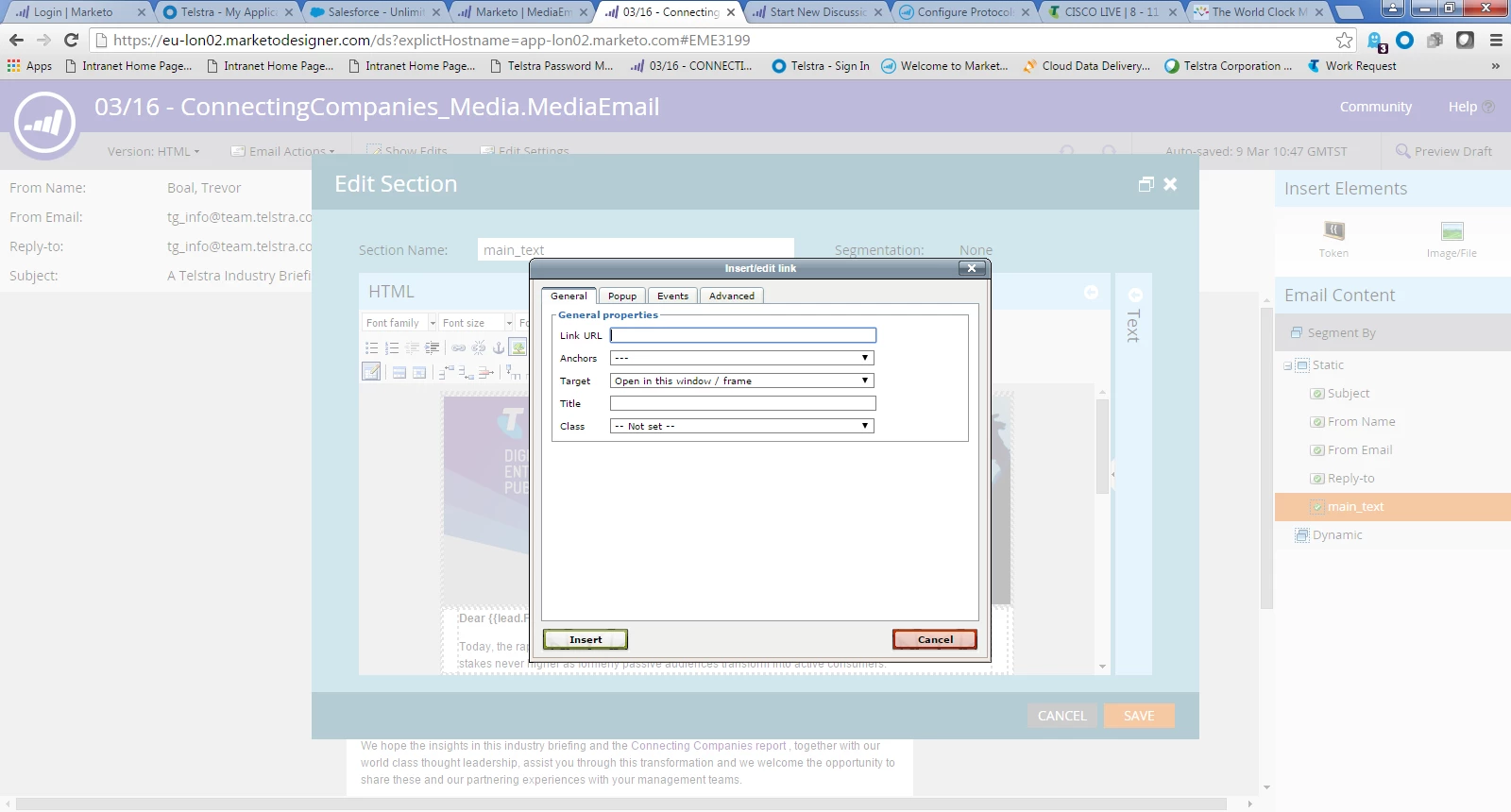
2. I think add in the link url

3. then click insert...

however the page just reloads & doesn't insert the link?

is anyone else having this issue?

Thanks,

Ella

This post is no longer active and is closed to new replies. Need help? Start a new post to ask your question.
Best answer by Dan_Stevens_

I don't believe this is a user-configurable setting in Admin.  I would log a case with Support.

2 replies

Dan_Stevens_
New Participant
March 9, 2016

Looks like you're using the older editor.  This is what we see when trying to apply a link to an image:

March 9, 2016

That is what i use to be able to see until I logged in today & it looked different how can I go back to that view you have!

Dan_Stevens_
Dan_Stevens_Accepted solution
New Participant
March 9, 2016

I don't believe this is a user-configurable setting in Admin.  I would log a case with Support.

Andy_Varshneya1
New Participant
March 9, 2016

Hi Ella,

Try whitelisting Marketo in Ghostery and then try again.

March 9, 2016

Thanks Andy......how do I do that/what does that mean in laments terms?

Andy_Varshneya1
New Participant
March 9, 2016

You have a Chrome extension enabled called Ghostery (the blue ghost in the top left corner of the browser). Simply click that, then hit the "Whitelist Site" button, refresh the page and try again.