I'm trying to change the size of the Hero image from the Breaking News 2.0 template in an email, but I can't get the title and subtitle to center in the smaller height image. Instead, the background image stays centered and padding appears on both th | Community
Skip to main content
December 14, 2017
Solved

I'm trying to change the size of the Hero image from the Breaking News 2.0 template in an email, but I can't get the title and subtitle to center in the smaller height image. Instead, the background image stays centered and padding appears on both th

  • December 14, 2017
  • 1 reply
  • 3693 views

Can anyone help with the code? I'm not a designer and unfortunately, we just hired someone who has absolutely no experience with Marketo and no time to assist.
This post is no longer active and is closed to new replies. Need help? Start a new post to ask your question.
Best answer by Frank_Breen2

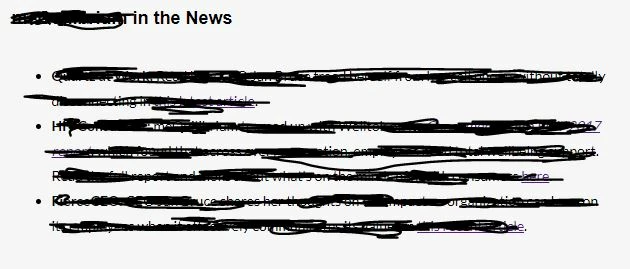
Please excuse the redacting!


For this line:

<p style="text-align: left;"><span style="font-family: arial, helvetica, sans-serif; font-size: 18px;" mce-data-marked="1">My Company in the News</span></p>

change to

<p style="text-align: left;margin: 0;"><span style="font-family: arial, helvetica, sans-serif; font-size: 18px;" mce-data-marked="1">My Company in the News</span></p>

Adding margin: 0; to the <p tag style should drop the standard margin down which is causing the extra spacing.

1 reply

Frank_Breen2
New Participant
December 14, 2017

Share your code and we'll happily help.

December 14, 2017

Thanks Frank! I was able to find the pesky rows with fixed heights causing my issue, but is there a way to reduce the space between the title and the text in the same template? An example of the table code is here (sorry for it being so long...I'm just not sure what you'd need to see):

<table id="text-post" style="-webkit-text-size-adjust: 100%; -ms-text-size-adjust: 100%; mso-table-lspace: 0pt; mso-table-rspace: 0pt; border-spacing: 0; border-collapse: collapse;" align="center" border="0" cellpadding="0" cellspacing="0" width="100%" class="mktoModule m_text-post" mktoname="My Company in the News">


<tbody>

<tr>

<td style="-webkit-text-size-adjust: 100%;-ms-text-size-adjust: 100%;mso-table-lspace: 0pt;mso-table-rspace: 0pt;word-break: break-word;-webkit-hyphens: none;-moz-hyphens: none;hyphens: none;border-collapse: collapse;background-color:${textPostBackgroundColor};" bgcolor="${textPostBackgroundColor}" valign="top">

<table class="table600" style="-webkit-text-size-adjust: 100%; -ms-text-size-adjust: 100%; mso-table-lspace: 0pt; mso-table-rspace: 0pt; border-spacing: 0; border-collapse: collapse; margin-top: 0; margin-right: auto; margin-bottom: 0; margin-left: auto;" align="center" border="0" cellpadding="0" cellspacing="0" width="600">

<tbody>

<tr>

<td style="-webkit-text-size-adjust: 100%;-ms-text-size-adjust: 100%;mso-table-lspace: 0pt;mso-table-rspace: 0pt;word-break: break-word;-webkit-hyphens: none;-moz-hyphens: none;hyphens: none;border-collapse: collapse;line-height:${textPostSpacer};font-size:${textPostSpacer};" height="${textPostSpacer}"> </td>

</tr>                            

<tr>

<td class="primary-font title" style="-webkit-text-size-adjust: 100%;mso-table-lspace: 0pt;mso-table-rspace: 0pt;word-break: break-word;-webkit-hyphens: none;-moz-hyphens: none;hyphens: none;-ms-text-size-adjust: 100%;color: #000;font-family:'Judson', Georgia, serif;font-weight: bold;font-style: normal;font-size: 20px;text-align: center;border-collapse: collapse;">

<div class="mktoText" mktoname="Title" id="title3">

<p style="text-align: left;"><span style="font-family: arial, helvetica, sans-serif; font-size: 18px;" mce-data-marked="1">My Company in the News</span></p>

</div>

</td>

</tr>

<tr>

<td class="secondary-font text" style="hyphens: none;-webkit-text-size-adjust: 100%;mso-table-lspace: 0pt;mso-table-rspace: 0pt;word-break: break-word;-webkit-hyphens: none;-moz-hyphens: none;-ms-text-size-adjust: 100%;font-family:'Lato', Arial, sans-serif;font-size: 14px;line-height: 25px;text-align: center;color: #000;border-collapse: collapse;">

<div class="mktoText" mktoname="Text" id="text">

<div style="text-align: left;">

<ul>

<li>Item 1</li>

<li>Item 2</li>                                    

</ul>

</div>

</div>

</td>

</tr>                            

<tr>

<td style="-webkit-text-size-adjust: 100%;-ms-text-size-adjust: 100%;mso-table-lspace: 0pt;mso-table-rspace: 0pt;word-break: break-word;-webkit-hyphens: none;-moz-hyphens: none;hyphens: none;border-collapse: collapse;line-height:${textPostSpacer3};font-size:${textPostSpacer3};" height="${textPostSpacer3}"> </td>

</tr>

<tr>

<td style="-webkit-text-size-adjust: 100%;-ms-text-size-adjust: 100%;mso-table-lspace: 0pt;mso-table-rspace: 0pt;word-break: break-word;-webkit-hyphens: none;-moz-hyphens: none;hyphens: none;border-collapse: collapse;line-height:${textPostSpacer4};font-size:${textPostSpacer4};" height="${textPostSpacer4}"> </td>                         

</tr>

</tbody>

</table>

</td>

</tr>

</tbody>

</table>

Frank_Breen2
New Participant
December 14, 2017

Please also send a print screen of what it looks like in the preview email, it's hard to see without variables populated.