
IE changing form format | Community
Skip to main content
James_Zolinski
Level 4
Dec 21, 2018 12:18 AM UTC
Solved

IE changing form format

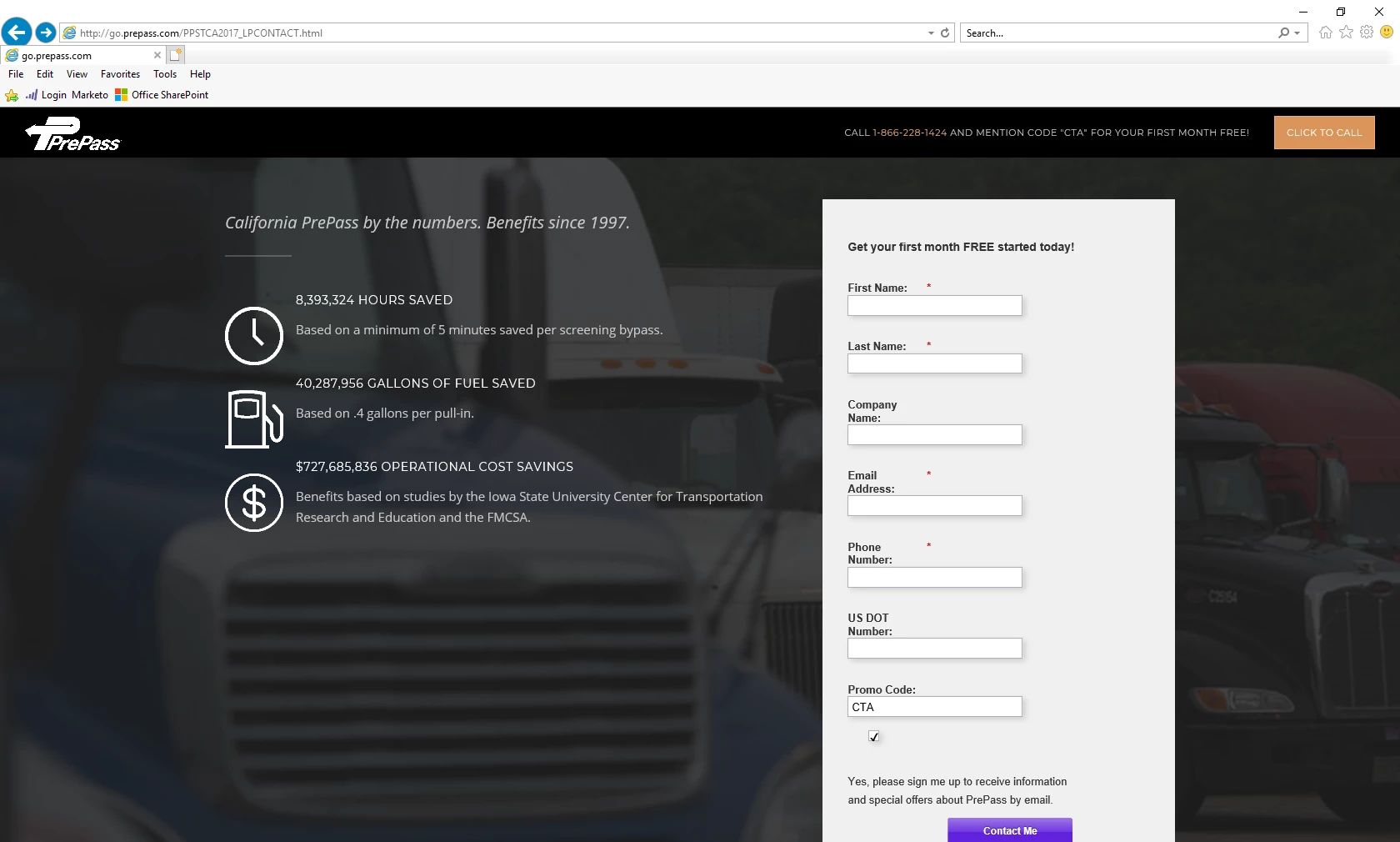
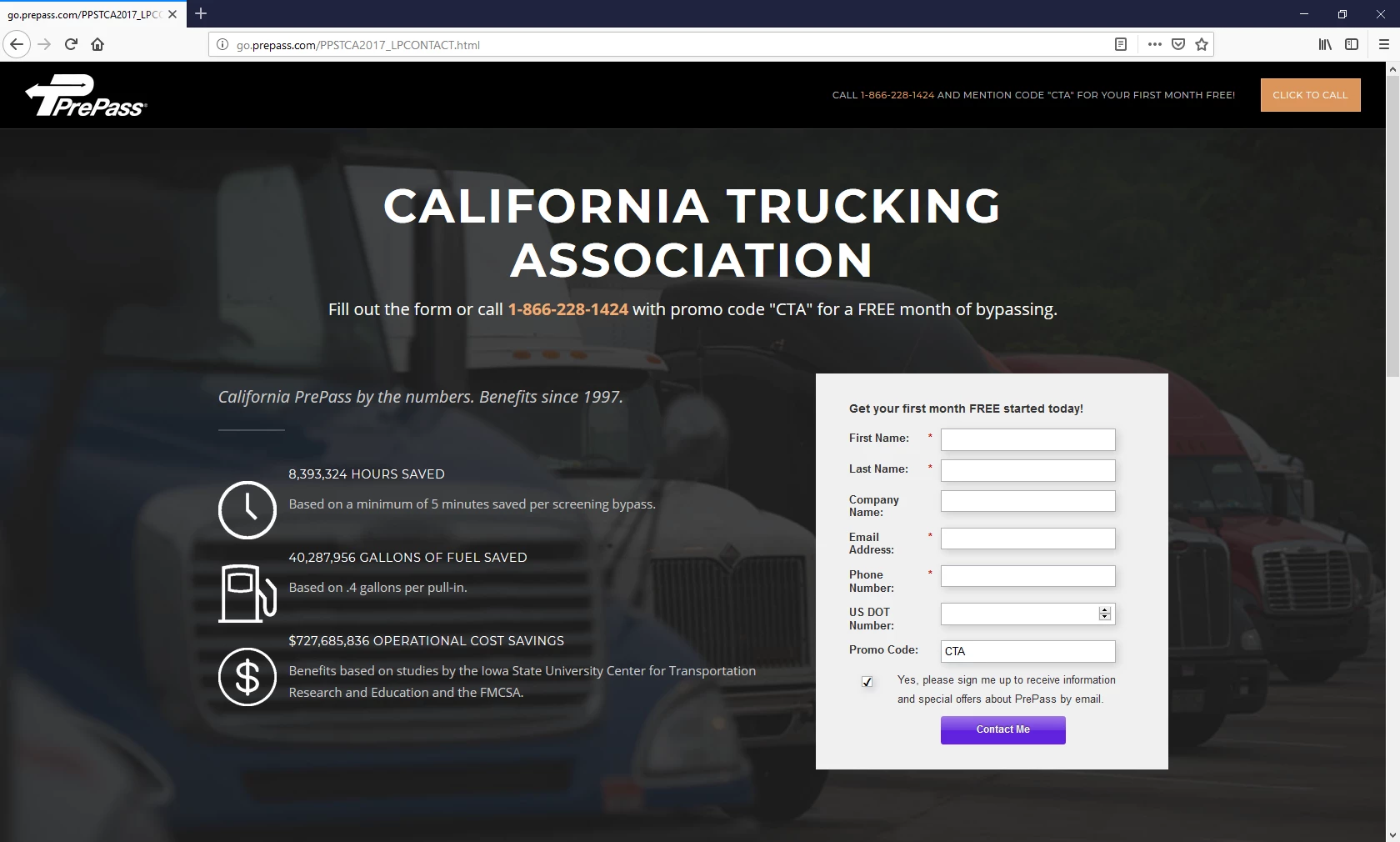
Have an issue with Internet Explorer changing the format of our forms on landing pages. I've come across a number of conversations on the community but all seem to be 2-4 years old. Does anyone know why or how to get IE to render forms on a landing page like Chrome and Firefox.

Below is an example of the form on IE
Here is how the form should look like on Chrome and Firefox
Here is the url for the page:

http://go.prepass.com/PPSTCA2017_LPCONTACT.html

Thank you

This post is no longer active and is closed to new replies. Need help? Start a new post to ask your question.
SanfordWhiteman
SanfordWhitemanAccepted solution
Level 10
Dec 31, 2018 9:01 PM UTC

Sanford, thanks for the tip on changing the box-sizing from initial to content-box, it worked perfectly. I’d like to mark your answer as correct but don’t see the option to do so.


I’d like to mark your answer as correct but don’t see the option to do so.

Strange, it should be there. Maybe open the thread in its own tab (click the name of the thread)?  Anyway, glad it's working.

7 replies

SanfordWhiteman
Level 10
Dec 21, 2018 12:44 AM UTC

IE 11, I assume?

Translate
James_Zolinski
Level 4
Dec 21, 2018 3:31 PM UTC

Your assumption would be correct mr Watson. So what does that mean?

Translate
SanfordWhiteman
Level 10
Dec 22, 2018 2:41 AM UTC

You're adding a custom style that isn't supported in IE (this isn't related to Marketo's default form styles, it's a line you added on the page itself):

No version of IE supports initial. You want to use

box-sizing: content-box;

which has exactly the same effect for the box-sizing property.

Translate