If Known Visitor, Hide Form | Community
Skip to main content
September 23, 2015
Solved

If Known Visitor, Hide Form

  • September 23, 2015
  • 4 replies
  • 6765 views

Most pages on my site I won't want forms. There are some more valuable pieces of content I want to put behind forms, but I don't want to make people submit 20 forms to read my 20 best articles.

I don't really like the if known show custom HTML functionality in forms 2.0 either. Is there a way to hide the form and custom HTML if I get a known visitor? Munchkin already tracks page visits for known visitors, so I'd like to hide the form.

Anybody else feel this pain and solve it?
This post is no longer active and is closed to new replies. Need help? Start a new post to ask your question.
Best answer by

Hi Eric

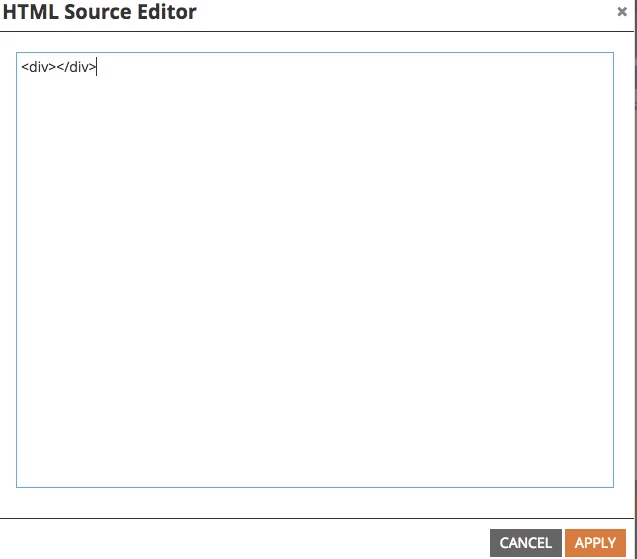
If you change HTML to <div></div> at custom HTML editor,show nothing.

4 replies

New Participant
December 24, 2015

Hi everyone!

Further to this I'm using pop up forms on a  guided template, and I want to do a  similar thing with those forms, so when it's a know visitor the form doesn't show, it just goes directly to the asset.

Can anyone help?  I tried using this code:

<script>

  document.body.className += ' knownLead';

</script>

Then add Custom CSS to the form:

.knownLead .mktoModal {

  display: none;

}

But it doesn't work.

My test landing page is here:

http://go.cornerstoneondemand.com/Julz-Test.html

Thanks

Juli

SanfordWhiteman
New Participant
December 24, 2015

In your case the modal uses a different DOM structure (created by the bPopup plugin).

This CSS will hide the form and modal wrapper (together with the Known Lead HTML above, of course).

.knownLead .b-modal.__b-popup1__, .knownLead .mktoForm {

    display: none !important;

}

But I think your goal is slightly different because you don't want to only hide the form, you want to let the person download immediately.  Which means your Known Lead HTML <script> block should probably end with

document.location.href="go.cornerstoneondemand.com/your.pdf";

New Participant
December 24, 2015

That's excellent thank you so much!

October 27, 2015

Hi Eric,

I'm trying to understand your use case to see if it is similar to mine. Pretty much, if I have a known visitor, I want them to be able to get to the gated content, without the gate. What did this custom HTML do for you?

SanfordWhiteman
New Participant
October 27, 2015

The custom HTML (and CSS) ensures that that the act of showing the Known Lead HTML in turn hides the entire form.

Grant_Booth
New Participant
September 24, 2015

Rereading the original thread, I see I was thinking of a very different situation. Thanks Kenny!

Accepted solution
September 24, 2015

Hi Eric

If you change HTML to <div></div> at custom HTML editor,show nothing.

Grant_Booth
New Participant
September 24, 2015

Hi Eric,

Takehiro's answer is definitely the simplest. Alternatively, you could use example #1 at our developer documentation:

Forms 2.0 » Marketo Developers

and add this in an HTML block on the page:

<script>

MktoForms2.whenReady(function (form) {


   // Add an onSuccess handler

  form.onSuccess(function(values, followUpUrl) {

   // Get the form's jQuery element and hide it

  form.getFormElem().hide();

   // Return false to prevent the submission handler from taking the lead to the follow up url

   return false;

   });

});

</script>

Kenny_Elkington
New Participant
September 24, 2015

This example only applies upon successful submission.  There's a few ways to do it with the API, but Takehiro's is the most elegant one.