Question
Image Getting Cutoff in Outlook
Hello,
I created an email in Marketo and one of the images I am using is getting cutoff in Outlook. I know Outlook causes all sorts of problems but was wondering if there was a quick solution to this. Originally I had this image in a table and it worked fine but when using a table it does not render correctly for mobile as it extends out past the screen and widens the whole email. I thought it would be better to just use a regular image. Pictures and HTML below.

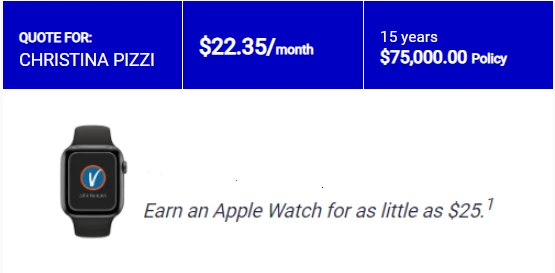
      <tr class="mktoModule" id="JH_DTC_Body_Copy_Lower_Module19277934-a318-456e-a955-4751ccba0dee" mktoname="JH DTC Body Copy Lower Module-1" align="center">
        <td>
          <table class="block-grid">
            <tbody>
              <tr>
                <td class="mktoText" id="JH_DTC_Body_Copy_Lower19277934-a318-456e-a955-4751ccba0dee" mktoname="JH DTC Body Copy Lower" style="font-size: 16px; mso-line-height-alt: 24px; padding: 10px 20px 5px 20px"><p><img src="https://programs.johnhancockinsurance.com/rs/014-PBZ-107/images/JHV AW.png" alt="JHV AW.png" height="117" width="425" style="display: block; margin-left: auto; margin-right: auto;" /></p></td>
              </tr>
            </tbody>
          </table> </td>
      </tr>