Image Getting Cutoff in Outlook | Community
Skip to main content
New Participant
November 14, 2023
Solved

Image Getting Cutoff in Outlook

  • November 14, 2023
  • 2 replies
  • 5149 views

Hi,


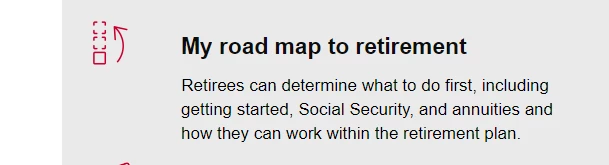
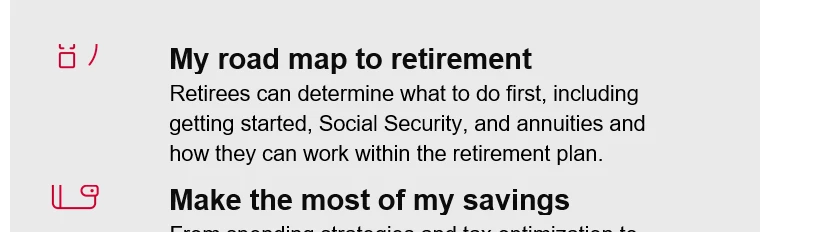
When we send email on outlook the image is getting cut from top, I am not sure why it is getting cut from top. 


Regards,

Akshat Goyal


<table style="text-align: left;"> <tbody> <tr> <td> <h2 style="text-align: left; margin: 45px 0px;"><span style="font-size: 23px; line-height: 27px; font-family: arial, helvetica, sans-serif;"><strong><span style="color: #0c0c0c;"><span style="letter-spacing: -.1pt;">My road map to retirement</span></span></strong></span></h2> </td> </tr> </tbody> </table> <table style="margin-left: auto; margin-right: auto;"> <tbody> <tr> <td><img src="https://info.m-vanguard.com/rs/436-BGD-776/images/road_map_icon.png" alt="road_map_icon.png" width="48" height="48" constrain="true" imagepreview="false" style="display: inline-block; width: 48px; height: 48px;" /></td> <td> <h2 style="text-align: left; margin: 0pt 39.1pt 0px 45px;"><span style="font-size: 23px; line-height: 27px; font-family: arial, helvetica, sans-serif;"><strong><span style="color: #0c0c0c;"><span style="letter-spacing: -.1pt;">My road map to retirement</span></span></strong></span></h2> </td> </tr> <tr> <td></td> <td> <p style="text-indent: .2pt; line-height: 24px; margin: 0pt 39.1pt 15px 45px;"><span style="font-size: 17px; font-family: arial, helvetica, sans-serif;">Retirees can determine what to do first, including getting started, Social Security, and annuities and how they can work within the retirement plan.</span></p> </td> </tr> <tr> <td><span style="font-family: arial, helvetica, sans-serif;"><img src="https://info.m-vanguard.com/rs/436-BGD-776/images/My_savings_icon.png" alt="Icon of money sticking out of a wallet" height="50" width="50" constrain="true" imagepreview="false" /></span><br /></td> <td> <h2 style="text-align: left; margin: 0pt 39.1pt 0px 45px;"><span style="font-size: 23px; line-height: 27px; font-family: arial, helvetica, sans-serif;"><strong><span style="color: #0c0c0c;"><span style="letter-spacing: -.1pt;">Make the most of my savings</span></span></strong></span></h2> </td> </tr> <tr> <td></td> <td> <p style="text-indent: .2pt; line-height: 24px; margin: 0pt 39.1pt 15px 45px;"><span style="font-size: 17px; font-family: arial, helvetica, sans-serif;">From spending strategies and tax optimization to investing wisely in retirement, your employees will know what they can and should do with their hard-earned savings.</span></p> </td> </tr> <tr> <td><span style="font-family: arial, helvetica, sans-serif;"><img src="https://info.m-vanguard.com/rs/436-BGD-776/images/Health_care_icon.png" alt="Icon of a clipboard behind a plus sign that is within a circle" height="50" width="50" constrain="true" imagepreview="false" /></span><br /></td> <td> <h2 style="text-align: left; margin: 0pt 39.1pt 20px 45px;"><span style="font-family: arial, helvetica, sans-serif;"><span style="font-size: 23px; line-height: 27px;"><strong><span style="color: #0c0c0c;"><span style="letter-spacing: -.1pt;"></span></span></strong></span><span style="font-size: 24px;"><strong><span style="color: #0c0c0c;"><span style="letter-spacing: -.1pt;">The basics of health care planning</span></span></strong></span></span></h2> </td> </tr> <tr> <td></td> <td> <p style="text-indent: .2pt; line-height: 24px; margin: 0pt 39.1pt 15px 45px;"><span style="font-size: 17px; font-family: arial, helvetica, sans-serif;">Your employees can learn how to estimate what health and long-term care will cost.</span></p> </td> </tr> <tr> <td><span style="font-family: arial, helvetica, sans-serif;"><img src="https://info.m-vanguard.com/rs/436-BGD-776/images/Healthy_happy_icon.png" alt="Icon of a person stretching" height="50" width="50" constrain="true" imagepreview="false" /></span><br /></td> <td> <h2 style="text-align: left; margin: 0pt 39.1pt 20px 45px;"><span style="font-family: arial, helvetica, sans-serif;"><span style="font-size: 23px; line-height: 27px;"><strong><span style="color: #0c0c0c;"><span style="letter-spacing: -.1pt;"></span></span></strong></span><span style="font-size: 24px;"><strong><span style="color: #0c0c0c;"><span style="letter-spacing: -.1pt;">Be healthy and happy in retirement</span></span></strong></span></span></h2> </td> </tr> <tr> <td></td> <td> <p style="text-indent: .2pt; line-height: 24px; margin: 0pt 39.1pt 15px 45px;"><span style="font-size: 17px; font-family: arial, helvetica, sans-serif;">Your employees can learn more about emotional well-being and staying active and why it's important through retirement.</span></p> </td> </tr> </tbody> </table>



This post is no longer active and is closed to new replies. Need help? Start a new post to ask your question.
Best answer by Danielle_Wong

did you tried in outlook software or web version of outlook? 


Just checked web version and it looks good as well. No image is cut off on both software and web version of Outlook. 

2 replies

New Participant
November 15, 2023

Hi @akshat_goyal,


Instead of giving all the styles in the H2 and span tags, you can give directly to TD. Sometimes, these small things can destroy our layout in the email clients.


Let me know if you have any queries.


Thanks!

Jasbir

New Participant
November 15, 2023

I tried with the first <td> section, but it does not work. it is still hiding the image I added. 


@jasbirka  @danielle_wong 


<table style="text-align: left;"> <tbody> <tr> <td> <h2 style="text-align: left; margin: 45px 0px;"><span style="font-size: 23px; line-height: 27px; font-family: arial, helvetica, sans-serif;"><strong><span style="color: #0c0c0c;"><span style="letter-spacing: -.1pt;">My road map to retirement</span></span></strong></span></h2> </td> </tr> </tbody> </table> <table style="margin-left: auto; margin-right: auto;"> <tbody> <tr> <td><img src="https://info.m-vanguard.com/rs/436-BGD-776/images/road_map_icon.png" alt="road_map_icon.png" width="48" height="48" constrain="true" imagepreview="false" style="display: inline-block; width: 48px; height: 48px;" /></td> <td style="text-align: left; margin: 0pt 39.1pt 0px 45px; font-size: 23px; line-height: 27px; font-family: arial, helvetica, sans-serif;">My road map to retirement</td> </tr> <tr> <td></td> <td> <p style="text-indent: .2pt; line-height: 24px; margin: 0pt 39.1pt 15px 45px;"><span style="font-size: 17px; font-family: arial, helvetica, sans-serif;">Retirees can determine what to do first, including getting started, Social Security, and annuities and how they can work within the retirement plan.</span></p> </td> </tr> <tr> <td><span style="font-family: arial, helvetica, sans-serif;"><img src="https://info.m-vanguard.com/rs/436-BGD-776/images/My_savings_icon.png" alt="Icon of money sticking out of a wallet" height="50" width="50" constrain="true" imagepreview="false" /></span><br /></td> <td> <h2 style="text-align: left; margin: 0pt 39.1pt 0px 45px;"><span style="font-size: 23px; line-height: 27px; font-family: arial, helvetica, sans-serif;"><strong><span style="color: #0c0c0c;"><span style="letter-spacing: -.1pt;">Make the most of my savings</span></span></strong></span></h2> </td> </tr> <tr> <td></td> <td> <p style="text-indent: .2pt; line-height: 24px; margin: 0pt 39.1pt 15px 45px;"><span style="font-size: 17px; font-family: arial, helvetica, sans-serif;">From spending strategies and tax optimization to investing wisely in retirement, your employees will know what they can and should do with their hard-earned savings.</span></p> </td> </tr> <tr> <td><span style="font-family: arial, helvetica, sans-serif;"><img src="https://info.m-vanguard.com/rs/436-BGD-776/images/Health_care_icon.png" alt="Icon of a clipboard behind a plus sign that is within a circle" height="50" width="50" constrain="true" imagepreview="false" /></span><br /></td> <td> <h2 style="text-align: left; margin: 0pt 39.1pt 20px 45px;"><span style="font-family: arial, helvetica, sans-serif;"><span style="font-size: 23px; line-height: 27px;"><strong><span style="color: #0c0c0c;"><span style="letter-spacing: -.1pt;"></span></span></strong></span><span style="font-size: 24px;"><strong><span style="color: #0c0c0c;"><span style="letter-spacing: -.1pt;">The basics of health care planning</span></span></strong></span></span></h2> </td> </tr> <tr> <td></td> <td> <p style="text-indent: .2pt; line-height: 24px; margin: 0pt 39.1pt 15px 45px;"><span style="font-size: 17px; font-family: arial, helvetica, sans-serif;">Your employees can learn how to estimate what health and long-term care will cost.</span></p> </td> </tr> <tr> <td><span style="font-family: arial, helvetica, sans-serif;"><img src="https://info.m-vanguard.com/rs/436-BGD-776/images/Healthy_happy_icon.png" alt="Icon of a person stretching" height="50" width="50" constrain="true" imagepreview="false" /></span><br /></td> <td> <h2 style="text-align: left; margin: 0pt 39.1pt 20px 45px;"><span style="font-family: arial, helvetica, sans-serif;"><span style="font-size: 23px; line-height: 27px;"><strong><span style="color: #0c0c0c;"><span style="letter-spacing: -.1pt;"></span></span></strong></span><span style="font-size: 24px;"><strong><span style="color: #0c0c0c;"><span style="letter-spacing: -.1pt;">Be healthy and happy in retirement</span></span></strong></span></span></h2> </td> </tr> <tr> <td></td> <td> <p style="text-indent: .2pt; line-height: 24px; margin: 0pt 39.1pt 15px 45px;"><span style="font-size: 17px; font-family: arial, helvetica, sans-serif;">Your employees can learn more about emotional well-being and staying active and why it's important through retirement.</span></p> </td> </tr> </tbody> </table>


Danielle_Wong
Community Manager
November 15, 2023

I tried your code and it works in my outlook. 

I tested on two outlook program versions and don't see the cutoff issue you do. so maybe some other code outside of this table that is impacting your table/image.

Danielle_Wong
Community Manager
November 14, 2023

I experienced this before and the solution that worked for me was putting the image in a table.