Images not showing despite having HTTPS in URL in Email Editor | Community
Skip to main content
New Participant
April 17, 2024
Question

Images not showing despite having HTTPS in URL in Email Editor

  • April 17, 2024
  • 2 replies
  • 1752 views

Hi there folks - I have been using Marketo for the past 4 years and have never come across this issue.


Oddly the images for me do not show up despite them having https in them. It was working just fine then on Apr 15 2024 it stopped working.


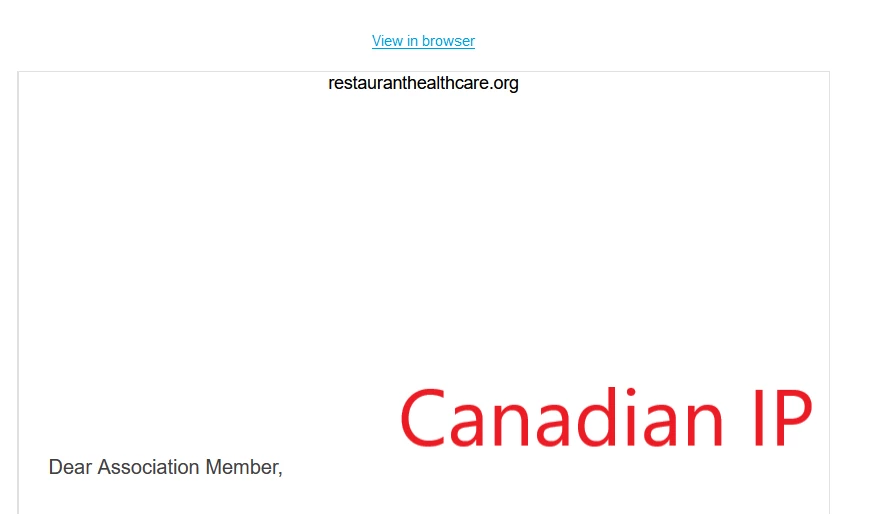
Now here is the strange thing. I checked my firewall and there doesn't seem to be any issue. I work in Canada so I thought what if I used a US address with a VPN service and using a US ip allowed me to see all the images just fine. So if I turn off my VPN and go back to my Canadian IP address, the images stop working. Any clue?


Here are the images of me using US vs Canadian IP

Here is also the image link I am using - https://go.restaurant.org/rs/078-ZLA-461/images/Webinar-banner.jpg



This post is no longer active and is closed to new replies. Need help? Start a new post to ask your question.

2 replies

SanfordWhiteman
New Participant
April 17, 2024

Think we’re gonna need more info. For me, the image loads from both a US IP and Canadian IP.


What do you see in the Dev Tools » Network tab for the request?

New Participant
April 18, 2024

I don't see a Dev Tools in Marketo. Or did you mean in my own computer settings?

SanfordWhiteman
New Participant
April 18, 2024

Your browser Developer Tools, since it’s your browser that’s failing to load the image.

alludoalex
New Participant
April 17, 2024

Does it behave the same way when uploading the image to Marketo's Design Studio?

Jo_Pitts1
Community Manager
April 17, 2024

@alludoalex , looking at the URL for the image in the OP, it is already in Marketo design studio.