Importe Mail Template + Image | Community
Skip to main content
New Participant
August 21, 2020
Solved

Importe Mail Template + Image

  • August 21, 2020
  • 1 reply
  • 2358 views

Hello,


I've been creating an email template for marketo on Beefree, I've also uploaded the picture of this template in the Marketo design studio, however, when I try to look at the preview, the pictures don't appear,

If someone know how I can fix this I'll take any advice,

Thanks

This post is no longer active and is closed to new replies. Need help? Start a new post to ask your question.
Best answer by Dave_Roberts

You might need to check that the images are linked to the URL for the image in Marketo, they might be different in BeeFree? 

You can find the URL for an image by finding the image in Design Studio in the Images/Files folder and clicking on the filename. This'll bring up another screen to get the URL to the Marketo image.
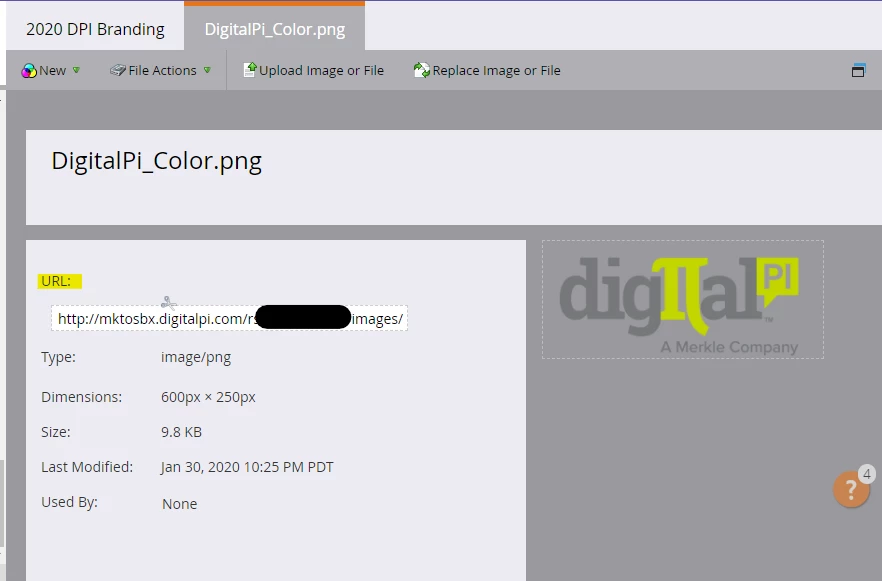
 

You can then compare this to the image URLs in your email template, that should look something like:

<img src="...your_URL_here..." />


It might be helpful to folks in the community to pitch in here if you can share the code you're using to see this error - maybe the template HTML would be best. You can include HTML in a Community post by clicking the "..." (Expand Toolbar) option in the toolbar and then selecting the "</>" (Insert/Edit Code Sample) button and pasting your HTML into the pop-up dialog box there.


1 reply

Dave_Roberts
Dave_RobertsAccepted solution
New Participant
August 21, 2020

You might need to check that the images are linked to the URL for the image in Marketo, they might be different in BeeFree? 

You can find the URL for an image by finding the image in Design Studio in the Images/Files folder and clicking on the filename. This'll bring up another screen to get the URL to the Marketo image.


You can then compare this to the image URLs in your email template, that should look something like:

<img src="...your_URL_here..." />


It might be helpful to folks in the community to pitch in here if you can share the code you're using to see this error - maybe the template HTML would be best. You can include HTML in a Community post by clicking the "..." (Expand Toolbar) option in the toolbar and then selecting the "</>" (Insert/Edit Code Sample) button and pasting your HTML into the pop-up dialog box there.