
"In Future" & "in Future After" on a Custom Object | Community
Skip to main content
Michael_Florin-2
New Participant
October 16, 2020
Question

"In Future" & "in Future After" on a Custom Object

  • October 16, 2020
  • 3 replies
  • 3366 views

Hello all,


we have a problem and I wonder if anyone had a creative solution for it.


We need to build a Smart List that finds all customers whose contracts expire in exactly 90 days. Usually - and if that date field with the contract expiration were a lead field - we'd use the combination of filters described by Marketo here: 

https://docs.marketo.com/display/public/DOCS/Smart+List+Filter+Operators+Glossary#SmartListFilterOperatorsGlossary-DateFields
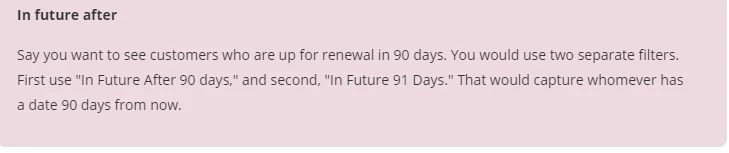
Now, that doesn't work for Custom Objects, if a person has more than one CO. Filter 1 might return persons with CO 1, filter 2 might return persons with CO 2, but none of the two COs actually satisfies both filters combined. 

Has anyone faced this and found a solution for it?

Thanks!
Michael


This post is no longer active and is closed to new replies. Need help? Start a new post to ask your question.

3 replies

Michael_Florin-2
New Participant
October 19, 2020

Thank you both!


Katja - I will have to look at the schedule and its options. Thanks for the idea!

Sandford - could you elaborate a little on your "mirror the field" approach? I don't get it yet.

SanfordWhiteman
New Participant
October 16, 2020

This is exactly when I mirror the DateTime field to another DateTime field on the object. 🙂

Katja_Keesom
Community Manager
October 16, 2020

With this sort of date filters I tend to use the Schedule options available to allow a person to run through the flow once per x period (90 days in your example). Not entirely sure I understand your use case, but it allows you to only set the "in future 91 days" and let the schedule take care of the fact that the person only flows through once.

SanfordWhiteman
New Participant
October 17, 2020

Unfortunately, don't think the Schedule approach solves for this CO case.


If you can have multiple contracts that are active simultaneously and whose expiration dates are not a full 90 days apart, then you will miss some.

Katja_Keesom
Community Manager
October 19, 2020

Good point. In that case your solution seems the only clean one that would work.