Interesting Moment Token Field Population | Community
Skip to main content
Troy_Larson
New Participant
August 3, 2020
Solved

Interesting Moment Token Field Population

  • August 3, 2020
  • 2 replies
  • 3211 views

Hi all, 


So I have a question for anyone here. I'm currently stamping Interesting Moments: 
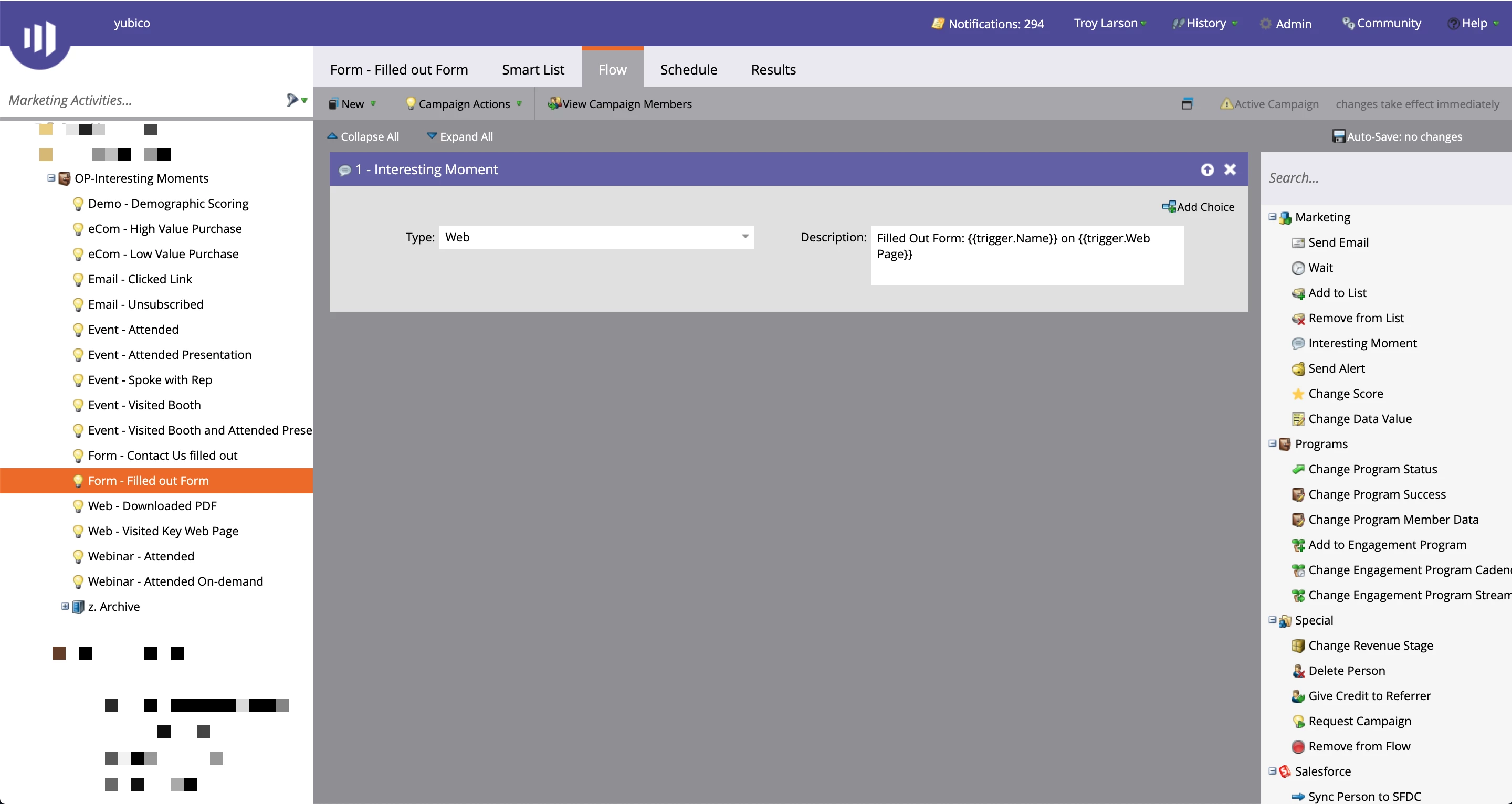
 

Now, when a lead becomes an MQL I'd like to transfer that Interesting Moment over to a custom SFDC field called MQL Most Recent Detail.
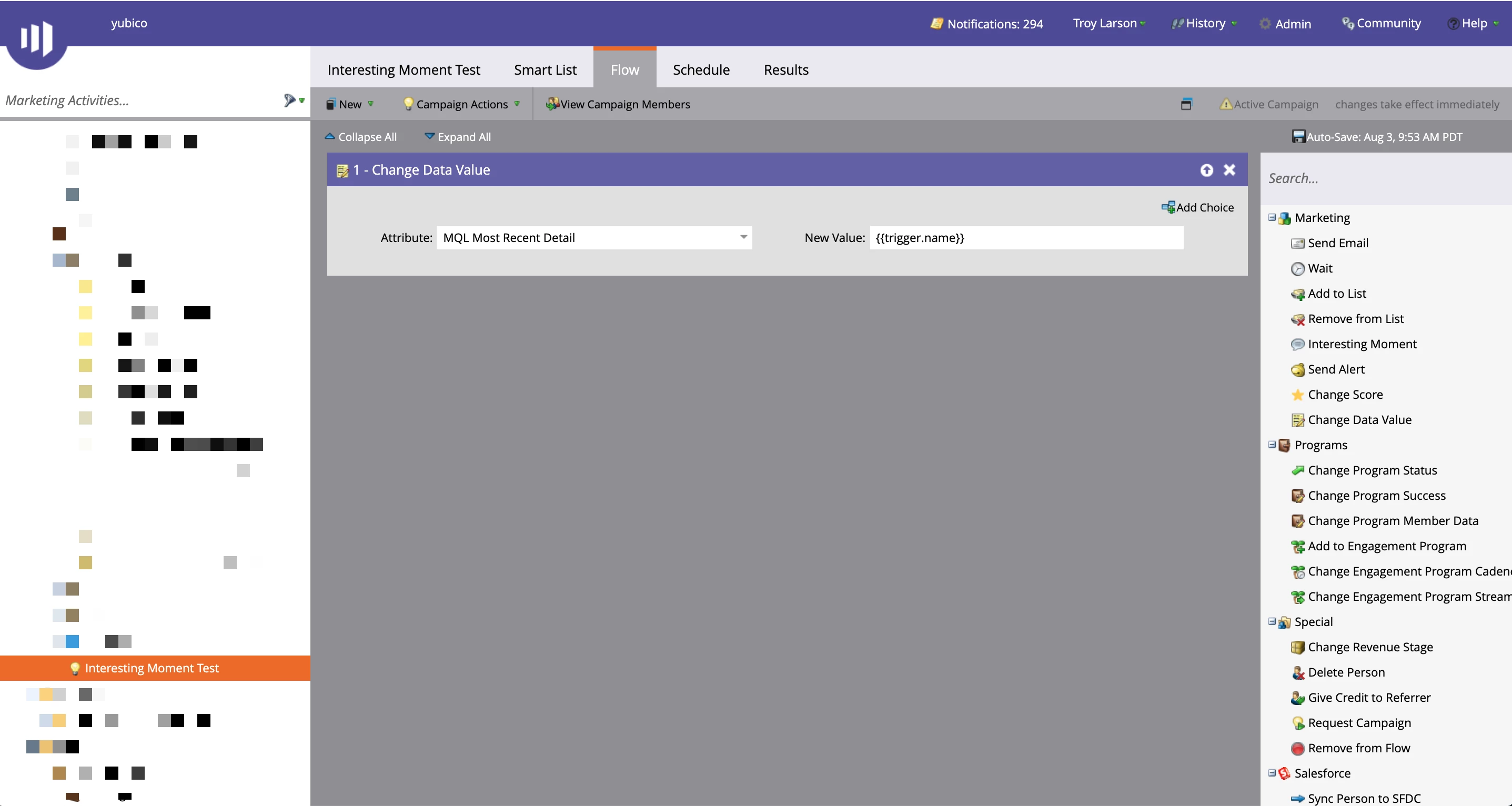
 

However, when I run myself through as a test I'm not seeing the {{trigger.Name}} instead I'm seeing the "type". So I'm wondering what it is I'm doing wrong because as you can see with my test I'm seeing the trigger type not the name. 
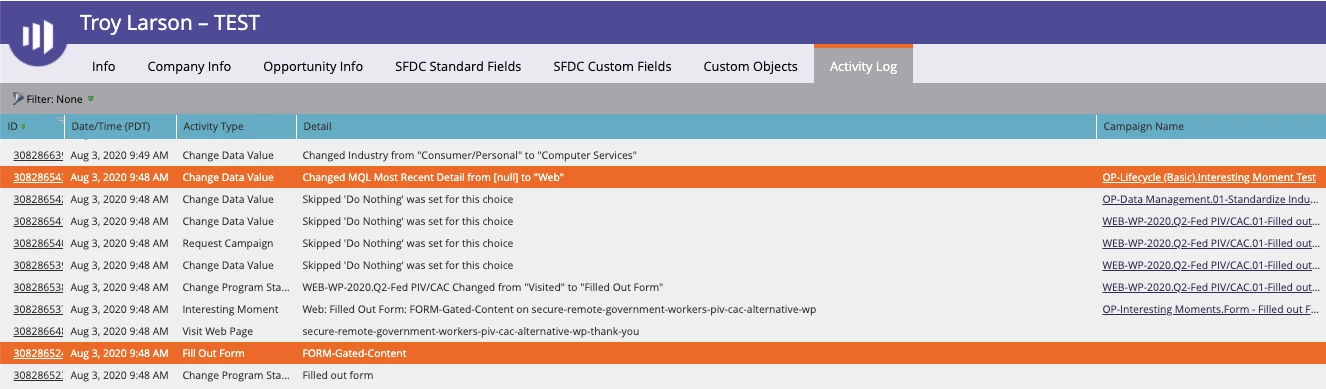
 

Any thoughts/suggestions would be greatly appreciated. 

This post is no longer active and is closed to new replies. Need help? Start a new post to ask your question.
Best answer by SanfordWhiteman

The {{trigger.}} tokens come from the activity that triggered the Smart Campaign. 


So if the trigger is "Had Interesting Moment" then the characteristics of the {{trigger.}} context only go as deep as the activity type ({{trigger.trigger name}}) and the subtype ({{trigger.name}}) — not the deep contents of the IM.


2 replies

SanfordWhiteman
New Participant
August 3, 2020

Unclear what you mean by "transfer that Interesting Moment over to a custom SFDC field." You can't retrieve values from an already-existing IM and move them to a field. What's the Smart List for that second Smart Campaign?

Troy_Larson
New Participant
August 3, 2020

Hey Sandy - 

Here's what I was looking to do: we have this new field called MQL Most Recent Detail - I was hoping to populate that with the  latest program name that the person qualified for when they became an MQL. That way our team has an idea as to "why" they became an MQL. 

My thinking was if I could take the {{trigger.Name}} and write it to that field when there's a person status change to MQL status. I was dry running myself through it to see what would get populated in the field. And I was seeing "Web" when I used {{trigger.Name}} & "Interesting Moment" when I tried the same flow using {{trigger.trigger name}}. 

To be more direct, the smart list for this qualification is - Has Interesting Moment: Web, Milestone, Email in past hour & email address is "troy". I figured I'd trigger that when I fill out a from as I have IMs set up to trigger when a form is submitted. 

I hope that lends a little more light as to what it is I'm trying to accomplish. 

SanfordWhiteman
SanfordWhitemanAccepted solution
New Participant
August 4, 2020

The {{trigger.}} tokens come from the activity that triggered the Smart Campaign. 


So if the trigger is "Had Interesting Moment" then the characteristics of the {{trigger.}} context only go as deep as the activity type ({{trigger.trigger name}}) and the subtype ({{trigger.name}}) — not the deep contents of the IM.


Darshil_Shah1
Community Manager
August 3, 2020

Try {{trigger.Trigger Name}}