Invalid image URL - tried all solutions! | Community
Skip to main content
New Participant
October 5, 2020
Question

Invalid image URL - tried all solutions!

  • October 5, 2020
  • 4 replies
  • 6940 views

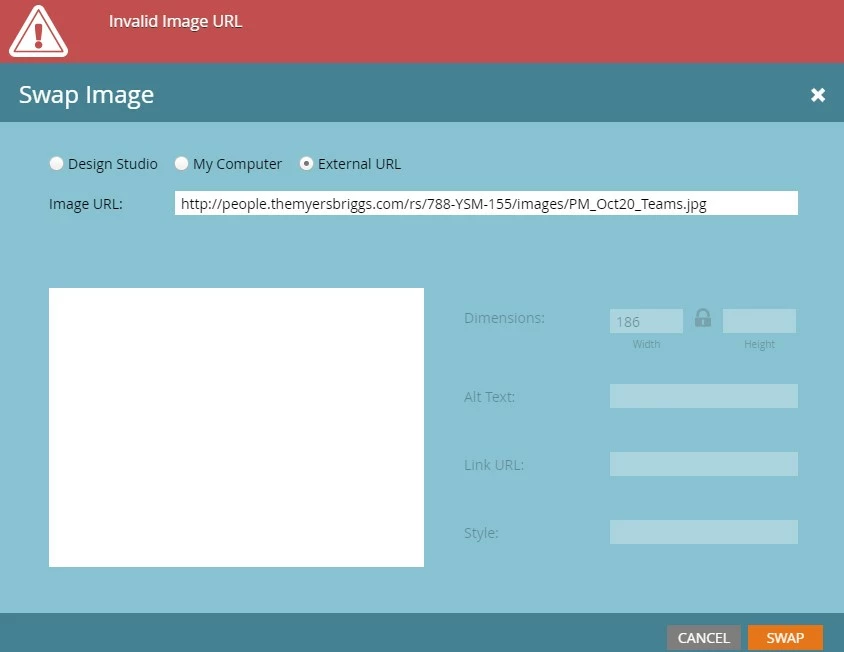
Last week I started being blocked by an "Invalid Image URL" error on my emails, even previous emails which worked fine in the past.


I read the past articles and I've tried clearing my cache. I also checked for the ghostery extension, but I don't have it. I use underscores instead of spaces in file names. I upload images into the Design Studio on Marketo.


My boss is not having the same issue as I am and can edit the URL and Alt text on the images fine.


Any more ideas of what might be causing it?


Thanks,

Eleanor

This post is no longer active and is closed to new replies. Need help? Start a new post to ask your question.

4 replies

New Participant
October 22, 2020

I'm also facing the same problem and tried all the suggestions. 

Chrystal_Martin
New Participant
November 16, 2020

Same issues here, too, since the new Marketo Engage interface went up. Putting in ticket. None of these solutions worked.

New Participant
November 19, 2020

Has anyone found a solution to this issue? We started experiencing this same problem after the New Layout was introduced.

Jissella_Urquil
New Participant
October 20, 2020

I am having the same issue and I do not know what to do. I know there was an update recently so there may have been a glitch or something. I've been experiencing a lot of different issues recently with Marketo right after updates.

Jissella_Urquil
New Participant
October 20, 2020

Hi everyone, 


support instructed me to put in na-sj##.marketodesigner.com into my Allow settings on google chrome for insecure content and now I am not getting the errors. 


replace the ## signs in the link with the number that was in the URL links for Marketo before they changed to include engage. You would also replace SJ if your server is not San Jose. 


IN chrome settings go to privacy & Security>site settings>additional content settings>Insecure content. 

Bonni_Graham_Go
New Participant
November 4, 2020

This did not work for me. Placing my own ticket now.

Nora_Ewers
New Participant
October 13, 2020

Hi @eholmes , 


did you find a solution? Because I´m facing the same issue, while everything works fine for everyone else in my team.


Nora

eholmesAuthor
New Participant
October 20, 2020

I don't have a solution. Where do we go next? I can't keep asking my boss to upload the images for me 😕😕

Dave_Roberts
New Participant
October 5, 2020

It looks like you've got the "External URL" option selected here, but the URL path appears to point to a Marketo folder. Have you tried selecting the "Design Studio" radio button at the top and using the same URL or exploring using the little folder w/ magnifying glass icon to the right of the URL to find the image in your instance and add it that way? The explore icon should show up to the right of the input once you've selected the Design Studio option.

Sarah_DeCarlo
New Participant
October 19, 2020

I'm experiencing the same problem. I tried this (selecting the image through the Design Studio), and was able to hit the swap button, but the alt text and link fields were still grayed out. Then when I double-click the image again to edit those fields, it has reverted back to the "External URL" option.


Plot twist: I uploaded the image in question to our company server versus the Design Studio, and now it is working just fine. Any ideas what's happening here? Do we need to change something in our Design Studio? This is the first time this has happened in 2.5 years.