Is there way to see the URL parameter/query string in lead activity? | Community
Skip to main content
August 26, 2016
Solved

Is there way to see the URL parameter/query string in lead activity?

  • August 26, 2016
  • 2 replies
  • 3183 views

We added "?src=social" to some of our shared URLs for a specific blog post to try and track exactly where our leads are coming from. As you can see, I am in Marketo as a lead to test this, and I am not able to see the query string in the details of my lead activity. I wasn't sure if this was a feature I could turn on or off, or if there was a way to make the details column more detailed?
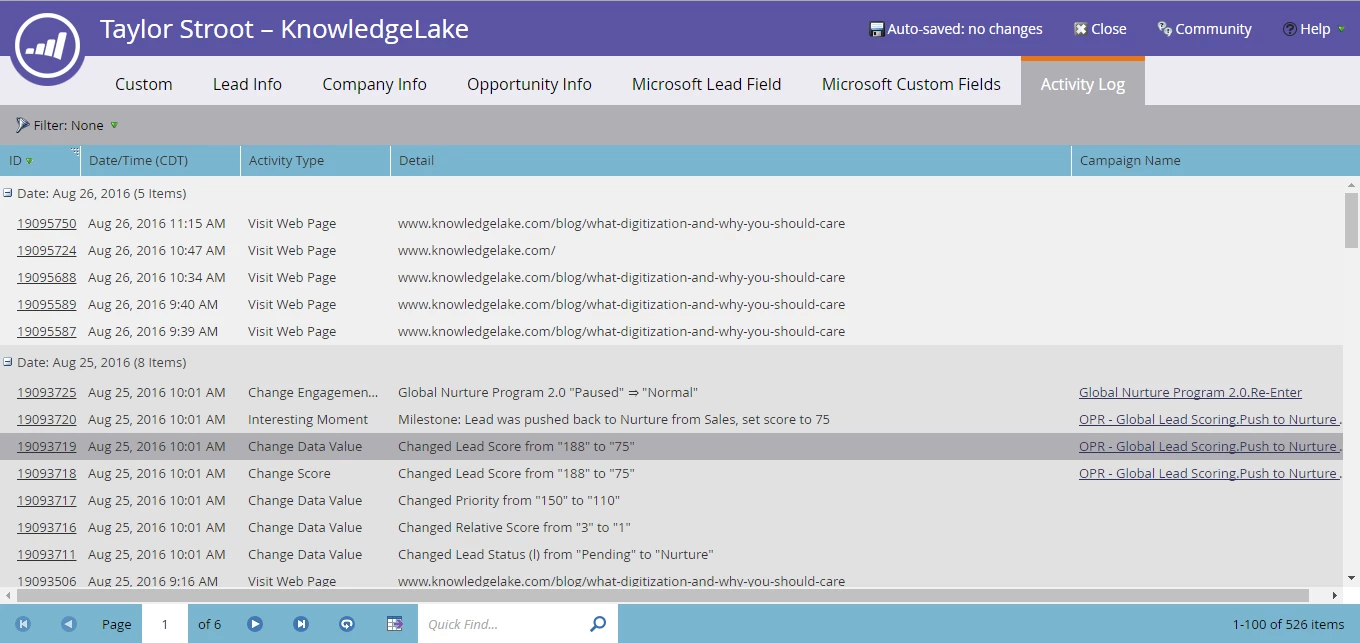
Thank you!

This post is no longer active and is closed to new replies. Need help? Start a new post to ask your question.
Best answer by Jim_Thao7

Double click on the "Visit Web Page" activity.  You should see details pop up w/ query parameters.

2 replies

Jim_Thao7
Jim_Thao7Accepted solution
New Participant
August 29, 2016

Double click on the "Visit Web Page" activity.  You should see details pop up w/ query parameters.

SanfordWhiteman
New Participant
August 26, 2016

Check the details under the Activity ID.