
Known Visitor HTML not accepted tokens | Community
Skip to main content
Robb_Barrett
New Participant
October 5, 2016
Solved

Known Visitor HTML not accepted tokens

  • October 5, 2016
  • 3 replies
  • 1811 views

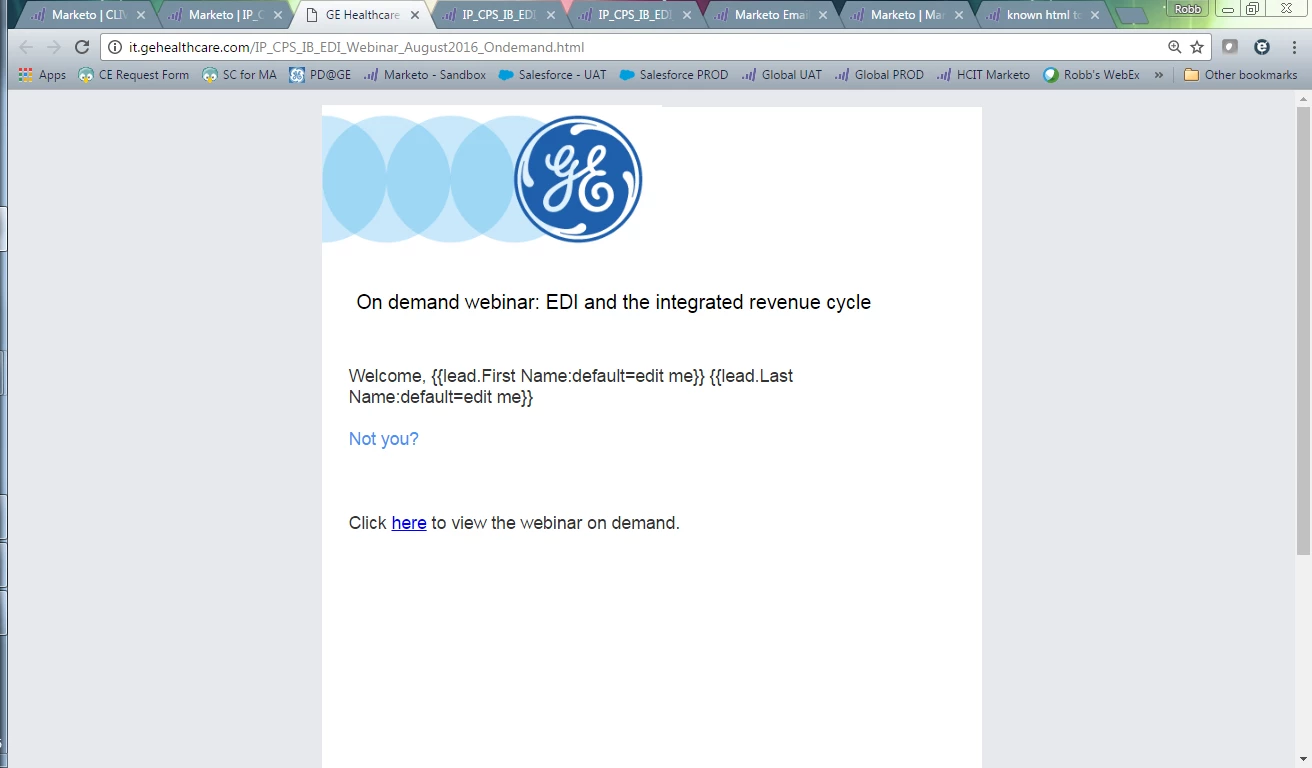
This is odd.  I used the token insert button to put these in.  Any suggestions on why the tokens aren't rendering?
This post is no longer active and is closed to new replies. Need help? Start a new post to ask your question.
Best answer by Justin_Cooperm2

You're going to laugh, but I think there's special logic so it has to be lead.FirstName and the normal tokens through the "insert token" dialog simply won't work. See this doc: http://docs.marketo.com/display/DOCS/Show+Custom+HTML+Form+for+Known+Leads

Also, when you select "Custom HTML" we put this in by default

Welcome back, {{lead.FirstName}} {{lead.LastName}}

3 replies

Robb_Barrett
New Participant
October 5, 2016

@Justin Cooperman​ - THAT DID IT!!!  I had tried free typing in the token and then using the token inserter.  Drove me bonkers....I feel like I should know how to enter a token...

Thanks brutha....

Robb Barrett
Justin_Cooperm2
Justin_Cooperm2Accepted solution
New Participant
October 5, 2016

You're going to laugh, but I think there's special logic so it has to be lead.FirstName and the normal tokens through the "insert token" dialog simply won't work. See this doc: http://docs.marketo.com/display/DOCS/Show+Custom+HTML+Form+for+Known+Leads

Also, when you select "Custom HTML" we put this in by default

Welcome back, {{lead.FirstName}} {{lead.LastName}}

Josh_Hill13
New Participant
October 5, 2016

check the html on that section.
