Landing Page CSS - Question | Community
Skip to main content
Ayan_Talukder
New Participant
November 15, 2018
Solved

Landing Page CSS - Question

  • November 15, 2018
  • 1 reply
  • 3634 views

Hi everyone,

I took one of the Guided Landing Page template's Marketo offers and tried to strip it and simplify it. Basically we just wanted a page that hosted a banner and a form. For some reason though, we have this giant space at the top and I couldn't find what in the code could be causing this.
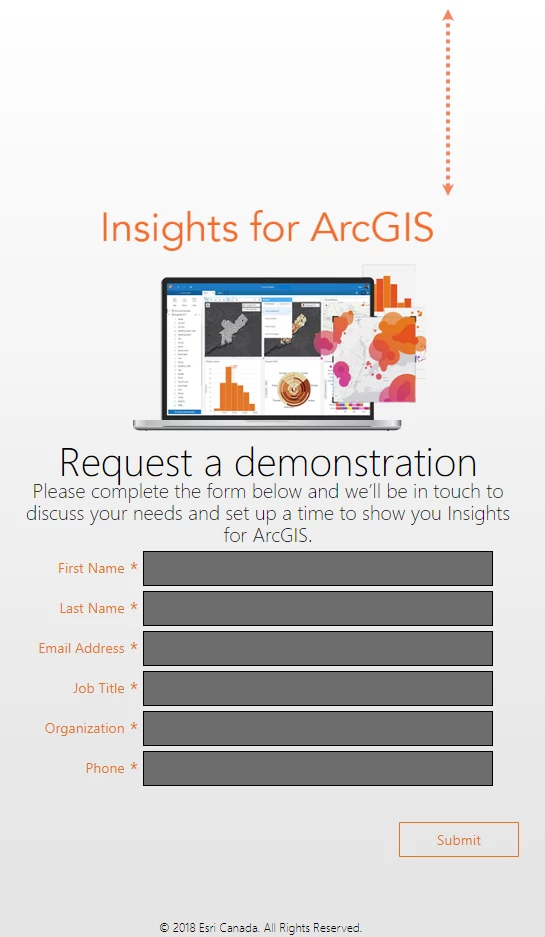
Any coding experts here have an idea what it could be? I have added the Guided Landing Page HTML template and our form CSS. The physical Marketo form also has a rich text field hosting the banner and description of the form.

Here is the landing page: https://pages.esri.ca/Insights-for-ArcGIS.html

Any tips or guidance is greatly appreciated, thank you in advance!

This post is no longer active and is closed to new replies. Need help? Start a new post to ask your question.
Best answer by Grace_Brebner3

Hey Ayan,

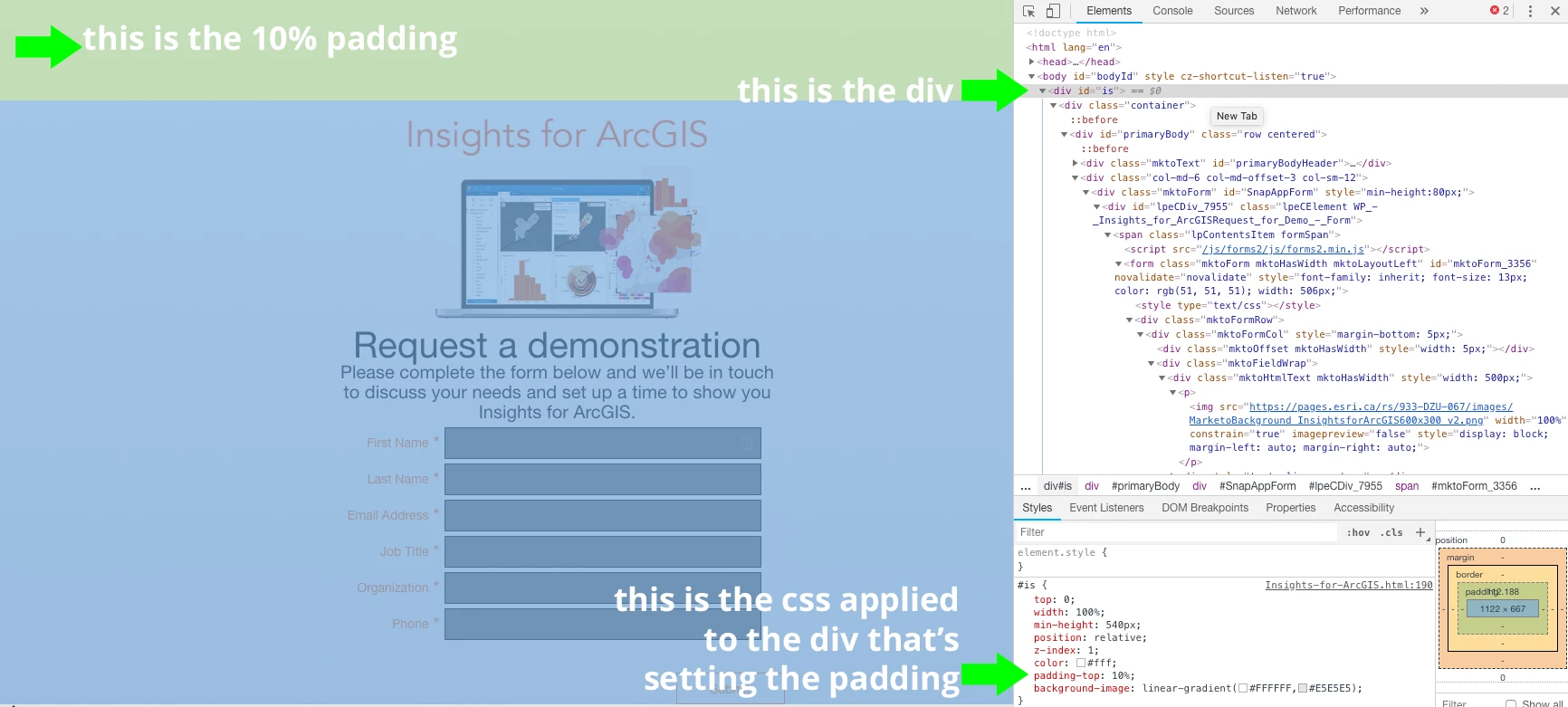
You've got a div with the id "is" that has css styling for "padding-top: 10%". That's where it's coming from - you can reduce/remove that padding by updating that value

You can trouble shoot these issues by opening the page and right clicking anywhere and selecting "inspect", then running over sections until you find the issue - see below:

1 reply

Grace_Brebner3
Grace_Brebner3Accepted solution
New Participant
November 15, 2018

Hey Ayan,

You've got a div with the id "is" that has css styling for "padding-top: 10%". That's where it's coming from - you can reduce/remove that padding by updating that value

You can trouble shoot these issues by opening the page and right clicking anywhere and selecting "inspect", then running over sections until you find the issue - see below:

Ayan_Talukder
New Participant
November 15, 2018

Thank you so much @Grace Brebner​! That did the trick, it looks much better now .

Grace_Brebner3
New Participant
November 15, 2018

No problem, happy to help!