
Landing page form, button, mobile text rendering | Community
Skip to main content
Tracy_Boesken
New Participant
February 13, 2022
Question

Landing page form, button, mobile text rendering

  • February 13, 2022
  • 1 reply
  • 1653 views

Hello Community,

I have a couple of issues with my landing page...I hope you all can help:


1. My form is overlapping my body text (only shows in the preview).
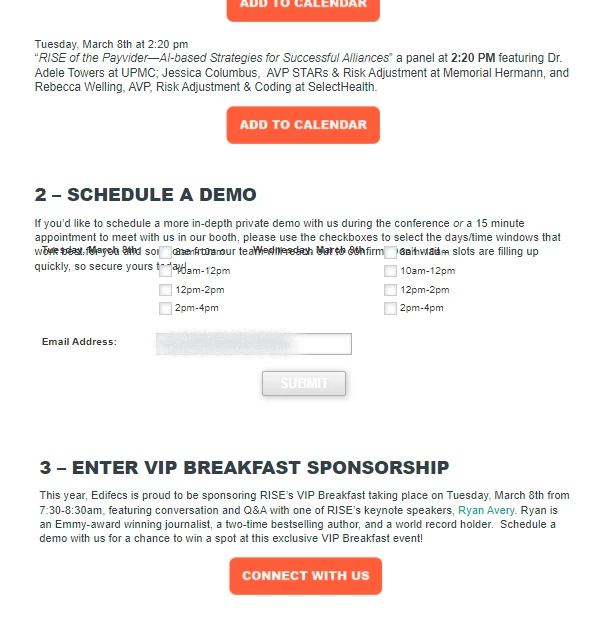
2. Is there a way to use a png button instead of the "submit" button in the form? (I want to have all my buttons alike).


3. The text in the banner will not "stack" correctly in the mobile version (responsive? The headline text in the mobile version is a separate block and will not layer on top of the hero image.)
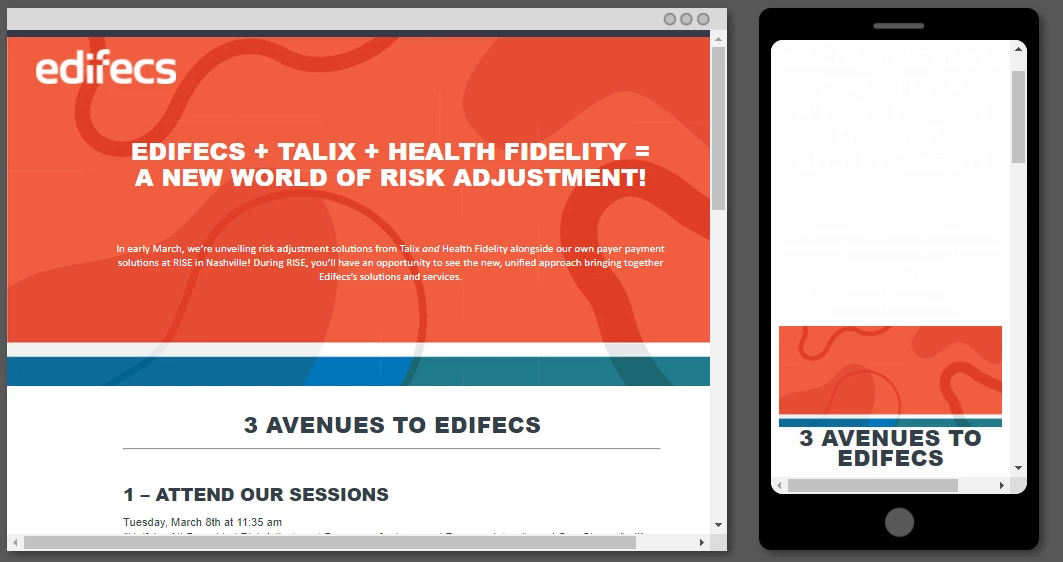
 

I appreciate any help!!!

Thanks,

--Tracy


1 reply

Jo_Pitts1
Community Manager
February 13, 2022

Tracy,

you can probably style the buttons with CSS to look like your PNG button (without know what the PNG button looks like, that is hard to say however).

We'd need to see code or a URL to be able to resolve the issues around responsive behaviour and form positioning.

Cheers

Jo


Tracy_Boesken
New Participant
February 13, 2022

Hi Jo,

Here is the LP: info.edifecs.com/RISE-Natl22-LP.html

I know where to access the CSS for the form button but I am unsure how to alter it. I want the button to look like the others on the page. 

Thanks,

--Tracy