Landing Page Template 2-A Hero Overlay | Community
Skip to main content
Kelly_Chang
New Participant
December 8, 2017
Solved

Landing Page Template 2-A Hero Overlay

  • December 8, 2017
  • 2 replies
  • 3407 views

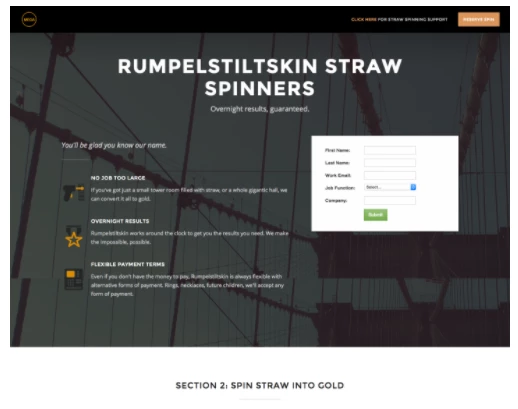
I've been trying to figure out how to change the overlay color on the hero image, but there was no selection option in the right sidebar or a place that I saw within the code. Does anyone know how I can alter the color? TIA!
This post is no longer active and is closed to new replies. Need help? Start a new post to ask your question.
Best answer by Gerard_Donnell4

Hi @Kelly Chang

So the style you need to change is this: 

<style>

#hero .section-dark {    background-color: #060606 !important;}

</style>

Its on line 282 of the style.css file. 

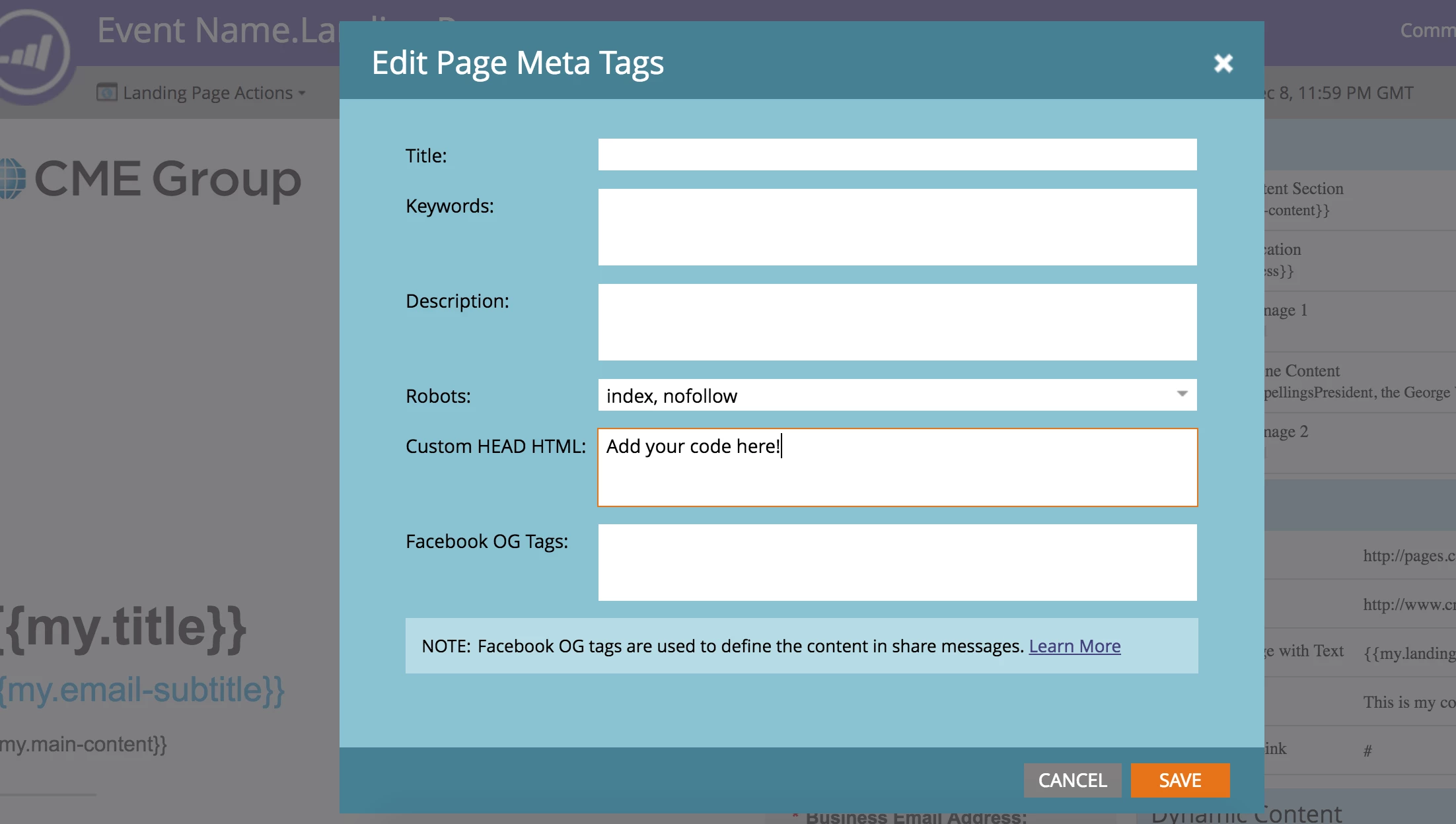
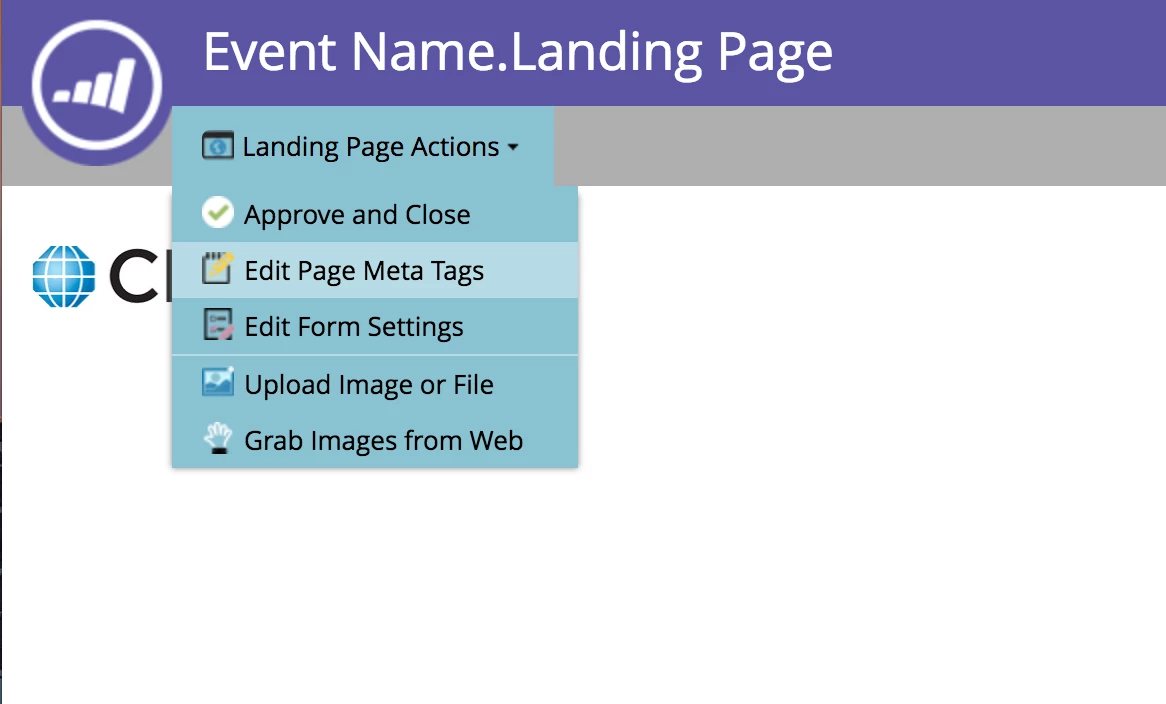
Rather than editing the css document, if you go to the landing page and then go to the "Landing Page Actions" dropdown in the top left and select "Edit Page Meta Tags" and then in the "Custom HEAD HTML" you can past whatever code you want.  The code above will work for you, just change the colour to what you like. See the screen shots below.

Thanks,

Gerard

2 replies

Gerard_Donnell4
Gerard_Donnell4Accepted solution
New Participant
December 9, 2017

Hi @Kelly Chang

So the style you need to change is this: 

<style>

#hero .section-dark {    background-color: #060606 !important;}

</style>

Its on line 282 of the style.css file. 

Rather than editing the css document, if you go to the landing page and then go to the "Landing Page Actions" dropdown in the top left and select "Edit Page Meta Tags" and then in the "Custom HEAD HTML" you can past whatever code you want.  The code above will work for you, just change the colour to what you like. See the screen shots below.

Thanks,

Gerard

Gerard_Donnell4
New Participant
December 9, 2017

Hi @Kelly Chang​,

I forgot to say, when you have a second can you move this thread to the product discussion board using the move button at the right hand side.

Thanks,

Gerard

Gerard_Donnell4
New Participant
December 8, 2017

Hi @Kelly Chang​,

Can you post the URL? If not, can you DM it to me.  I should be able to fix this for you pretty easily but I need to see the code.

Thanks,

Gerard

Kelly_Chang
New Participant
December 8, 2017

Hi Gerard, I was trying to figure out how to DM you - can you tell me how and I'll send you the URL?

TIA! Kelly

Gerard_Donnell4
New Participant
December 8, 2017

We had to both be following each other to DM.  I just sent you a message.

Thanks,

Gerard